VICIdial setup integration is the foundation every contact centre operator needs to get right before a single call is placed. When a client came to KingAsterisk with a straightforward requirement – deploy VICIdial so that the platform itself handles every stage of the calling process, from lead pickup to agent wrap-up.
It surfaced a set of questions that dozens of operations managers face: What hardware do I actually need? How do I wire in my CRM? Where does IVR fit?
This guide answers all of that, drawing on the real configuration work our engineering team delivered for that engagement.
We cover server architecture, IVR design, dialer campaign logic, CRM connectivity, and the subtle differences between deployment approaches – so that by the end you can evaluate, plan, and execute your own rollout with confidence.
What Is a VICIdial Server – and What Does It Actually Do?
A VICIdial server is a Linux-based telephony application server that combines an Asterisk PBX engine, a MySQL/MariaDB database layer, and a browser-accessible agent interface into a single, self-contained platform. Unlike hardware PBXs or proprietary dialler appliances, VICIdial is open-source, fully customisable, and purpose-built for high-volume outbound and inbound contact centre workflows.
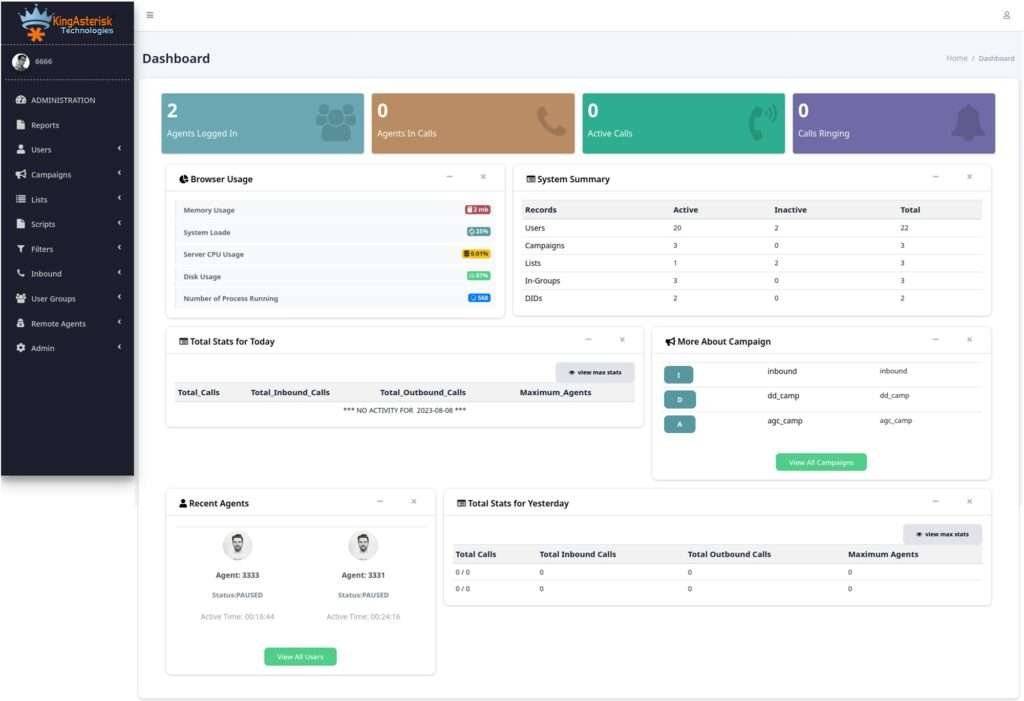
The server handles call origination (instructing carriers to dial a number), call routing (connecting answered calls to available agents), real-time monitoring (supervisor dashboards, barge, and whisper), and historical reporting – all within the same process. This tight integration is precisely why VICIdial setup integration must be planned holistically rather than assembled piecemeal.
Core Components Inside VICIdial
- Asterisk PBX – processes SIP signalling and RTP media streams
- VICIdial Web Interface – PHP/JavaScript front-end for agents and managers
- MySQL/MariaDB – stores leads, dispositions, recordings metadata, and campaign config
- Perl-based dialler daemon – executes predictive, power, and progressive dialling algorithms
- Apache/Nginx – serves the agent and admin portals
VICIdial Server Requirements: Hardware, OS & Network
Undersizing the server is the single most common mistake new deployments make. VICIdial is not resource-light – real-time audio processing, active database writes per call event, and concurrent web sessions all demand headroom.
Minimum Hardware Specifications (Production Deployments)
| Component | Recommended Specification |
|---|---|
| CPU | 8-core / 16-thread (Intel Xeon or AMD EPYC preferred) |
| RAM | 16 GB minimum; 32 GB for campaigns above 50 concurrent agents |
| Storage | SSD – 200 GB+ for OS, database, and call recordings |
| Network | 1 Gbps dedicated NIC; low-latency uplink to carrier |
| OS | CentOS 7 / AlmaLinux 8 or 9 (officially supported base) |
| Asterisk | Asterisk 16 LTS or 18 LTS (bundled with ViciBox) |
Network Considerations
SIP Protocol quality directly impacts call clarity and AMD (Answering Machine Detection) accuracy. Ensure your upstream bandwidth allocates at least 100 kbps per concurrent call (G.711 codec) and that QoS policies prioritise RTP packets. Firewall rules must open UDP 5060 (SIP) and the RTP port range (typically 10000–20000) to your carrier’s IP block.
ViciBox vs VICIdial: Clearing Up the Confusion
This is arguably the most common point of confusion for teams evaluating the platform for the first time. Here is the essential distinction: VICIdial is the application – the dialler, the agent interface, the reporting engine. ViciBox is a pre-built OS image (based on openSUSE) that automates the installation of VICIdial and all its dependencies onto a bare-metal or virtual machine.
Choosing ViciBox simply means you are using a ready-configured Linux environment rather than performing a manual dependency installation on AlmaLinux. The VICIdial codebase running inside both environments is identical.
When to choose each approach
Fastest path to a working installation on supported hardware. Ideal for teams without a dedicated Linux administrator.
Gives engineers precise control over kernel version, storage layout, and security hardening—preferred for enterprise deployments with strict compliance requirements.
How to Set Up IVR in VICIdial
VICIdial handles IVR (Interactive Voice Response) natively through Asterisk dialplan extensions. Unlike bolt-on IVR systems that require a separate server and API bridge, VICIdial’s IVR lives inside the same Asterisk instance that processes your outbound and inbound calls – which means there is no latency gap between IVR traversal and agent connection.
Step-by-Step IVR Configuration
Step 1 – Define your inbound DID: In the VICIdial admin, navigate to Admin > Inbound DIDs and create an entry pointing to your phone number.
Step 2 – Create an IVR menu: Go to Admin > Phone IVR Menus. Set the greeting audio file (WAV, 8 kHz mono), define the digit-to-action mapping (e.g., press 1 – Sales queue, press 2 – Support queue, press 0 – agent).
Step 3 – Link options to in-groups: Each IVR branch should map to a VICIdial In-Group. In-Groups are essentially ACD queues with their own hold music, agent skill routing, and overflow logic.
Step 4 – Set no-input and invalid-digit handlers: Always define a fallback action (re-play message, transfer to default group, or disconnect) to avoid dead air.
Step 5 – Test with a soft-phone: Dial the DID from a SIP soft-phone, walk through each branch, and verify agent screen-pop fires correctly on connection.
Advanced IVR Capabilities
VICIdial’s dialplan supports AGI (Asterisk Gateway Interface) scripts, meaning you can inject database lookups or external API calls into the IVR flow – for instance, reading a caller’s account number from your CRM before routing them to the correct team. This AGI layer is what separates a basic menu from a genuinely intelligent routing engine.
Understanding the Calling Process: From Lead to Disposition
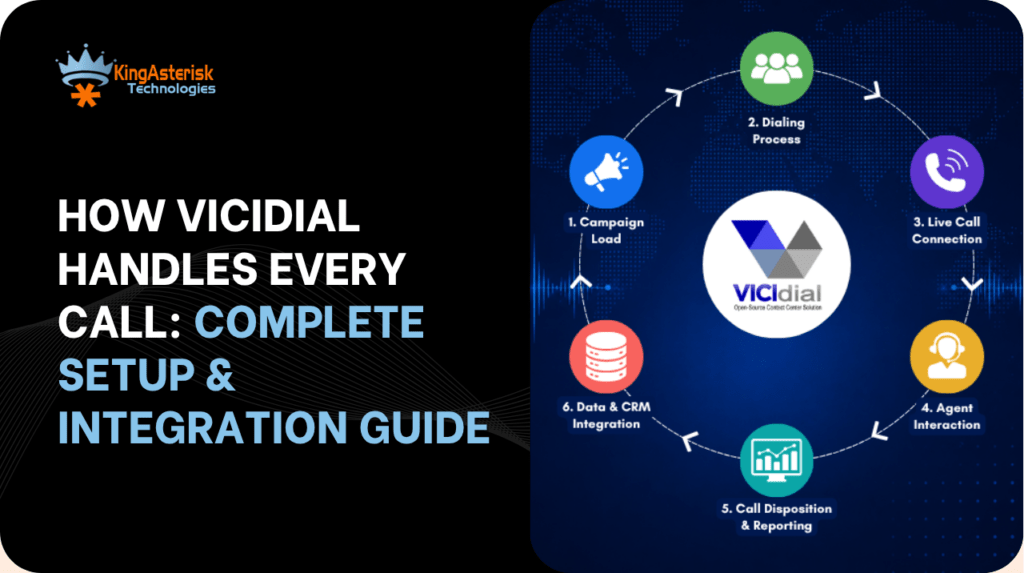
The calling process in VICIdial follows a well-defined sequence that the platform manages entirely autonomously once a campaign is configured and agents log in. Understanding this sequence is essential for diagnosing issues and optimising performance.
The Call Lifecycle
Lead injection – Leads are imported into a VICIdial list via CSV upload, MySQL direct insert, or API. Each lead record carries custom fields that can be surfaced on the agent screen-pop.
AMD screening (optional) – Answering Machine Detection analyses early audio to separate human answers from voicemail greetings, dropping machine-answered calls or routing to a drop-message audio file.
Agent connect – On a confirmed human answer, the platform bridges the remote party to the next available agent. The agent web interface receives a screen-pop displaying the lead record in real time.
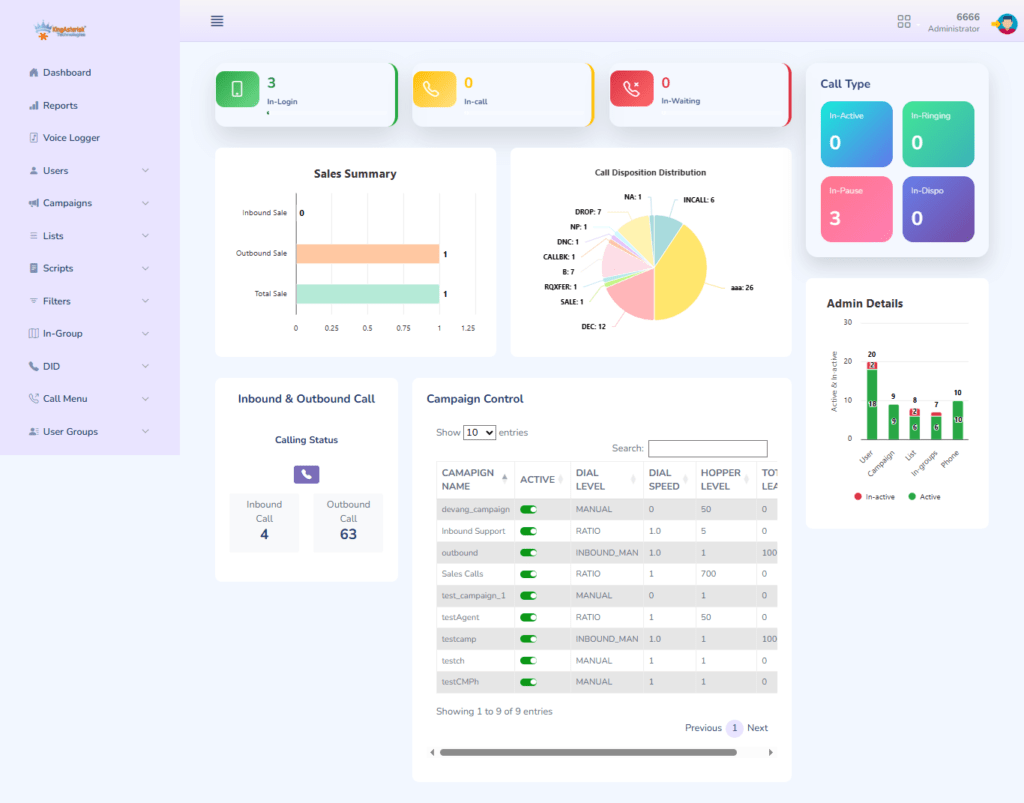
Wrap-up and disposition – The agent selects a disposition code (Sale, Callback, No Answer, DNC, etc.) and optionally reschedules a callback. The dialler updates the lead status in the database immediately.
Supervisor oversight – Real-time dashboards display calls in progress, agent states, lines in use, and campaign progress. Supervisors can silently monitor, barge in, or whisper to any active agent.
VICIdial CRM Integration – Including Vtiger
One of the most requested enhancements in any VICIdial deployment is tight CRM connectivity. Agents should never have to navigate between two separate interfaces – lead data, history, and outcomes must flow automatically.
Native Framed CRM (Embedded Web Panel)
VICIdial’s built-in embedded browser frame can load any web-accessible CRM page, auto-populating URL parameters with the lead’s phone number, name, custom fields, and campaign ID. This is the fastest integration path and requires no custom coding – simply configure the ‘VICIdial Custom CRM URL’ in the campaign settings.
Vtiger Integration with VICIdial
Vtiger’s open-source edition exposes a REST API that pairs well with VICIdial’s AGI and callback hooks. A typical Vtiger integration with VICIdial works as follows:
Inbound lookup: When a call arrives, an AGI script queries Vtiger’s Contacts module by caller ID. If a match is found, the contact record ID is passed to the agent screen-pop URL, opening the correct Vtiger record automatically.
Disposition sync: On agent wrap-up, a VICIdial callback (configured under Admin > Campaigns > After Call URL) posts the disposition code and call duration to a Vtiger custom module or activity log.
Lead push: New leads created in Vtiger can be pushed to a VICIdial list via a scheduled cron job or Vtiger workflow, keeping both systems in sync without manual export.
For teams running proprietary or legacy CRM systems, KingAsterisk builds custom integration middleware that sits between VICIdial’s API layer and the CRM’s data endpoints – no rebuild of either system required.
Choosing the Right VICIdial Provider or Expert
VICIdial’s open-source nature means deployment support comes from the community, independent consultants, and specialist firms. The quality gap between providers is significant – a mismatched configuration on the Asterisk layer can cause audio quality issues that take weeks to diagnose if the engineer lacks deep platform experience.
What to Evaluate in a VICIdial Expert
- Hands-on Asterisk dialplan experience – can they read and write raw dialplan extensions, or do they rely solely on GUI clicks?
- Database administration capability – VICIdial performance tuning often comes down to MySQL index optimisation and query profiling.
- Carrier/SIP trunk negotiation – a competent VICIdial provider will help you select and configure trunks that match your call volume patterns.
- Compliance awareness – TCPA, DNC list management, call recording legislation; these are not optional checkboxes.
- Post-deployment support commitment – ask about response SLAs for critical issues like dialler daemon crashes or database replication failures.
VICIdial certification is not a formal industry credential issued by a central body; it typically refers to in-house testing or vendor-specific training programmes. Always request references from comparable deployments when assessing any VICIdial expert or provider.
Real-World Use Case: End-to-End Deployment Walkthrough
Client Scenario
A financial services company operating a 60-agent outbound team needed a fully managed dialler deployment where VICIdial would own the entire calling process – from automated lead distribution to CRM record updates – without agents touching any system other than their browser-based desktop.
What We Deployed
- Primary VICIdial server: AlmaLinux 9, 16-core CPU, 32 GB RAM, 500 GB SSD – sized for 60 concurrent SIP sessions with headroom.
- Asterisk 18 LTS with G.711 and G.729 codecs configured to match carrier preferences.
- Three outbound campaigns with predictive dialling, each targeting a distinct lead list segment with separate AMD sensitivity settings.
- IVR entry point for inbound callbacks: three-branch menu routing to sales, retention, and compliance queues.
- Vtiger integration via AGI lookup on inbound and After Call URL hook on outbound – bidirectional data flow, no manual entry.
- Supervisor dashboard with live barge and whisper enabled for the quality team.
Outcome
Within the first production week, agent talk-time increased by 34% compared to their previous manual dialling setup. The AMD layer eliminated the majority of voicemail connections reaching agents. CRM records updated in under two seconds post-disposition, removing a data-entry step that previously added 45 seconds to every agent’s average handling time.
Frequently Asked Questions
What are the minimum requirements for a VICIdial server❓
For a production deployment handling up to 30 concurrent agents, the baseline is an 8-core processor, 16 GB of RAM, an SSD-backed storage volume of at least 200 GB, and a 1 Gbps network interface with low-latency access to your SIP carrier. Larger teams – 50 agents or more – should plan for 32 GB of RAM and a second server for database separation or high-availability failover.
What is the difference between ViciBox and VICIdial❓
VICIdial is the application stack: the dialler, the agent interface, the reporting engine. ViciBox is a pre-built OS image (openSUSE-based) that installs and configures VICIdial and all its dependencies automatically. They are complementary: ViciBox is an installation vehicle, not a different product. The VICIdial software running inside a ViciBox deployment is the same codebase as a manual installation.
How do I set up IVR in VICIdial❓
IVR in VICIdial is configured through the Admin panel’s Phone IVR Menus section. You upload greeting audio files, map keypad inputs to VICIdial In-Groups (ACD queues), and define no-input or invalid-digit fallback actions. For dynamic routing – reading caller data from a database before routing – you extend the dialplan with an AGI script that queries your back-end systems before presenting the menu.
How does Vtiger integration with VICIdial work❓
Vtiger connects to VICIdial through two hooks: an AGI script that queries Vtiger’s REST API on call arrival to pull the matching contact record into the agent screen-pop, and an After Call URL that posts the agent’s disposition and call metadata back to Vtiger once the call ends. This creates a closed loop where neither system holds stale data and no agent needs to switch applications during their workflow.
Conclusion
A well-executed VICIdial setup integration does more than put a dialler on a server – it creates a calling operation where technology, workflow, and data all move in the same direction at the same time. From correctly sizing your VICIdial server and understanding the ViciBox vs VICIdial distinction, to designing an IVR that routes intelligently and wiring your CRM so agents never break their rhythm, every layer of the configuration compounds into measurable efficiency.
The client scenario we described is not unusual – most teams have the right instinct (let the platform handle the complexity) but underestimate the configuration depth required to achieve it. Whether you are evaluating VICIdial for the first time or inheriting a deployment that is not performing, the architectural decisions described in this guide are the ones that separate a stable, high-throughput dialler from a problematic one.
Ready to deploy or optimize your VICIdial environment?
KingAsterisk’s engineering team has delivered VICIdial setup and integration projects across financial services, healthcare, logistics, and retail – from single-server deployments to multi-node, high-availability architectures. Contact us to discuss your requirements and get a deployment assessment tailored to your call volume, team size, and CRM ecosystem.