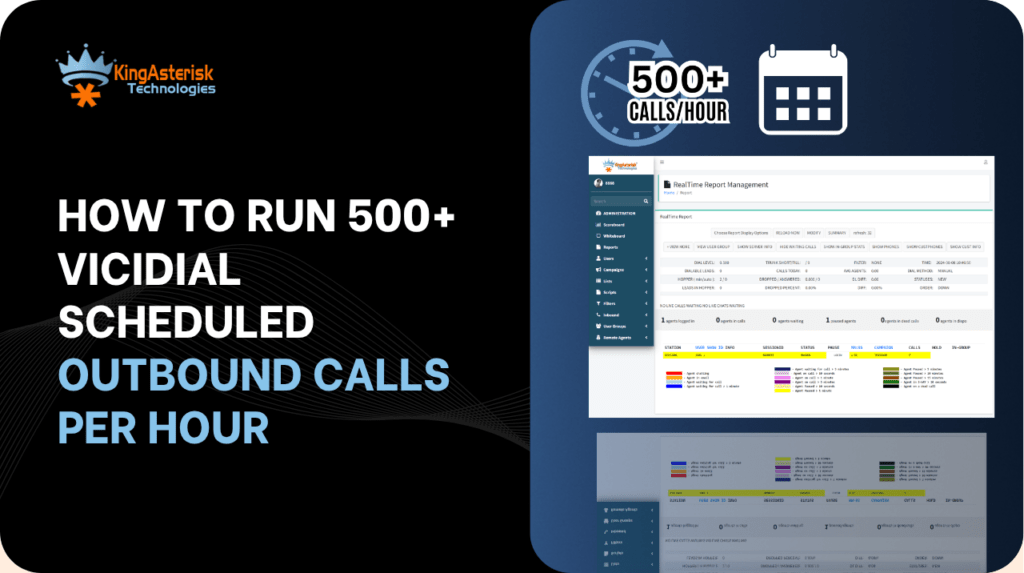
Running VICIdial scheduled outbound calls at 500 or more connections per hour is an achievable benchmark for any well-configured contact center operation – but reaching it consistently requires more than pressing a Start button on a campaign. It demands a precise combination of hopper sizing, Vicidial dialing mode selection, trunk capacity, and real-time reporting feedback.
This guide walks through every layer of that configuration, from first-time campaign setup to backend API automation, so your team stops leaving dial capacity on the table.
Is VICIdial a Dialer? Understanding the Platform at Scale
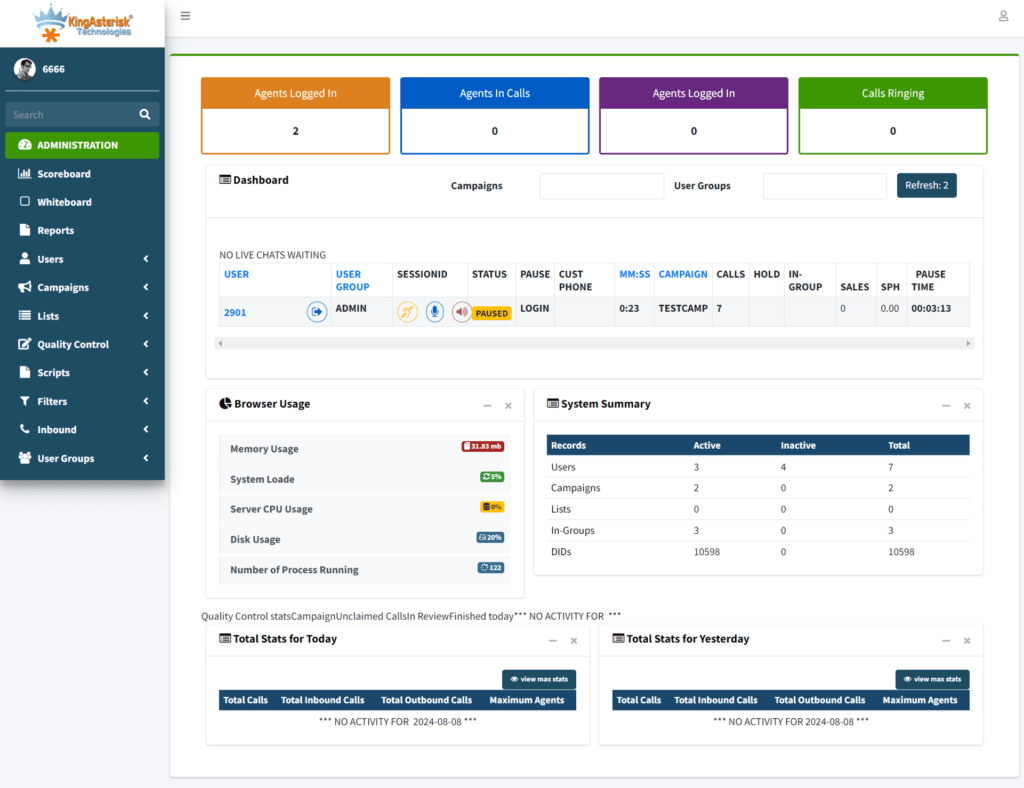
VICIdial is a full-featured, open-source contact center suite built on the Asterisk telephony engine. It combines an outbound auto-dialer, an inbound ACD queue manager, a real-time agent interface, a campaign configuration layer, and a suite of reporting tools into a single system. So yes – VICIdial is a dialer, but calling it only that significantly undersells its role in day-to-day operations.
When configured for high-volume scheduled outbound work, VICIdial manages the entire dial cycle: pulling leads from a hopper queue, connecting answered calls to available agents, detecting answering machines via AMD, logging dispositions, and recycling uncompleted leads back through the queue – all without manual intervention. At scale, a properly sized VICIdial server can sustain well over 500 outbound call attempts per hour per campaign, with multiple campaigns running simultaneously across different agent groups.
What Are the Types of Outbound Calls in VICIdial?
VICIdial supports three primary outbound dialing modes. Understanding which mode fits your operation is the single most impactful configuration decision you will make:
Predictive Dialing
The system dials multiple lines simultaneously per available agent, using a statistical algorithm to estimate when an agent will finish their current call. It adjusts the dial ratio in real time based on drop rate and answer rate. This mode is built for high-volume operations where maximizing agent talk time is the primary goal. At 500+ calls per hour, predictive mode is almost always the correct choice.
Power Dialing
The system dials one call per available agent slot. There is no statistical overdial – when a call connects, it reaches an agent immediately. Power mode offers tighter compliance control at the cost of slightly lower throughput. Teams operating under strict answer-supervision requirements often prefer it.
Progressive Dialing
Similar to power dialing but the call is only placed after the agent is confirmed available. This mode generates the lowest throughput but the highest agent-readiness guarantee. It suits appointment confirmation callbacks and sensitive collections workflows.
| Dialing Mode | Best Use Case |
|---|---|
| Predictive | High-volume outbound sales, lead generation, surveys |
| Power | Compliance-sensitive outbound, smaller teams |
| Progressive | Callbacks, appointment confirmation, collections |
Configuring a High-Volume Outbound Campaign Step by Step
The following configuration path applies to the standard VICIdial admin panel at /vicidial/admin.php, and to KingAsterisk’s custom-themed deployments at /dialer/admin.php – the underlying settings are identical.
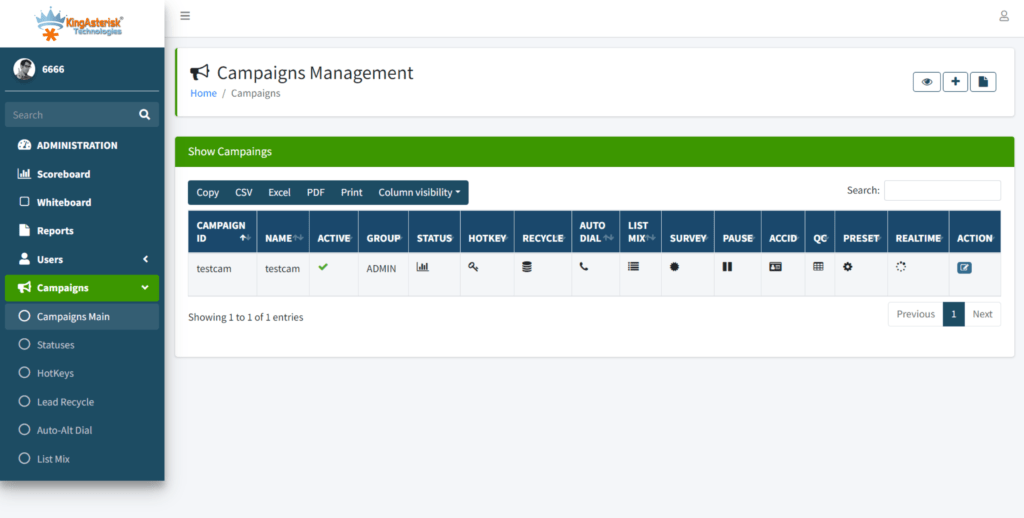
Step 1 – Create or Open the Campaign
Navigate to Admin – Campaigns – Add Campaign. Give the campaign a clear internal code (e.g., OB_COLLECT_JUL). Set Campaign Status to ACTIVE only when your lead list and trunks are confirmed.
Step 2 – Set the Dialing Method and Ratio
Under the campaign’s Dialing Settings, select RATIO for predictive mode. Set the Dial Ratio to begin at 1.5 (1.5 lines dialed per available agent). Monitor your real-time stats board for the first 15 minutes and raise the ratio incrementally. A well-tuned predictive campaign at 30 agents with a 2.2 ratio will typically push past 500 attempts per hour, depending on your list’s connect rate.
Step 3 – Configure Hopper Level and Local Dial Timeout
The Hopper Level controls how many leads are pre-loaded into the active dial queue. Set it to at least 5x your expected calls-per-minute figure. For a 500/hour target (roughly 8–9 per minute), a hopper of 50–60 leads ensures the dialer never starves waiting for the next record. Set the Local Dial Timeout between 25 and 32 seconds – long enough for a genuine ring cycle, short enough to recycle quickly.
Step 4 – Assign Trunks and DID Configuration
Go to the Carriers section and confirm your active SIP trunk has sufficient concurrent channel capacity. At 500 calls per hour with an average call duration of 90 seconds, you need a minimum of 12–15 simultaneous channels available at peak. Under-provisioned trunks are the most common reason high-dial-ratio campaigns plateau below their targets.
Step 5 – Upload and Activate a Lead List
Under Lists – Add List, create a list assigned to your campaign. Upload leads in the VICIdial-standard CSV format (phone number, first name, last name, address fields, custom fields). Activate the list and verify the record count in the campaign’s List Status view before starting agents.
How to Set Up an Inbound Call in VICIdial (for Blended Operations)
Many high-volume outbound teams also handle inbound return calls, overflow queues, or dedicated inbound campaigns. Setting up inbound call handling in VICIdial uses the Inbound Groups (queues) system rather than the campaign system.
Creating an Inbound Group
Go to Admin – Inbound Groups – Add Group. Assign a group name (e.g., IB_RETURNS), set the Queue Priority, and configure the Agent Grab Time (how many seconds an agent has to accept an inbound before it re-queues). For blended agents, assign both outbound campaign access and an inbound group in the agent’s User settings.
DID Routing
Under Admin – Phones – DIDs, map your inbound telephone number to the Inbound Group. Calls arriving on that DID will enter the queue and ring available blended agents. The system automatically pauses outbound dialing for the agent during an inbound call and resumes after disposition.
Hopper Logic and What “Dead Call” Means in VICIdial
A dead call in VICIdial refers to an outbound call that connected (i.e., a live answer or AMD-detected machine) but had no available agent to receive it within the configured wait window. The system plays a brief audio message or silence and then terminates the call. Dead calls appear in reports as the DEAD disposition.
Dead calls are a direct symptom of a dial ratio that is too aggressive relative to the number of active agents. If your reports show more than 2–3% dead calls, reduce your dial ratio by 0.2 increments and allow the predictive algorithm 10–15 minutes to restabilize. Sustained dead call rates above 5% also trigger compliance risk under regulations governing automated outbound contact – a critical consideration for operations targeting regulated industries.
Hopper Refresh and Lead Recycling
VICIdial’s hopper refresh cycle pulls new leads from the active list and refills the hopper based on the campaign’s reset settings. Leads with specific dispositions (e.g., NI – Not Interested, DC – Disconnected) are excluded from the next cycle automatically. Configuring the Callback and Recycle settings properly ensures your agents spend time on reachable prospects rather than burning through exhausted lead pools.
Automating Lead Flow with the VICIdial Non-Agent API
At 500+ calls per hour, manual lead uploads become a bottleneck. The VICIdial Non-Agent API eliminates that constraint by allowing external CRM systems, web forms, and data pipelines to inject leads, modify records, and retrieve campaign statistics programmatically – without any administrator needing to log in.
API Endpoint and Authentication
The Non-Agent API is accessible at:
http://[YOUR_SERVER_IP]/vicidial/non_agent_api.php
All requests use HTTP GET or POST parameters including a user credential pair with API permissions enabled. Authentication is configured at the user level in Admin – Users.
Core Operations
| Operation | What It Does |
|---|---|
| add_lead | Injects a new prospect directly into a list |
| update_lead | Modifies contact details or custom fields |
| get_leads_list | Returns count and status data for a list |
| campaign_stats | Pulls real-time dial and disposition metrics |
| add_user | Creates a system user without GUI access |
Agent API vs. Non-Agent API
The Agent API (/agc/api.php) controls active agent sessions – pausing, transferring, or hanging up calls during a live interaction. The Non-Agent API handles everything outside of that: data management, campaign administration, reporting pulls, and automated lead injection. For a 500+/hour operation, the Non-Agent API is the integration layer your CRM connects to.
Restricting Report Access: User Permission Configuration
Large operations have multiple supervision tiers. A floor supervisor does not need access to carrier configuration or user deletion – they need the Agent Time Detail Report for their group. VICIdial’s User Group permission system handles this precisely.
Creating a Report-Only User Group
Go to Admin – User Groups – Add User Group. Name it something descriptive like REPORT_SUPERVISORS. Under Allowed Reports, select only the reports this group should see (e.g., Agent Time Detail, Hourly Report). Set Allowed User Groups to restrict data visibility to that supervisor’s assigned teams only.
Configuring the User
Under Admin – Users – Add User, assign User Level 7 or 8, set User Group to REPORT_SUPERVISORS, and configure the admin interface options as follows: View Reports = 1, Modify Campaigns = 0, Modify Users = 0, Load Leads = 0. The user can now log into the admin interface, access their permitted reports, and see only their team’s data – nothing else.
Transferring Calls Without Losing Momentum
In high-throughput environments, call transfer speed directly impacts the agent’s effective talk time per hour. VICIdial supports two transfer methods:
Blind Transfer
The agent enters the destination extension or external number, clicks transfer, and the call immediately routes. The agent’s line is released and they return to the queue. Use this when the receiving department does not require a warm introduction – collections escalations to a senior agent, for example.
Attended (Warm) Transfer
The agent places the current call on hold, dials the destination, speaks privately with the receiving party, and then bridges the three-party call before dropping off. This method is preferable for complex sales handoffs or when the caller needs to be formally introduced to a specialist. The additional step costs roughly 45–90 seconds per transfer, which matters when you’re managing a high-call-volume campaign.
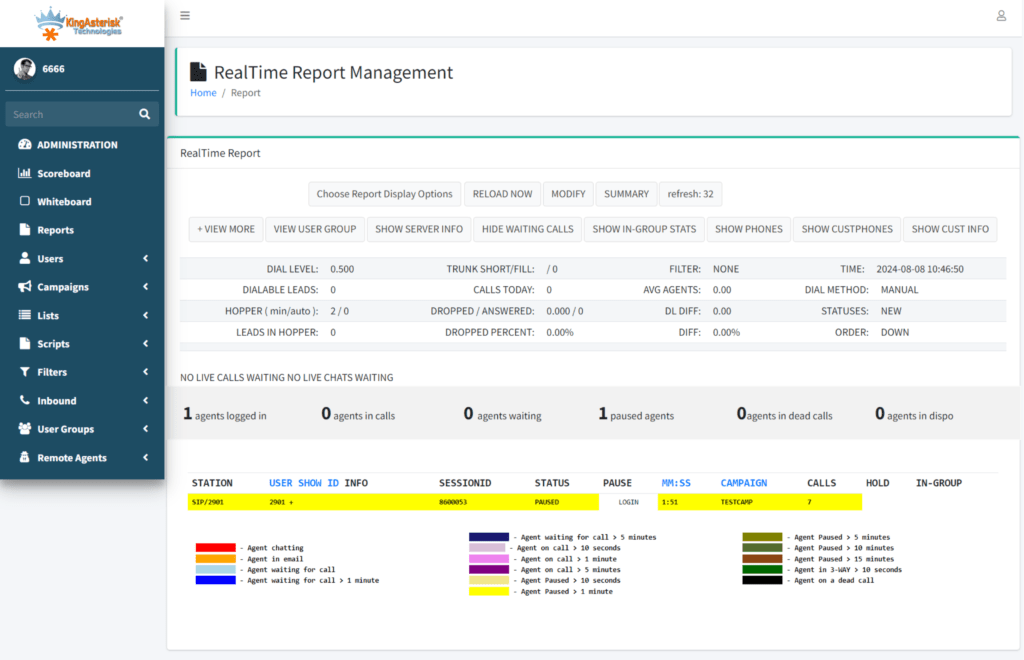
Real-World Use Case: 500+ Calls Per Hour in a Debt Recovery Operation
A regional debt recovery firm running a 45-agent blended team migrated their legacy dialer to VICIdial with a KingAsterisk custom interface deployment. Their previous system capped practical outbound volume at roughly 280–310 calls per hour due to rigid dial ratio settings and no API lead injection capability.
After migration, the team configured three simultaneous predictive campaigns with a 2.0 to 2.4 dial ratio per campaign, a hopper level of 80 leads per campaign, and an automated CRM connector using the Non-Agent API to push new recovery accounts directly into the active list every 30 minutes. SIP trunk capacity was expanded to 110 concurrent channels across two carriers.
Within the first billing cycle, the operation recorded a consistent average of 547 outbound call attempts per hour across active campaign hours. Agent talk time utilization increased from 52% to 74%. Dead call rate held at 1.8% – well within acceptable thresholds. The Agent Time Detail Report, restricted to supervisor-level users via User Groups, gave floor managers live visibility into individual agent performance without requiring full admin access.
Frequently Asked Questions
What are the types of outbound calls in VICIdial❓
VICIdial supports predictive dialing (multiple simultaneous dials per agent, ratio-driven), power dialing (one dial per available agent), and progressive dialing (dial only after agent confirmed available). Additionally, manual dial mode and preview dial mode allow agents to initiate or review calls individually – typically used for sensitive or high-value contacts where automated dialing is inappropriate.
Is VICIdial a dialer❓
Yes. VICIdial is an open-source auto-dialer and contact center suite built on Asterisk. It handles outbound predictive, power, and progressive dialing alongside inbound ACD queuing, IVR routing, real-time reporting, and CRM integration. It is widely deployed by BPOs, lead generation companies, collections operations, and enterprise customer support teams globally.
What is a dead call in VICIdial❓
A dead call occurs when an outbound call connects – reaching a live answer – but no agent is available to receive it within the configured wait period. The system plays a brief message or silence and ends the call, logging it as a DEAD disposition. Dead calls typically indicate an overly aggressive dial ratio. Keeping the rate below 3% is standard practice to maintain quality and reduce regulatory exposure.
Can the Non-Agent API inject leads into a live campaign without stopping it❓
Yes. The Non-Agent API’s add_lead function inserts new records directly into an active list, and those records enter the hopper on the next refresh cycle – which runs continuously during an active campaign. There is no need to pause or restart the campaign. This makes the Non-Agent API particularly valuable for real-time lead routing from web forms, CRM triggers, or third-party data vendors feeding a live operation.
Conclusion
Running VICIdial scheduled outbound calls at 500+ per hour is not a matter of luck or raw server power – it is the result of deliberate configuration across every layer of the system: dialing mode selection, hopper sizing, trunk capacity, campaign settings, and real-time reporting feedback. The Non-Agent API removes the manual bottleneck from lead management, while VICIdial’s User Group permission system keeps supervisors focused without overexposing administrative controls. Dead call rates and disposition data are your operational compass – monitor them continuously and adjust dial ratios accordingly.
If your contact center operation is not consistently hitting its outbound throughput targets, the configuration details covered in this guide are the right place to start. KingAsterisk’s team of senior engineers has deployed and optimized VICIdial environments across dozens of industries and operational scales.
Contact us to discuss your setup requirements and discover what your current infrastructure is actually capable of.