Key Takeaways
- The VICIdial Modern Theme replaces the default legacy interface with a structured, responsive agent and supervisor desktop.
- Theme files, CSS overrides, and server-side configuration paths are fully customizable without touching core VICIdial source code.
- Proper role-based layout separation, agent view vs. supervisor view, is essential to a clean deployment.
- Real-world deployments at mid-size contact centers show measurable reductions in average handle time after interface improvements.
- KingAsterisk has 14+ years of VICIdial deployment experience and provides end-to-end theme implementation services.
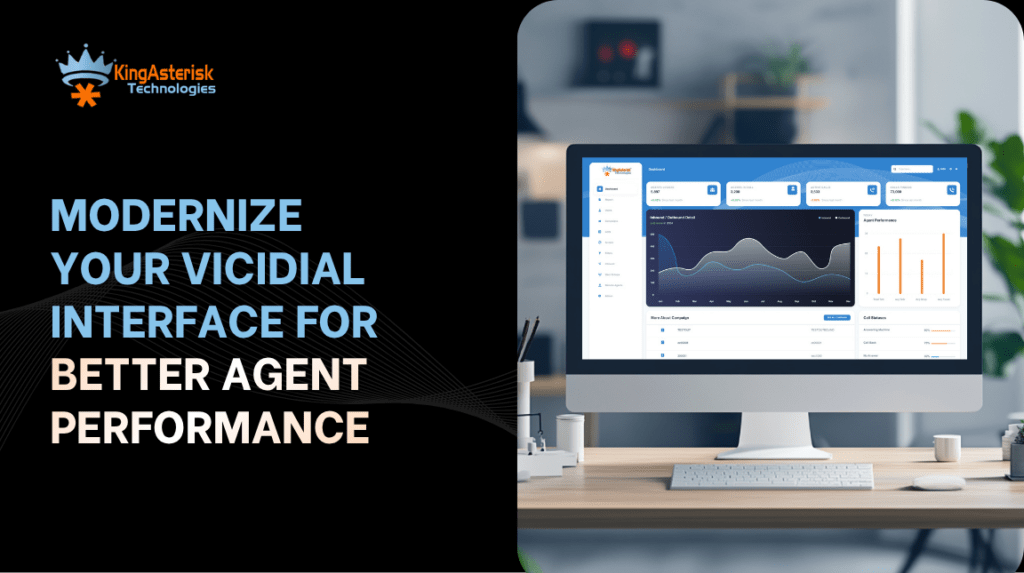
The VICIdial Modern Theme is a complete front-end reskin of that interface, restructuring layout, typography, color hierarchy, and control placement to create a more intuitive desktop without altering any of the core telephony or campaign logic underneath. VICIdial is an open-source contact center suite built on the Asterisk telephony framework. By default, it ships with a functional but visually dated web interface, a dense grid of form fields, status indicators, and action buttons that was designed for functionality, not usability.
Unlike third-party overlays or proprietary wrappers, the Modern Theme works natively within VICIdial’s PHP-based interface stack. Theme files live in dedicated directories on your web server, and configuration is managed through a combination of server-side PHP parameters, CSS overrides, and VICIdial’s built-in admin panel.
This means your telephony engineers can modify the theme without disrupting call routing, campaign settings, or recording configurations.
From a deployment standpoint, the theme affects three primary surfaces: the Agent interface (the screen agents see during live calls), the Supervisor real-time monitoring panel, and the Manager/Reports section. Each surface has distinct layout requirements and deserves separate attention during implementation.
Why the Default VICIdial Interface Needs an Upgrade
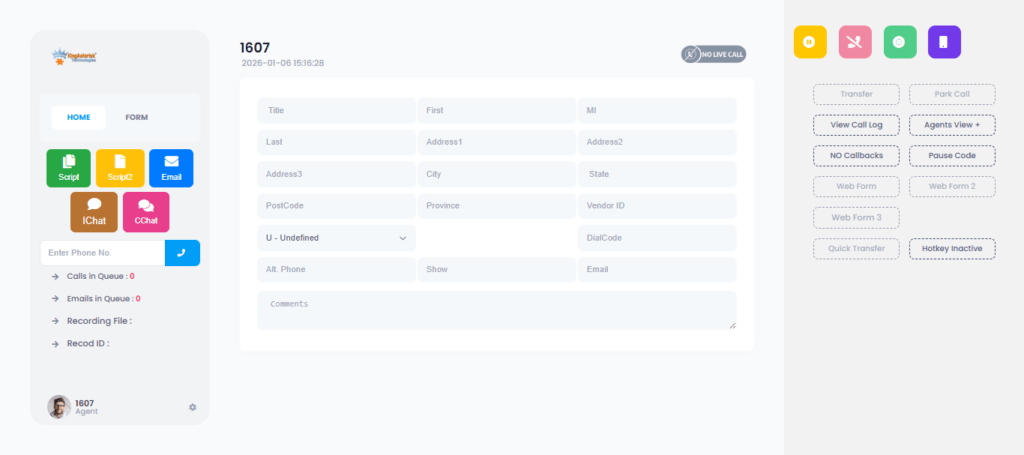
The default VICIdial interface has not changed substantially in visual design since the early 2010s. For contact centers running medium to large teams, this creates several operational problems that compound over time.
Agent Fatigue and Navigation Errors
Agents spend 6–9 hours looking at the same screen. A poorly structured interface, with small buttons, dense text, ambiguous icons, and inconsistent color coding, increases mental load. Over a shift, this contributes to misclicks, incorrect dispositions, and slower average handle time (AHT). Interface design directly affects operational metrics.
Supervisor Visibility Gaps
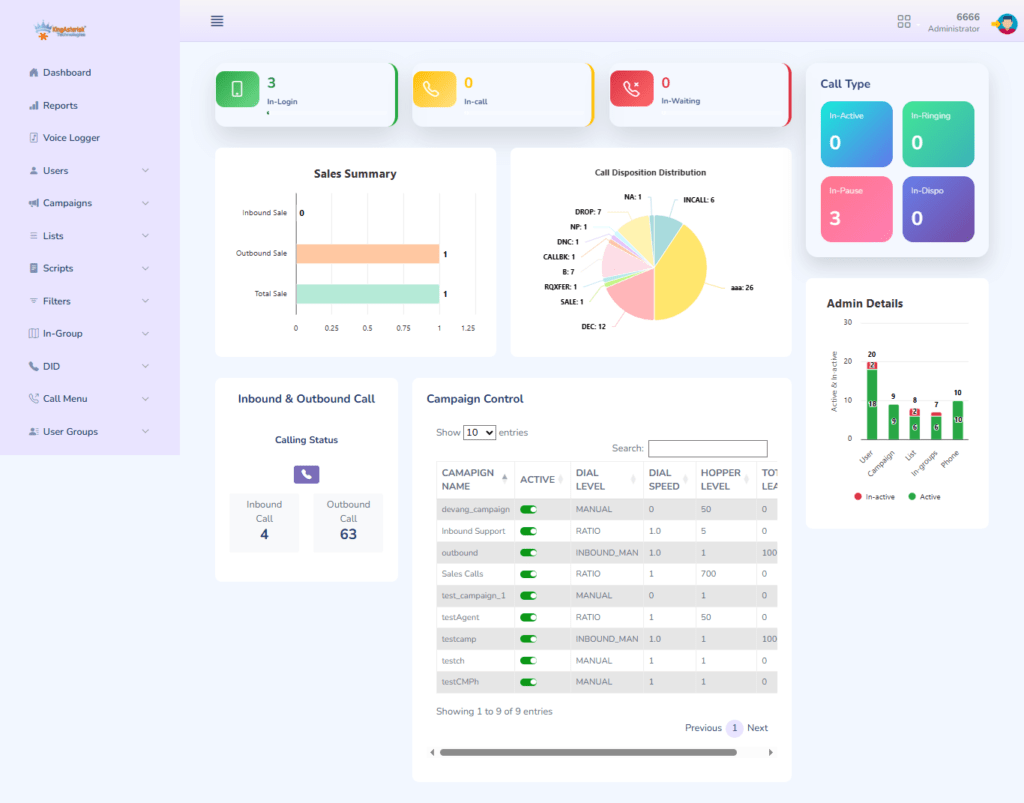
The default supervisor panel consolidates too much data into a single, non-hierarchical view. Supervisors scanning for agents who are in the wrong disposition state or whose calls are running long must visually parse through dozens of rows of equally-weighted data. The Modern Theme introduces visual hierarchy, using color, sizing, and layout to surface what matters first.
Brand Inconsistency
Many contact centers manage campaigns on behalf of multiple clients, each with their own brand identity. The default VICIdial interface is generic. The Modern Theme allows you to apply per-campaign color palettes, logo placement, and branded language, giving agents a visual context that matches the campaign they are working on at any given moment.
Core Components of the VICIdial Modern Theme
Understanding the structure of the theme is prerequisite to configuring it correctly. The Modern Theme is composed of the following layers:
- CSS Theme File: Controls colors, typography, spacing, button styles, and layout grids for all interface elements.
- PHP Template Files: Define the structural HTML rendered for the agent screen, supervisor panel, and admin sections.
- JavaScript Modules: Handle dynamic elements: real-time status updates, timer displays, and campaign-specific UI toggles.
- Image/Icon Assets: Replace default VICIdial icons with custom SVG or PNG assets suited to your brand.
- Admin Configuration: Server-level settings within VICIdial’s admin panel that activate the theme and bind it to specific campaigns or user groups.
Step-by-Step: Deploying the VICIdial Modern Theme
The following process assumes you have an existing VICIdial installation on a Linux server (CentOS/Rocky Linux recommended) and SSH access with root or sudo privileges. Always back up your current installation before making interface changes.
Step 1 — Audit Your Current VICIdial Version
Before deploying any theme files, confirm your VICIdial version by checking the admin panel or the SVN revision number. The Modern Theme files must be compatible with your installed version. Theme files built for VICIdial 2.14.x behave differently on 2.12.x or older releases due to changes in the PHP template structure.
Step 2 — Back Up the Existing Interface Directory
SSH into your VICIdial web server.
Navigate to /srv/www/htdocs/agc/ (the agent interface directory) and create a dated backup:
cp -r /srv/www/htdocs/agc/ /srv/www/htdocs/agc_backup_$(date +%Y%m%d)/
Repeat for the /vicidial/ directory if you are modifying the manager or reports interface.
Step 3 — Upload Theme Files to the Server
Transfer your theme package to the server. The package should include a custom CSS file, any modified PHP templates, and an assets folder for images/icons. Place CSS overrides in: /srv/www/htdocs/agc/css/vicidial_modern_theme.css
Place modified PHP templates in the corresponding /agc/ subdirectory. Do not overwrite core VICIdial PHP files — use the theme override mechanism to layer your changes.
Step 4 — Reference the Theme CSS in the VICIdial Configuration
Open the VICIdial admin panel and navigate to Admin > System Settings. Locate the ‘Agent Screen Style Sheet’ field and enter the relative path to your new CSS file. This ensures every agent session loads the themed interface without requiring server-side PHP edits.
Step 5 — Configure Per-Campaign Theme Overrides
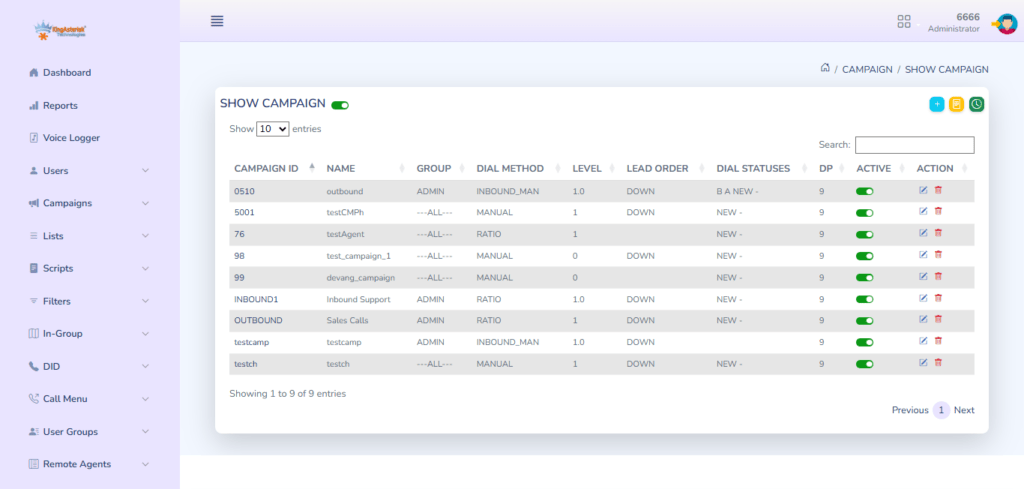
For multi-campaign environments where different clients require different brand treatments, navigate to each Campaign record in the admin panel. The ‘Agent Screen Style’ field at the campaign level overrides the system-wide default. Assign the appropriate client-branded CSS to each campaign.
Step 6 — Set User-Group-Level Layout Permissions
Navigate to Admin > User Groups and configure which screen elements are visible for each role: agent, team lead, supervisor, and manager. The Modern Theme introduces CSS class-based role visibility, so elements tagged for supervisor-only display are automatically hidden from agent sessions via the user group mapping.
Step 7 — Test in a Staging Environment
Before pushing to production, replicate the configuration on a staging VICIdial server. Run a full agent session, make test calls, confirm supervisor panel functionality, and verify that all disposition buttons, script panels, and transfer controls render correctly. Check across Chrome, Firefox, and Edge since VICIdial’s interface renders slightly differently across browser engines.
Step 8 — Deploy to Production and Monitor
Schedule the production switchover during a low-traffic window. After deployment, monitor the first 2–3 shifts closely. Collect agent feedback on layout clarity and check that handle time metrics are not temporarily inflated by unfamiliarity with the new layout. Most teams fully adjust within 3–5 working days.
Customizing the VICIdial Modern Theme Based on Client Requirements
Every contact center operation has different priorities, and the Modern Theme is intentionally flexible. Below are the most common customization scenarios we handle at KingAsterisk.
Custom Brand Identity per Campaign
Multi-brand BPO environments require agents to operate in the visual context of the client brand they are representing. The Modern Theme supports per-campaign color variables defined at the top of the campaign-level CSS file. Changing five CSS variables, primary color, secondary color, button color, header background, and logo URL, is sufficient for a complete brand switch between campaigns.
Compact vs. Expanded Agent Desktop Layouts
Some operations prefer a compact view where the script, customer data panel, and dialpad are all visible simultaneously without scrolling. Others prefer a tabbed layout where agents navigate between the active call, CRM fields, and script tabs. The Modern Theme supports both layouts via a CSS class toggle that can be configured per user group or per campaign in the admin panel.
Dark Mode Interface
Contact centers operating in low-light environments: late-night shifts, security operations, certain offshore BPO setups, frequently request a dark mode theme. The Modern Theme CSS ships with a prebuilt dark mode variable set. Activating it requires switching a single CSS class at the body level and replacing icon assets with light-weight equivalents.
Supervisor Panel Real-Time Data Density
Supervisors managing large teams need to see more agents per screen without sacrificing legibility. The Modern Theme allows configuration of row height, column visibility, and conditional color thresholds for the real-time panel. For example, you can configure agents whose handle time exceeds 4 minutes to appear in amber, and those exceeding 7 minutes to appear in red, giving supervisors an immediate visual alert without requiring them to read every number.
Custom Script Display Panel
Many campaigns require agents to follow structured scripts that change based on call stage. The Modern Theme supports a dynamic script display panel that can be embedded in the agent screen and driven by disposition codes. When an agent selects a specific disposition, the script panel automatically updates to show the relevant next steps, reducing cognitive load and improving script adherence.
Case Study: Insurance Sales Contact Center
A 120-seat outbound contact center running insurance sales campaigns across three separate client brands came to KingAsterisk with a specific problem: their agents were running three different campaigns from the same VICIdial instance, and the generic interface gave agents no visual cue about which brand context they were operating in. Agents were reading from the wrong script, using incorrect sign-offs, and occasionally delivering the wrong product pitch, compliance violations that had real consequences in a regulated industry.
We implemented the VICIdial Modern Theme with per-campaign CSS profiles. Brand A received a navy-and-gold color palette with their logo in the header and their compliance script locked in the bottom panel, Brand B received a green-and-white treatment with a different script structure, Brand C operated in a dark mode layout suited to their offshore evening team.
Within 30 days, the operation reported a 22% reduction in script compliance errors and a measurable drop in call handling time, attributed directly to clearer screen layout and the removal of irrelevant UI elements from the agent view. Supervisors also reported faster identification of underperforming agents due to the enhanced real-time panel color thresholds.
This outcome is consistent with what we observe across similar deployments: interface clarity is not cosmetic, it is an operational lever.
Frequently Asked Questions
Q: Will applying the Modern Theme affect VICIdial’s call handling or campaign performance❓
No. The Modern Theme only modifies front-end presentation layers: CSS, HTML templates, and JavaScript rendering. It has no interaction with VICIdial’s Asterisk dial engine, campaign dialing logic, or database operations. Call routing, recording, and IVR configurations remain completely unaffected. The theme is a pure interface change.
Q: Can the VICIdial Modern Theme be applied to specific campaigns only❓
Yes. VICIdial’s admin panel supports campaign-level CSS overrides. You can assign a system-wide default theme and then assign campaign-specific CSS files to individual campaigns. This allows multi-client BPO environments to maintain separate brand identities per campaign without running separate VICIdial instances.
Q: How do I prevent VICIdial system updates from overwriting my theme customizations❓
The safest approach is to use VICIdial’s dedicated override directories and the admin panel’s CSS file reference fields rather than directly editing core PHP files. Store all custom CSS and JavaScript in separate theme files. Maintain a version-controlled repository of your theme package and document which core files, if any, were modified so you can reapply changes after an SVN update.
Q: Does the Modern Theme support mobile or tablet access for supervisors❓
The standard VICIdial Modern Theme is optimized for desktop browsers. Supervisor access via tablet is possible with responsive CSS additions, but the agent interface itself is not designed for mobile use due to the complexity of the control surface required during live calls. If your supervisors need tablet monitoring access, a custom responsive extension to the Modern Theme’s supervisor panel CSS can accommodate this.
Conclusion
Deploying the VICIdial Modern Theme is one of the highest-impact, lowest-risk improvements a contact center can make to an existing VICIdial system. The core telephony infrastructure stays intact while agents gain a cleaner, faster, and less error-prone desktop. Supervisors gain better real-time visibility. And operations running multi-client campaigns finally get the per-brand consistency that compliance and professionalism require.
The key steps are straightforward when approached systematically: audit your version, back up your installation, layer theme files using VICIdial’s native override mechanisms, configure per-campaign and per-user-group settings, and validate in staging before going live. The customization options, compact layouts, dark mode, dynamic script panels, supervisor color thresholds, give you the flexibility to match the theme precisely to how your teams operate.
At KingAsterisk, our engineers have deployed and maintained VICIdial systems across hundreds of contact center environments over 14+ years. We know where VICIdial’s interface customization capabilities are deep and where they need careful handling. If you are ready to modernize your VICIdial interface, contact the KingAsterisk team to discuss your requirements, we will scope the right implementation approach for your operation.
Ready to Modernize Your VICIdial Interface?
KingAsterisk has helped contact centers across industries deploy, customize, and maintain VICIdial systems for over 14 years. Whether you need a full VICIdial Modern Theme rollout, custom CSS branding, or end-to-end contact center software implementation, our team has the hands-on experience to get it right the first time.