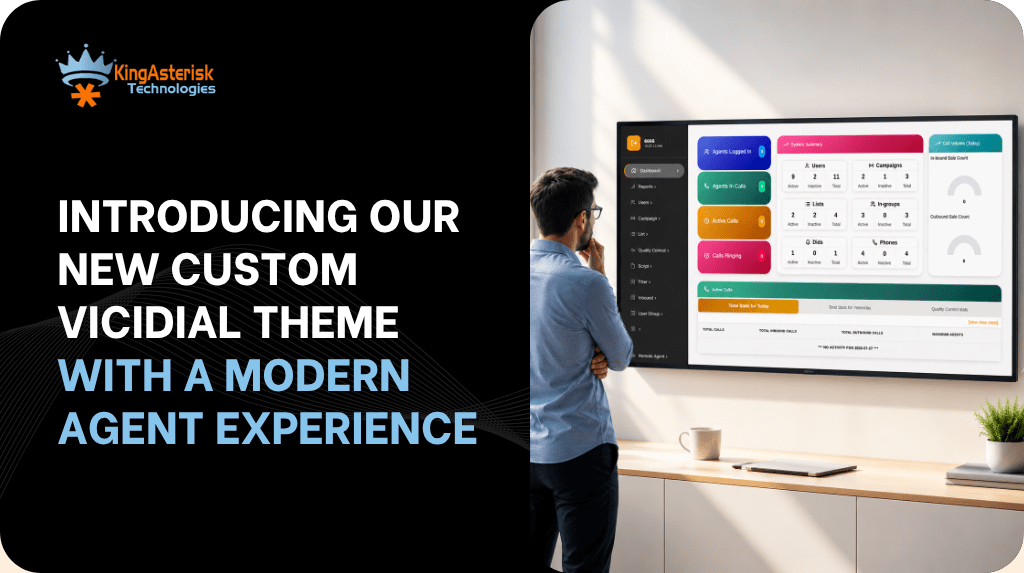
If you have spent any real time inside a stock Custom VICIdial Theme, you already know the tradeoff: the dialer engine is rock solid, but the default screens look and feel like they were built for a different decade. Agents squint at dense tables, supervisors click through five menus to find one report, and every “quick fix” to the VICIdial interface risks breaking something in the core codebase.
KingAsterisk built its new custom VICIdial theme to solve exactly that problem – without touching the dialer logic your contact center already depends on. The result is a modern, agent-friendly UI layer that sits on top of standard VICIdial, giving your team a cleaner workspace and giving your supervisors sharper visibility, while the underlying VICIdial/Asterisk engine keeps doing what it does best.
This post walks through what the new theme actually changes, how the development and installation process works, what your server needs to look like before we start, and answers to the questions we hear most often – including the ones around downloading, free versions, and GitHub.
Why the Default VICIdial UI Holds Teams Back
VICIdial’s open-source interface was designed for functionality, not for daily comfort. Over long shifts, that design gap shows up as real cost:
- Agent fatigue from dense, low-contrast screens that make it harder to track call status, scripts, and disposition options at a glance.
- Slower onboarding because new agents need extra training just to navigate menus that haven’t changed much in years.
- Supervisor blind spots when real-time monitoring and reporting are buried several clicks deep instead of visible on one screen.
- Brand inconsistency, since an unmodified VICIdial panel doesn’t reflect a modern, professional operation – something that matters when clients or auditors see the dashboard.
None of this is a flaw in VICIdial itself. It’s a UI problem, and UI problems have UI solutions.
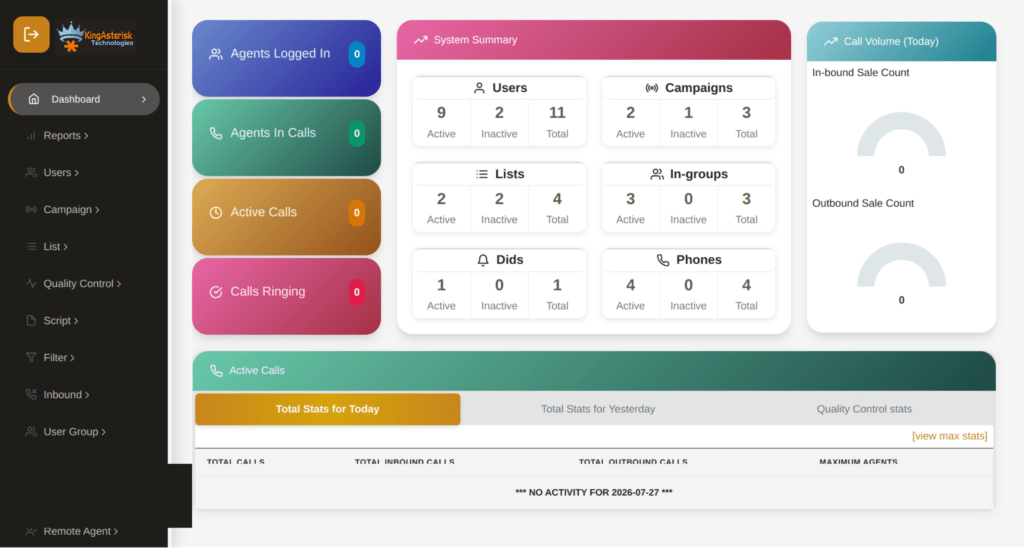
What’s New in the KingAsterisk Custom VICIdial Theme
Our custom theme is built as a modern front-end layer, developed with contemporary web technologies rather than recycled legacy templates. Key elements include:
Modern, component-based front-end.
We build custom interfaces using React-based components and Tailwind CSS, which allows for faster iteration, cleaner layouts, and consistent styling across every screen – agent, supervisor, and admin alike.
Redesigned agent workspace
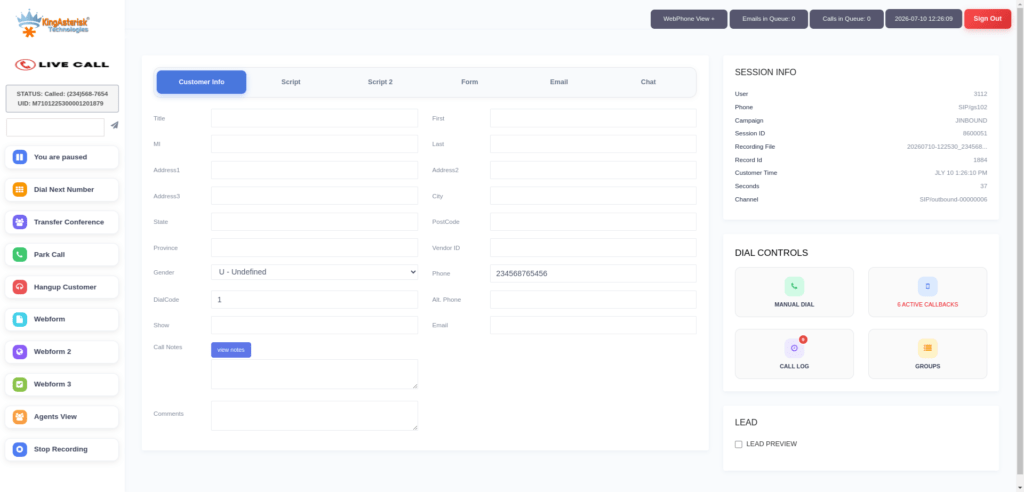
Call controls, disposition buttons, scripts, and customer information are reorganized around the agent’s actual workflow, reducing the number of clicks needed during a live call.
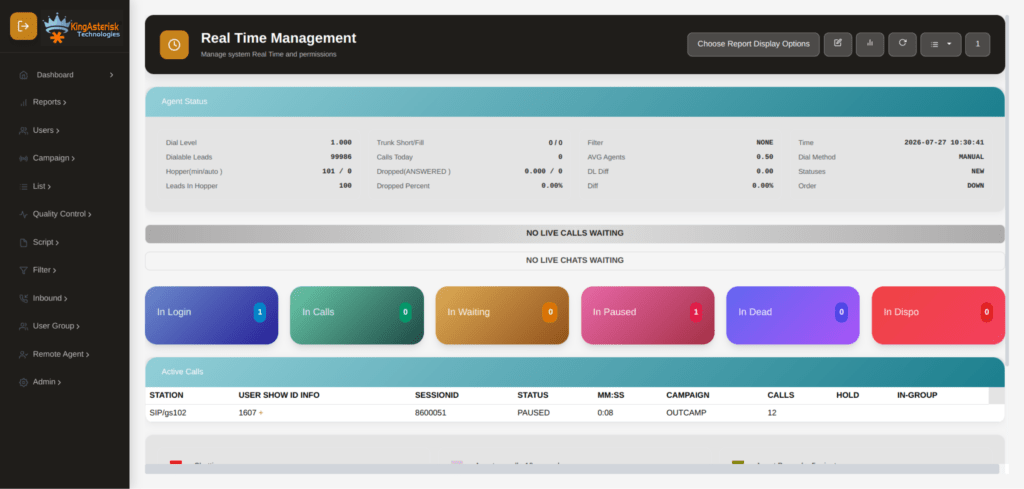
Supervisor and real-time monitoring panels
Live call status, queue statistics, and agent activity are surfaced in cleaner, more scannable dashboards, so supervisors can spot problems as they happen instead of after a report runs.
Custom dashboards and campaign views
Campaign management, lead views, and list controls get a visual refresh that makes day-to-day administration faster for whoever is running the floor.
Responsive layout improvements.
Screens are built to behave predictably across different monitor sizes and resolutions common in contact center environments.
Full VICIdial functionality preserved
This is the part that matters most: every core capability – campaign management, user and agent administration, lead and list management, inbound/outbound routing, real-time reporting, carrier and trunk configuration, call recording settings, CRM integrations, and system monitoring – remains fully intact underneath the new interface. You’re changing the skin, not the engine.
How Theme Development Works
Because every VICIdial deployment is a little different, theme development isn’t a one-size-fits-all download – it’s a scoped build against your specific environment. Here’s the process:
Step 1 – We confirm your environment. Before development starts, we need two pieces of information from your current setup:
- Your ViciBox version
- Your SVN (VICIdial codebase) version
These determine exactly how the theme needs to be built so it installs cleanly against what you’re already running, instead of fighting version mismatches later.
Step 2 – We scope timeline and cost. Once we’ve reviewed your ViciBox and SVN details, we provide a project timeline and cost estimate based on the scope of customization you need.
Step 3 – Development. The theme is built against your environment specifications, keeping all standard VICIdial functionality in place while applying the new interface layer.
Step 4 – Deployment, your way. After development is complete, you have two options:
- We share the source code and installation steps, and your team installs it, or
- You provide server access, and we handle installation and configuration directly.
Step 5 – Ongoing support. We offer multiple support packages for post-installation needs. If you want ongoing assistance after go-live, we’ll walk through the available options and recommend a fit based on your environment and support goals.
Server & Setup Requirements
A few infrastructure details matter before any custom theme work begins:
- Hardware: We suggest hardware configurations based on your specific requirements, with support for both Intel and AMD server options.
- Installation and configuration support: Provided throughout setup, not just handed off as documentation.
- Server compatibility: Our theme and installation process supports multiple server environments, including both Linux-based deployments generally and Ubuntu server environments specifically for VICIdial and contact center installations.
- Important note on OS: For custom theme installations, an AlmaLinux server with a dedicated IP is required from the client side, along with server access for our team to complete installation.
Getting these details confirmed upfront is what keeps the install timeline predictable – most delays in theme deployments come from mismatched server prep, not the theme build itself.
See It Before You Install It: KingAsterisk Live Demo
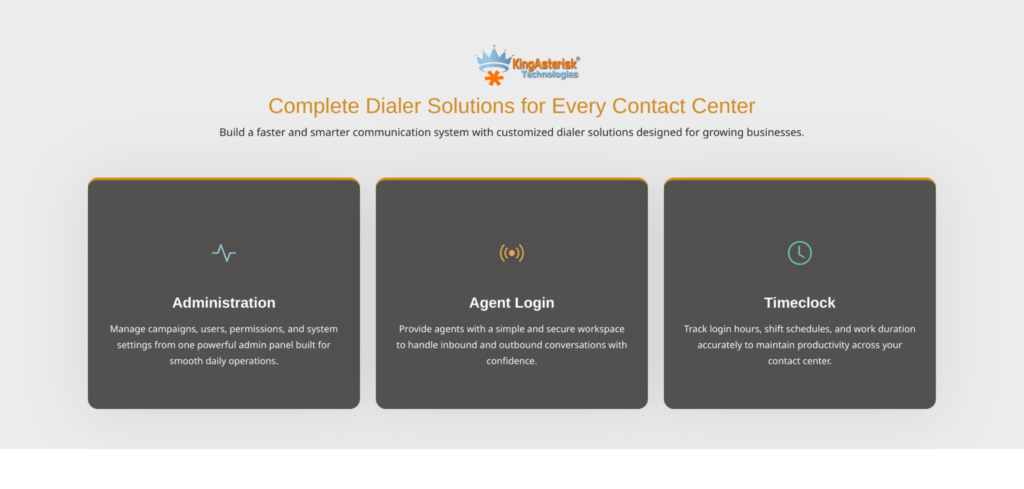
You don’t have to take any of this on faith. KingAsterisk runs a live demo portal so you can explore actual custom VICIdial themes – including the interface layouts – before committing to anything.
Step 1: Visit the KingAsterisk website. and locate the Live Demo option in the main navigation or promotional banner.
Step 2: Open the Live Demo portal, where you can browse the available custom VICIdial themes and interface layouts.
Step 3: Pick a theme. Browse the available designs – each retains full VICIdial functionality while offering a distinct look and workflow. For example, Theme 5 is a commonly explored option in the demo set.
Step 4: Open the admin login. Click Admin on your chosen theme to reach the custom admin panel login, typically at a path like: https://demo.kingasterisk.com/theme-5/dialer/admin.php
Step 5: Log in with demo credentials. Use the demo credentials provided on the login screen (in our public demo environment, these are shown directly on the page) to access the dashboard.
Step 6: Explore the dashboard. From there you can click through campaign management, user and agent administration, lead and list management, routing, real-time reporting, and more – all inside the redesigned interface.
It’s worth noting that on custom theme installations, both the admin panel and agent interface paths can differ from the standard VICIdial layout. A default install typically serves the admin panel at /vicidial/admin.php and the agent screen at /vicidial/vicidial.php.
On a custom deployment, you might instead see something like /dialer/admin.php for admin access and /agent/agent.php for the agent interface – the folder and file names can be adjusted based on your preference. The authentication mechanism underneath stays the same; only the file path changes.
The Productivity Case: What Actually Improves for Agents
It’s easy to talk about a “modern UI” in the abstract, so it’s worth being specific about where the time savings actually come from on a live floor.
Fewer Clicks Per Call
When disposition buttons, scripts, and customer details are laid out around the natural flow of a call instead of scattered across a legacy grid, agents spend less time hunting for the right control and more time actually talking to the customer.
Faster Visual Scanning
Contrast, spacing, and typography aren’t cosmetic details – they’re what let an agent glance at a screen mid-call and immediately register call status, queue position, or a pending callback without stopping to read carefully. Cleaner UI reduces the small daily friction that adds up across an eight-hour shift.
Shorter Ramp-up for New Hires
Every hour a new agent spends learning where things are on the screen is an hour not spent handling calls. A more intuitive layout shortens that ramp-up period, which matters most in high-turnover environments like BPOs and seasonal campaigns.
Faster Supervisor Response Times
When real-time monitoring, queue statistics, and agent activity sit on a clean, scannable dashboard rather than buried in submenus, supervisors catch problems – a stalled queue, an agent stuck in an odd status – while they’re still small.
None of these gains require ripping out your dialer or retraining agents on new call logic. They come purely from removing the friction between the agent and the system they already know how to use.
Security Reminder for Any New Deployment
Whether you’re running a stock install or a custom-themed one, this bears repeating: default admin credentials are publicly documented and represent one of the highest-risk vulnerabilities in any fresh contact center deployment. Change both the username and password immediately after first login, through Admin – Users – Edit User, before the system goes anywhere near production traffic.
Frequently Asked Questions
KingAsterisk’s custom themes aren’t distributed as a generic, plug-and-play download. Because they’re built against your specific ViciBox and SVN version, “download” in practice means receiving the source code and installation steps once your theme has been developed for your environment – or having our team install it directly on server access you provide.
The custom theme service itself is a scoped development project – it’s built specifically for your server setup, so it isn’t offered as a free, one-size-fits-all package. If you’re looking for the base, unmodified VICIdial interface, that remains free and open-source through the standard VICIdial project. Custom theming, React-based UI work, and Tailwind CSS styling are development services layered on top of that free foundation.
The core VICIdial codebase is open-source and its standard SVN repository is publicly accessible, which is where the default themes and base interface come from. KingAsterisk’s custom themes, however, are built as bespoke projects for individual client environments rather than published as a public GitHub repository, since each build is tied to a specific ViciBox/SVN version and client requirements.
No. The theme changes the interface layer – layout, styling, navigation – while campaign management, dialing logic, reporting, CRM integrations, and every other core VICIdial capability continue to function exactly as before.
Yes. Folder and file names for both the admin panel and agent interface can be adjusted to match your branding or internal conventions, separate from the default /vicidial/ paths.
Your current ViciBox version and SVN (VICIdial codebase) version, plus confirmation of an AlmaLinux server with a dedicated IP and access for installation. From there, we provide a timeline and cost estimate.
Final Thoughts
A modern interface isn’t a cosmetic upgrade – it’s an operational one. Faster agent screens mean shorter handle times and less onboarding friction. Clearer supervisor dashboards mean problems get caught in minutes instead of at end-of-shift review.
And because KingAsterisk’s custom VICIdial theme is built as a layer on top of your existing environment rather than a replacement for it, you get that improvement without retraining your team on a new dialer platform or risking the stability of your current setup.
If you want to see it before deciding anything, reach out to us. If you’re ready to scope a build for your own environment, the next step is simple: share your ViciBox and SVN version, and we’ll take it from there.