Localized VICIdial Interface for German-Speaking Agents
Vicidial Software Solutions

Custom VICIdial German Language Theme: Create a Localized Agent Experience

Localized VICIdial Interface for German-Speaking Agents

When a contact center deploys VICIdial for a German-speaking market and leaves the interface in English, it creates a silent operational problem. A custom VICIdial German theme solves this at the source. Agents are reading menus, buttons, and status labels in a language that may not be their first. 

Supervisors are monitoring dashboards with terminology that does not match how their team thinks or communicates. Scripts are displayed in German, but the system prompts around them are not.

The friction this creates is small per interaction, but it compounds. Wrong disposition selections. Pause codes that mean something different to the agent than to the supervisor. Forms filled out in the wrong field because the label was misread. These are not dramatic failures – they are the kind of quiet inefficiency that erodes productivity and data quality over months.

This post covers what that development work actually involves, what it changes for agents and supervisors, and why off-the-shelf localization approaches tend to fall short for serious deployments.
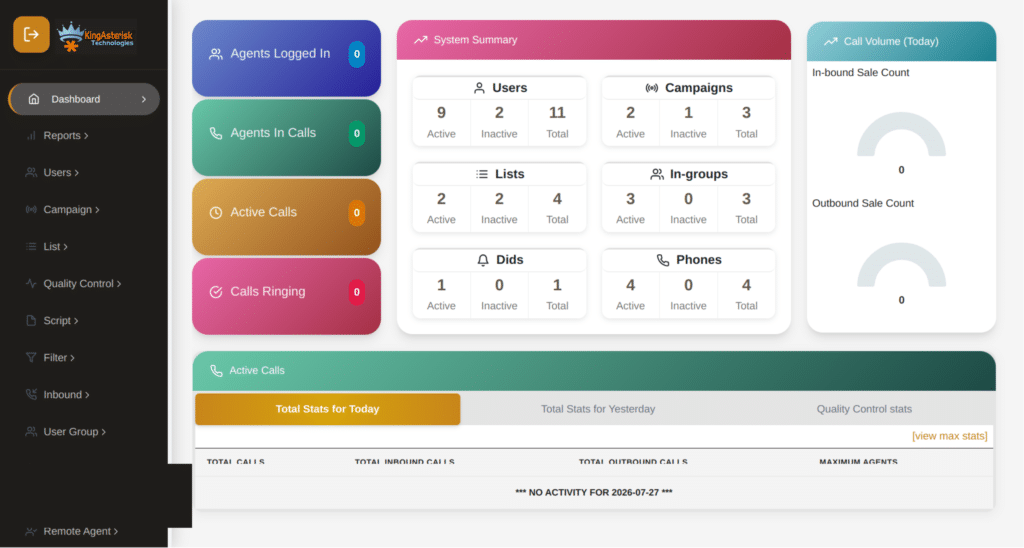
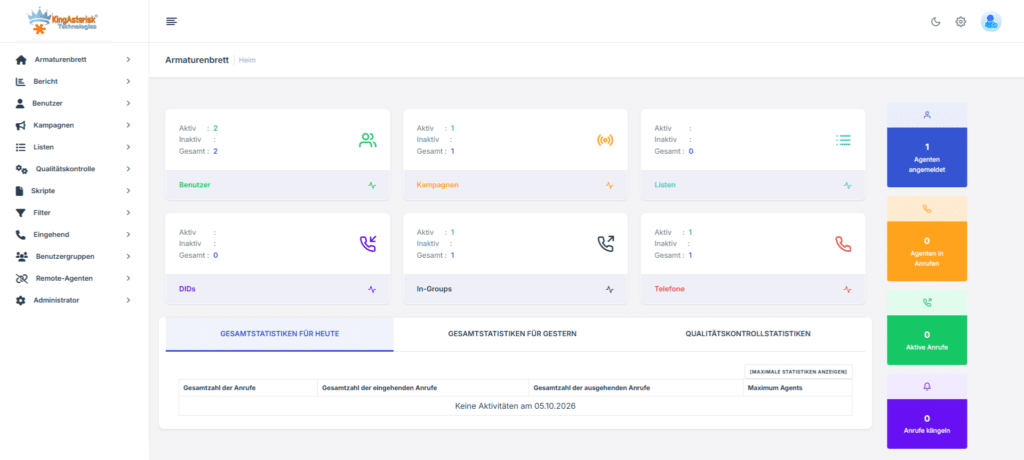
Custom VICIdial German Theme Admin Panel

What “Custom VICIdial German Theme” actually means in VICIdial

People sometimes use “language theme” to mean a translated interface – swap the English text for German and you are done. That understanding misses most of what a genuine localization build requires.

A VICIdial German language theme is a development project that spans three layers:

Interface text and labels 

Every visible string in the VICIdial agent interface, supervisor panel, and admin area needs to be reviewed, translated with operational accuracy (not just linguistic accuracy), and replaced. This is not a find-and-replace job. 

VICIdial’s interface contains hundreds of labels, tooltips, status messages, and confirmation dialogs. Many of them use technical contact center terminology that has no direct German equivalent and requires a deliberate choice about which term to use for a German-speaking team.

Visual layout and display logic

German words are typically longer than their English equivalents. A button that fits cleanly at its current size in English – “Disposition” – may overflow or truncate when replaced with “Gesprächsergebnis.” This is not a minor cosmetic issue. Truncated labels in a contact center interface mean agents cannot reliably read what they are clicking. Layout adjustments, font sizing, and field width changes are part of the localization work, not afterthoughts.

Functional behavior tied to locale

Date formats, time formats, number formats, and sorting behavior may all need adjustment. German business environments use DD.MM.YYYY date formatting by default. Phone number display formats differ. If your VICIdial deployment feeds data into German CRM systems or reporting tools, the data format your interface produces needs to match what those systems expect.
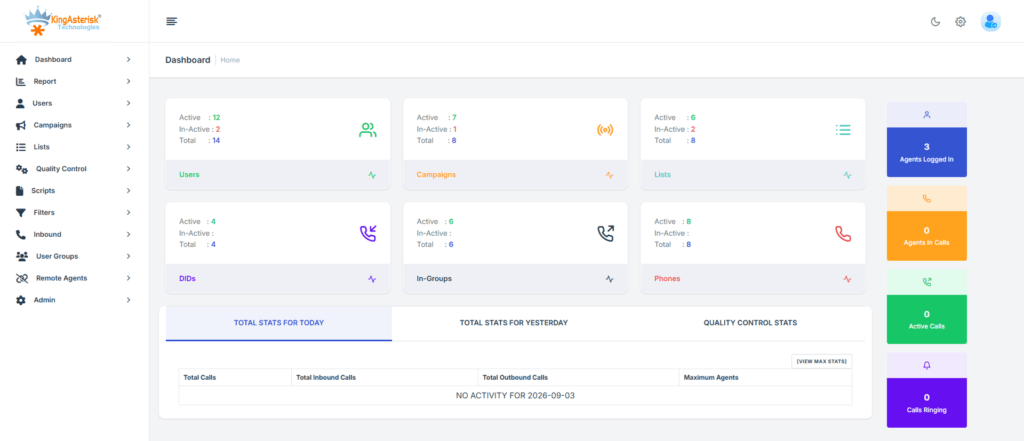
VICIdial Admin Panel English Interface

Why standard VICIdial language files are not enough

VICIdial does support language file customization through its built-in localization architecture. You can edit the language strings in the source and switch the interface language. For basic deployments, this works. For a production deployment serving German-speaking agents at any meaningful scale, it runs into limitations quickly.

The language files cover system strings – what VICIdial ships with. They do not cover:

  • Custom fields your team has added to agent screens
  • Custom disposition codes you have configured for your campaigns
  • Custom pause code labels your supervisors use for attendance and break tracking
  • Script display areas, which are typically managed outside the core language file system
  • Custom reporting interfaces and dashboard labels if you have extended VICIdial’s reporting module
  • Any custom widgets, panels, or integrations that have been added to the interface

If your VICIdial deployment has been customized – and most production deployments have – those customizations exist outside the scope of the standard language file. They need to be localized separately, and that requires working in the codebase directly.

There is also the matter of consistency. A deployment where some labels are in German (the standard system strings) and others remain in English (everything that was added later) is not a localized interface. It is a mixed-language interface, and mixed-language interfaces are harder to use than fully English ones because agents cannot build reliable mental models of what to expect.

🔍 Technical Deep Dive : Asterisk SIP Extension Issues Solve

What a Custom VICIdial German Theme development project covers

When KingAsterisk builds a custom VICIdial German theme, the scope covers the complete agent experience – not just the parts VICIdial ships with.
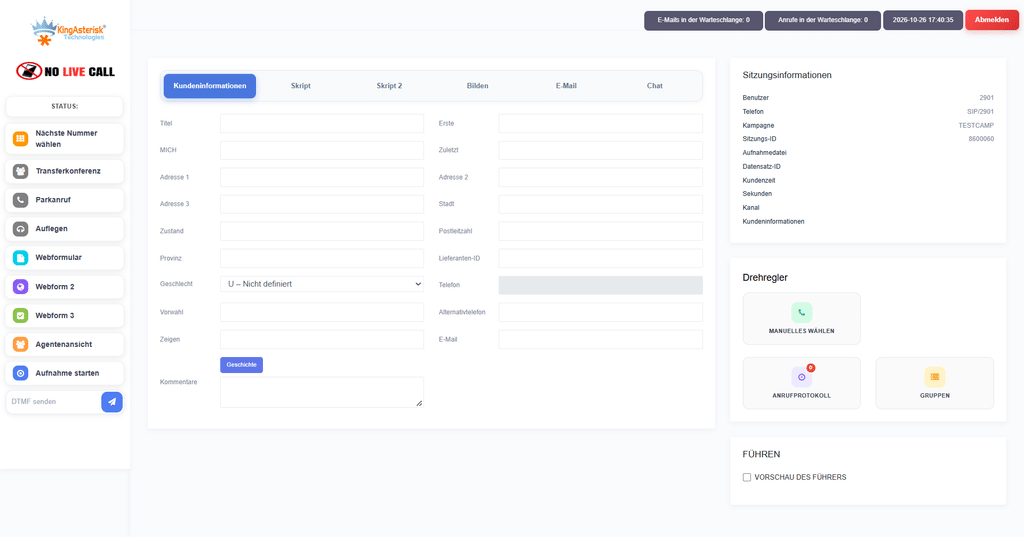
Custom VICIdial German Language Agent Interface

Agent screen localization

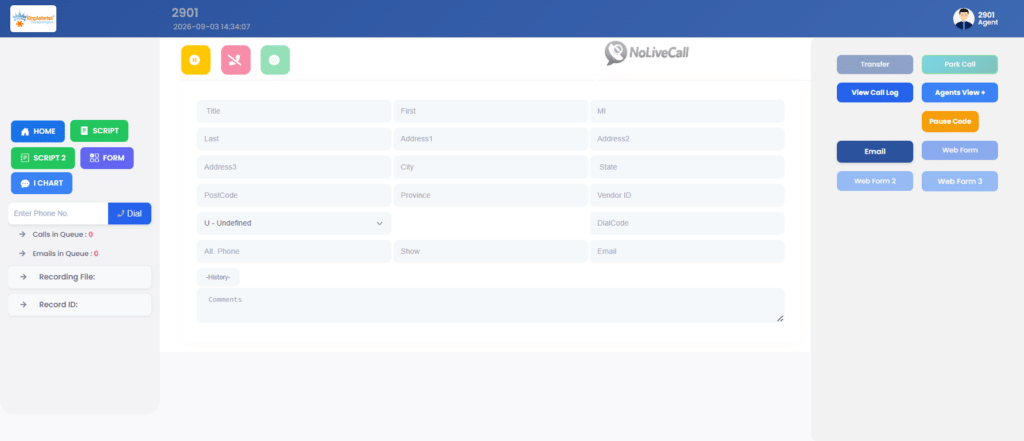
The agent screen is where most of your staff spends their working day. Every element needs to communicate clearly in German: the call status display, the lead information panel, the disposition dropdown, the callback scheduler, the script display area, the manual dial interface, and any custom fields your campaigns use.

We audit the full agent screen for every element – system-generated and custom – and produce a localized version where German is the consistent working language throughout. For custom fields and disposition codes, we work with your operational team to confirm the correct German terminology before implementation, since these terms often reflect internal business logic that a direct translation would not capture.

Supervisor and monitoring panel localization

Supervisors working in German need dashboards and monitoring panels that match their language context. This includes the real-time monitoring screen, agent status labels, queue displays, and any custom supervisor panels your deployment includes.

One area that often gets missed: the pause code display in supervisor monitoring shows why agents are not on calls. If your pause codes are configured with English labels (“Lunch”, “Training”, “Break”) and your supervisors are German-speaking, the reporting accuracy suffers because supervisors and agents may be using the codes inconsistently. Localizing pause code labels is part of the supervisor panel work.
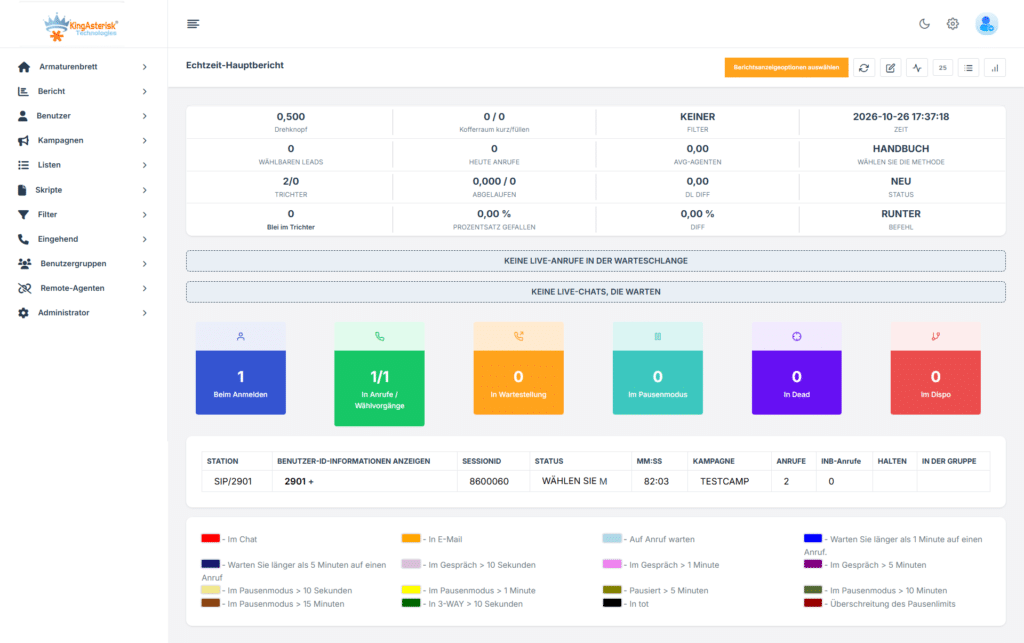
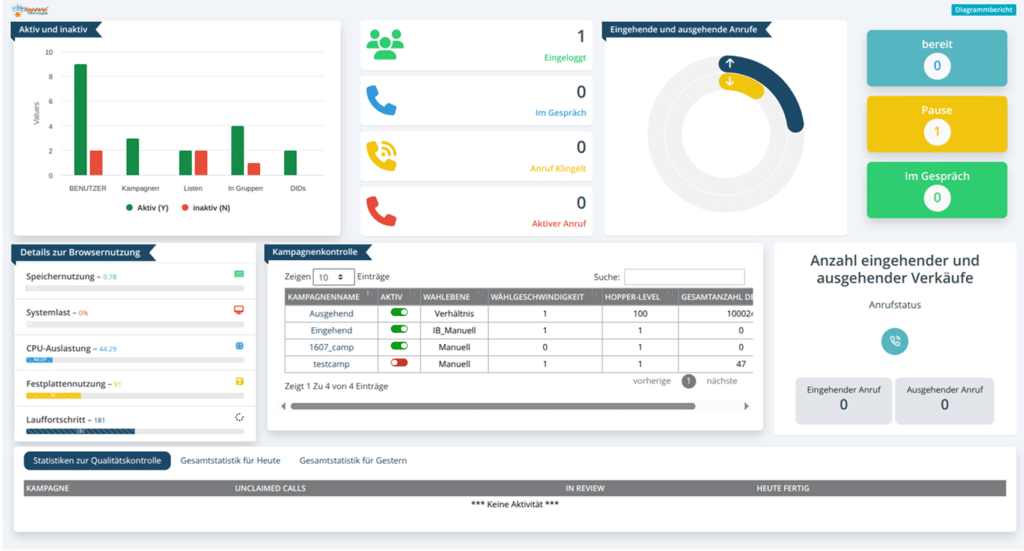
VICIdial German Reporting Dashboard

Reporting and data export labels

Standard VICIdial reports contain headers, column labels, and filter options. If your team exports these reports for review by German-speaking managers or clients, English-language column headers create an extra translation burden at the point of use. We localize report interfaces and, where reports are exported to spreadsheets or PDFs, ensure the output labels are in German by default.

German-language script display

Agent scripts in VICIdial are typically managed through the script editor. For a German market deployment, scripts are almost certainly already in German. What needs attention is everything around the script: the instruction labels, the section headers, the product information display areas, and any dynamic data that gets pulled into the script from your lead database. 

If your script pulls a customer’s name, company, or contract details into the display, that data and its surrounding labels need to be consistent.

IVR and voicemail interface elements

If your VICIdial deployment includes inbound IVR menus or voicemail configuration through the admin panel, these also need German-language treatment for the staff who configure and maintain them. The customer-facing IVR audio is typically already in German for a German market; the back-end configuration interface for your telephony team should be as well.

The Compliance Dimension: Why This Matters in Germany 

Germany has a specific regulatory environment for outbound contact center operations. The Federal Network Agency (Bundesnetzagentur) and data protection regulations under the BDSG and GDPR create compliance requirements that affect how calls are made, how consent is recorded, and how data is handled.

When your VICIdial deployment serves the German market, the accuracy of your disposition data and call records is not just an operational concern – it affects your compliance documentation. If agents are selecting dispositions incorrectly because they misread English-language options, your compliance records contain errors. 

If your call data exports use date and time formats that do not match German regulatory reporting standards, correcting those records is additional work at audit time.

A German language theme reduces this compliance risk by removing the interface ambiguity that leads to data entry errors. When every label in the system clearly communicates its meaning to a German-speaking agent, the rate of incorrect dispositions and form errors goes down – and your compliance documentation becomes more reliable.

Technical approach: how the Custom VICIdial German Theme build works

A custom VICIdial German theme is not a plugin or an add-on. It is a customization of the VICIdial codebase combined with custom frontend work, depending on the scope of your deployment.

For deployments running standard VICIdial, the work is primarily in the PHP files that generate the agent and supervisor interfaces, the language string files, the CSS that controls display and layout, and any JavaScript that handles dynamic interface behavior.

For deployments that have already been customized or require a modern interface, the localization work involves adapting the relevant interface elements, language strings, styling, and functionality to provide a consistent German-language experience. 

This is the better architecture for long-term maintenance, because adding new interface features later requires only adding new strings to the translation file, not re-localizing the component code.

KingAsterisk builds custom German-language VICIdial themes for both existing and new deployments. For legacy VICIdial systems, we customize the existing codebase, while new builds and major interface upgrades focus on creating a modern, user-friendly interface with consistent German translations, improved layouts, and easier long-term maintenance.

What changes for agents day to day

The operational impact of a fully localized German interface shows up in the metrics that matter for contact center performance.

Disposition accuracy

When agents select call outcomes from a German-language dropdown with clearly labeled options, they select the correct option more often. This improves your campaign data, your reporting accuracy, and your callback scheduling.

Average handle time

Agents who can navigate their interface without a cognitive translation step move through wrap-up work faster. For high-volume campaigns, even a few seconds per call adds up to meaningful productivity differences over a day.

New agent onboarding

Training new German-speaking agents on a German-language interface is faster and produces fewer early mistakes. You are teaching them the contact center workflow, not simultaneously asking them to work through an English interface they may not be entirely comfortable with.

Error rates on custom forms

If your campaigns use custom fields for lead qualification, contract data, or compliance checkboxes, German-language labels reduce the rate of fields filled incorrectly or left blank.

What this does not include

It is worth being direct about scope. 

A German language theme is a localization project. It does not change the underlying telephony behavior of your Custom VICIdial German Theme deployment, the dialing algorithms, or the integration logic with your CRM. It changes the interface that agents and supervisors interact with.

If your deployment has separate issues – SIP trunk instability, CRM integration problems, campaign configuration questions – those are separate projects. Some operations bundle a German theme build with a broader deployment upgrade or CRM integration project, which can make sense from a scheduling and cost standpoint, but the localization work is distinct from those other scopes.

How to approach the project

For organizations running existing VICIdial deployments that serve German-speaking agents, the starting point is an audit of the current interface – both the system components and any custom elements – to establish the full scope of what needs localization. This produces a complete string inventory and identifies any layout or data format issues that need to be addressed alongside the translation work.

For organizations building a new VICIdial deployment for the German market, localization architecture decisions should be made at the start of the project, before the interface is built, to avoid doing the same interface work twice.

KingAsterisk provides both German language theme development for existing deployments and German-first interface builds for new deployments. The timeline and scope depend on how extensively your current system has been customized and what your existing codebase looks like.

🔥 Free Live Demo : Live Demo of Our Solution!

Frequently asked questions

Does VICIdial support German out of the boxâť“

VICIdial includes a language file system that can be used to replace system strings with German translations. This covers the standard interface text that ships with VICIdial. It does not cover custom fields, custom disposition codes, custom panels, or any interface elements added through customization. For a fully German interface on a customized deployment, additional development work is required.

How long does a Custom VICIdial German Theme build takeâť“

For a standard VICIdial deployment without significant customization, a complete German theme typically takes two to four weeks from audit to deployment. For heavily customized deployments or builds that are being done alongside a broader interface upgrade, the timeline is longer. The audit phase at the start of the project will produce an accurate scope estimate.

Will a German theme affect VICIdial performanceâť“

No. Language and layout changes do not affect the telephony performance, call handling, or database operations of a Custom VICIdial German Theme deployment. The localization work is entirely in the presentation layer

Can the German theme be updated when we add new campaigns or custom fieldsâť“

Yes. If the build uses a structured translation file architecture (which we recommend for new builds), adding new German strings for new fields or features is straightforward. For legacy builds, updates require working in the same files that were modified during the original theme build.

Do you localize supervisor and admin panels as well, or only the agent screenâť“

We localize all panels that your German-speaking staff interact with – agent screens, supervisor monitoring panels, reporting interfaces, and admin configuration areas used by your operations team. We work with you at the start of the project to define which panels are in scope based on who uses your system and in what role.

We already have German-language scripts. Does that mean our interface is localizedâť“

No. Script content and interface labels are separate. Your agents reading German scripts through an English-language interface are still navigating English menus, buttons, and status labels to manage those calls. Script localization and interface localization are independent – both need to be in German for a fully localized agent experience.

Work with KingAsterisk

KingAsterisk provides Custom VICIdial German Theme development, including German language theme builds, for contact centers and communication operations globally. If you are running a German-market operation on VICIdial and want to assess what a full localization project would involve for your specific deployment, contact us to start with an interface audit.

We work with both legacy VICIdial deployments and modern customized VICIdial interfaces, and we handle the full scope from string translation to layout adjustment to data format alignment.
KINGASTERISK_NOTE
Asterisk SIP Call Drops After 25–28 Seconds Causes and Fixes
Asterisk Development Solutions

Asterisk SIP Extension Disconnects After 25–28 Seconds: Common Causes and Solutions

Asterisk SIP Call Drops After 25–28 Seconds Causes and Fixes

A call connects, the audio sounds fine, and then it drops at almost the same second every time. If you are seeing Asterisk SIP Extension Disconnects after 25 to 28 seconds, you are not dealing with a random fault. A timer is running out. Something in the signaling is waiting for an answer that never arrives, and when the wait ends, Asterisk hangs up.

This guide explains that timer, shows how to prove it with a trace, and covers the fixes we apply most often on Ubuntu servers and on PBX setups where one extension works and its twin on the same network does not.

What causes Asterisk SIP extension disconnects at 25 to 32 seconds

When Asterisk answers a call, it sends a 200 OK and waits for the phone to reply with an ACK. If the ACK does not arrive, Asterisk sends the 200 OK again. It repeats at growing intervals, starting at T1 (500 ms) and doubling up to T2 (4 seconds). After 64 x T1, which is 32 seconds, it stops waiting and sends a BYE.

RTP does not depend on the ACK, so both sides can hear each other during that window. That is why the call sounds normal and then dies on the clock. A stopwatch reading depends on when you start counting and when the first 200 OKs leave the server, so readings anywhere from about 25 to 32 seconds fit the same timer.

On chan_sip you will often see a console line saying a retransmission timeout was reached for a critical response. The exact wording varies by version, but this message indicates that Asterisk did not receive the expected acknowledgment for the response.

Capture the SIP trace first

Guessing wastes hours. Take the trace before you change anything. Log in to the console as root and run:

asterisk -rvvv
core set verbose 5
pjsip set logger on
sip set debug on

Use pjsip set logger on for PJSIP endpoints and sip set debug on for chan_sip. Place a call that fails, let it drop, then turn logging off with pjsip set logger off or sip set debug off. Copy the text from the INVITE down to the BYE.

Look for the same 200 OK appearing three, four or more times in a row with no ACK between them. If you see that, the ACK is being sent somewhere your server cannot receive it, or it is being blocked on the way. The next four sections cover the usual reasons.

Cause 1: the ACK is sent to an address Asterisk cannot reach

The phone builds the ACK from the Contact header in the 200 OK. If that header carries a private IP, the wrong port, or an address that only exists on one side of a NAT, the ACK goes nowhere. Moving a device from a custom port to 5060 without clearing the old registration can leave a stale Contact behind and produce the same result.

On a PJSIP endpoint, check these options first:

[1001]
type=endpoint
transport=transport-udp
rewrite_contact=yes
force_rport=yes
rtp_symmetric=yes
direct_media=no

On chan_sip, the matching peer settings are:

nat=force_rport,comedia
directmedia=no
qualify=yes

Then set the network details on the transport, or under [general] for chan_sip:

[transport-udp]
type=transport
protocol=udp
bind=0.0.0.0:5060
local_net=192.168.1.0/24
external_signaling_address=203.0.113.10
external_media_address=203.0.113.10

For chan_sip, use externip and localnet. Replace the sample addresses with your own.

Cause 2: direct media takes Asterisk out of the path

With direct_media=yes (canreinvite=yes on chan_sip), Asterisk can step out of the media path after the call is answered. The two phones are then expected to reach each other directly. If they can, nobody notices. If they cannot, the call breaks.

This explains many cases of Asterisk SIP Extension Disconnects where one extension works and another does not. The working pair can reach each other, and the failing pair cannot, even though both sit on the same VLAN with what looks like identical settings. Set direct_media=no on the failing endpoint and retest. If the drop disappears, you have your answer. You can then decide whether to fix the reachability between the devices or leave the media anchored on the server, which is usually the safer choice.

Cause 3: a SIP ALG rewriting packets

Many routers and firewalls ship with a SIP ALG (Application Layer Gateway) that rewrites addresses inside SIP packets. It often does this correctly in one direction and wrongly in the other. If one extension passes through a router with the ALG on and another does not, you get exactly the “one works, one does not” pattern.

Compare what sits between each device and Asterisk. Turn the SIP ALG off on the router or firewall, reboot the device if the vendor says so, and test again. A trace taken on both sides of the router will show the altered Contact or Via headers if the ALG is the cause.

Asterisk SIP extension disconnects on Ubuntu

Ubuntu and Debian installs have a habit that catches people out. The file /etc/hosts usually maps the server’s hostname to 127.0.1.1. If your transport or external address setting uses a host name, Asterisk can resolve it to that loopback address and advertise it in the Contact and SDP. The remote side then sends its ACK to 127.0.1.1, which is itself.

We have fixed Asterisk SIP extension disconnects on Ubuntu servers simply by replacing a host name with the literal public IP in external_signaling_address and external_media_address. Check this first:

cat /etc/hosts
hostname -I
asterisk -rx "pjsip show transports"

Two more Ubuntu checks. If ufw is active, confirm it allows the signaling port and the RTP range:

ufw allow 5060/udp
ufw allow 10000:20000/udp

The RTP range must match rtpstart and rtpend in /etc/asterisk/rtp.conf. Then check journalctl -u asterisk for crashes or restarts, because a service restart drops every registered extension at once.

ASTERISK DEVELOPMENT

Why does my SIP call disconnect after 15 minutes?

A drop at a longer, steady interval has a different cause than a drop at 32 seconds. The usual suspects are SIP session timers and NAT state. Session timers make both ends refresh the call with a periodic re-INVITE or UPDATE. If that refresh is blocked or answered with an error such as 420 or 481, the call ends when the timer expires. In PJSIP, look at the timers, timers_min_se and timers_sess_expires options on the endpoint. In chan_sip, the equivalent is session-timers in sip.conf.

The second suspect is a router that closes the UDP mapping when it sees no traffic for a set time. Put a trace on the call, find the last packet before the drop, and check what failed after it. Fixing the refresh path or lowering the keepalive interval usually resolves Asterisk SIP extension disconnects that arrive at a fixed interval such as 15 minutes.

Why are my calls getting automatically disconnected after a few minutes?

When calls end at uneven times, a few minutes in, look at registration and media instead of the ACK. Start with the extension itself:

asterisk -rx "pjsip show contacts"
asterisk -rx "pjsip show endpoint 1001"

If the contact shows as Unavail or keeps disappearing, set a qualify interval on the AOR so Asterisk and the NAT keep seeing traffic:

[1001]
type=aor
max_contacts=1
qualify_frequency=30
remove_existing=yes

Also check rtp_timeout and rtp_timeout_hold on the endpoint. If they are set and RTP stops flowing for any reason, Asterisk ends the call on purpose. A one-way audio fault that goes unnoticed can then look like a random disconnect. When Asterisk SIP extension disconnects show up as scattered drops like this, the trace and core show channels output taken just before the drop will tell you which side stopped sending.

Asterisk SIP extension disconnects on a PBX relay

Some setups use an Asterisk PBX only as a relay between two systems, such as an IP PBX on one side and a trunk or another server on the other. A relay does not remove the address problem. It puts its own address in the Contact header and in the SDP, so if that address is wrong for one path, that leg breaks.

When you troubleshoot Asterisk SIP extension disconnects on a PBX relay, trace each leg separately. Confirm which address each side advertises and whether the ACK for each leg reaches the right place. Then run these on both the working and the failing peer, and compare the output line by line:

asterisk -rx "sip show peer working_peer"
asterisk -rx "sip show peer failing_peer"

Settings that “look the same” often differ in one line, and that line is usually the bug.

A short checklist before you change anything

  • Take a SIP trace and look for repeated 200 OK messages with no ACK.
  • Check the Contact header and the SDP for private, loopback or wrong-port addresses.
  • Set direct_media=no on the failing endpoint and retest.
  • Turn off the SIP ALG on any router in the path.
  • Replace host names with literal IPs in the external address settings.
  • Confirm the firewall allows SIP and the full RTP range.
  • Compare the working and failing endpoints line by line.

Work through these in order. Most Asterisk SIP extension disconnects are solved by step 2, 3 or 4.

🔥 Free Live Demo : Live Demo of Our Solution!

FAQs

What is an asterisk in SIPâť“

In this context, Asterisk is the name of an open-source PBX and telephony server. It is not a symbol inside the SIP protocol. SIP is the signaling protocol used to set up and end calls, and Asterisk is one of the systems that speaks it. You will also see the * character in some dial codes and on console prompts, which is a different use of the same word.

Does Asterisk use PJSIPâť“

Yes. PJSIP, through the chan_pjsip driver, is the standard SIP stack in current Asterisk versions. The older chan_sip driver was deprecated for years and removed in Asterisk 21, so on Asterisk 21 and later all SIP endpoints are configured in pjsip.conf. If your server still uses sip.conf, you are on an older release.

Why does one extension work while another on the same VLAN dropsâť“

Same VLAN does not mean the same path or same settings. A different Contact address, a different NAT or ALG behavior, direct media being on for one endpoint, or a stale registration can all make one extension fail while the other works. Run pjsip show endpoint (or sip show peer) for both and compare every line.

How do I know the ACK is missing from a traceâť“

Find the 200 OK that answers the INVITE. If the same 200 OK repeats several times and no line starting with ACK appears afterward, the ACK was not received. Check the Via and Contact headers in that 200 OK to see where the phone was told to send it.

Can I fix Asterisk SIP extension disconnects without restarting Asteriskâť“

Often yes. Run pjsip reload or sip reload after changing the endpoint, transport or peer settings, then re-register the phone and test a new call. A full restart is only needed when you change certain transport bindings or when the service itself has crashed.

Does lowering the call timeout hide the problemâť“

No. Changing timers will not fix an unacknowledged 200 OK. The call will still end when the retransmissions run out, so the real fix is to make sure the ACK can travel from the phone to Asterisk.

Need to Fix Your Asterisk Issues?

If your trace is not making sense, or the fix works for a day and the fault returns, send us the SIP trace and the endpoint config. The KingAsterisk team has fixed these faults on Asterisk and VICIdial servers for many years, and we can point you to the exact line that is wrong. Reach us through the contact page. 

KINGASTERISK_NOTE
VICIdial Real-Time Reporting for Live Contact Center Insights
Vicidial Software Solutions

VICIdial Real Time Reporting: View Live Contact Center Data and Agent Status

VICIdial Real-Time Reporting for Live Contact Center Insights

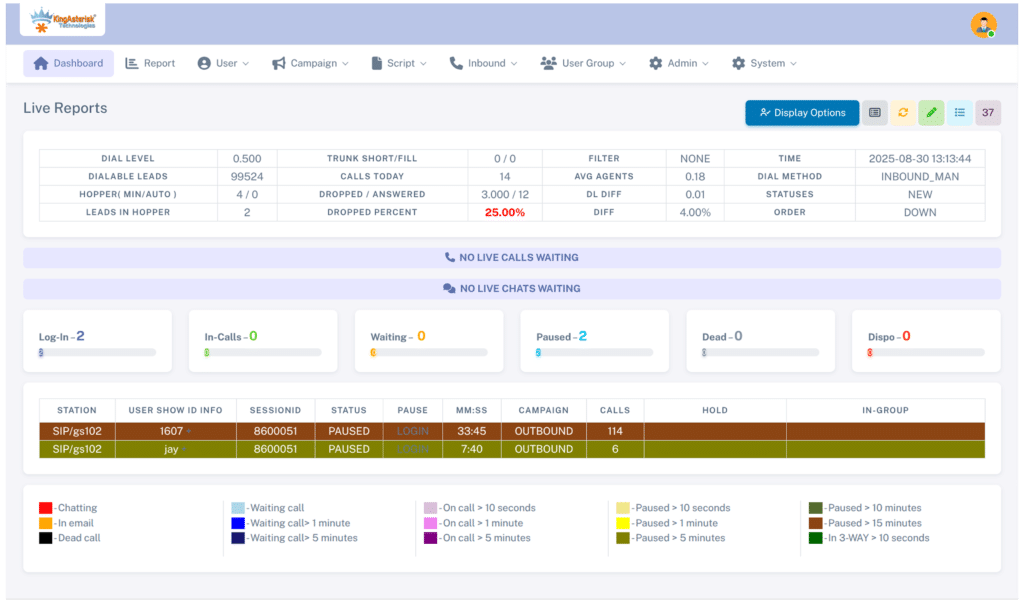
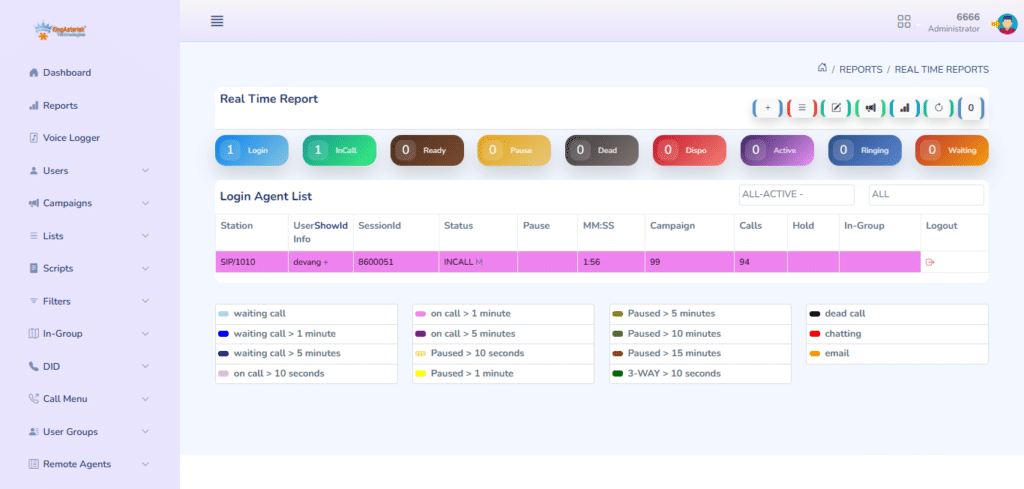
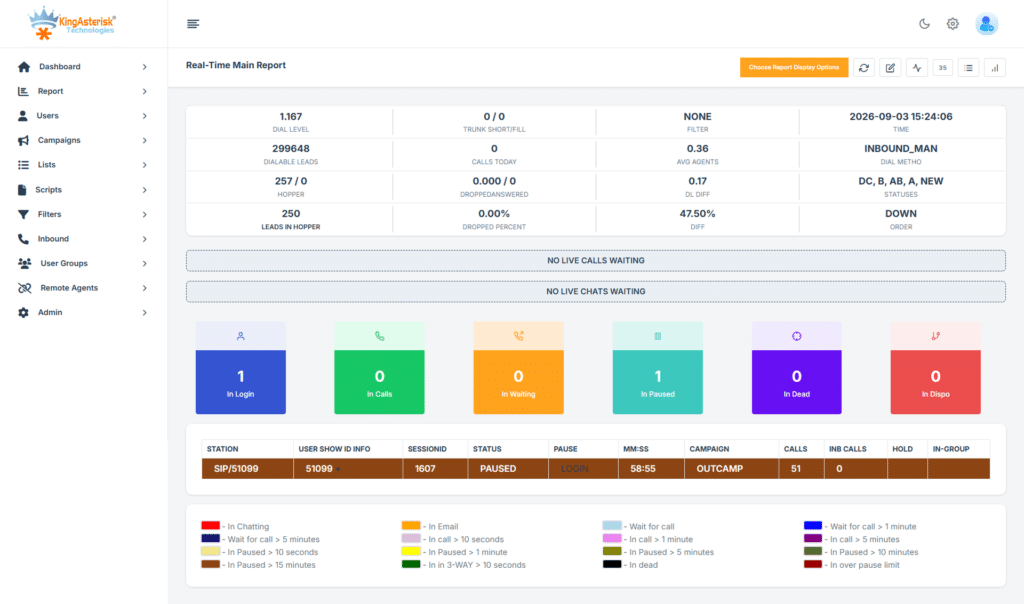
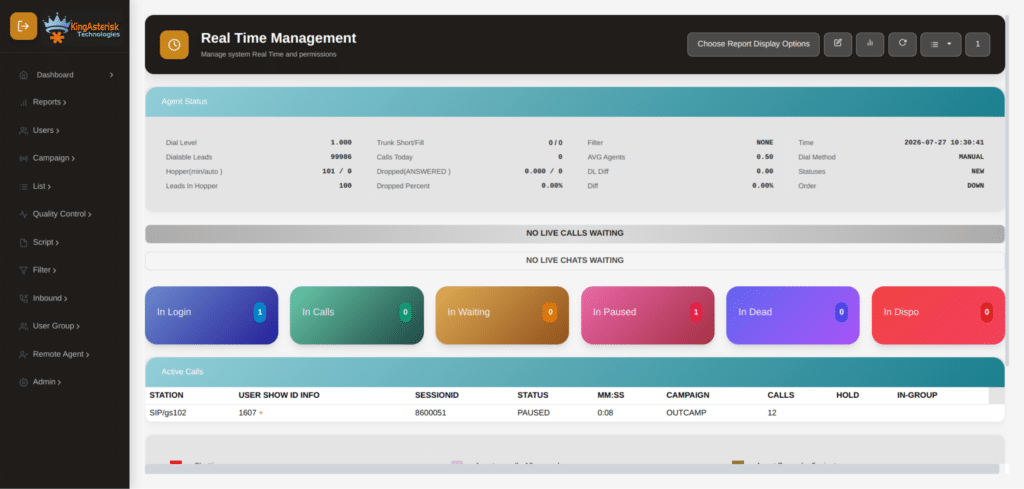
Open the VICIdial real-time screen at 10:15 on a busy morning and you can see most of what is happening on the floor. You can see who is talking, who is paused, who is stuck in wrap-up, and whether the dialer is moving. VICIdial Real Time Reporting puts all of that on one page that refreshes every few seconds.

Many supervisors only glance at the colors. This guide shows what each field means, which numbers to watch, and what to do when something looks wrong.

What Is VICIdial Used For?

VICIdial is an open-source platform built on Asterisk. Teams use it to:

  • Run outbound campaigns with predictive, ratio or manual dialing
  • Take inbound calls through ingroups and IVR menus
  • Blend inbound and outbound on the same agents
  • Manage lead lists, call scripts, dispositions and recordings
  • Pull reports on agents, campaigns and lists

Sales teams, collections teams, surveys and support desks all run on it. The real-time report is how supervisors watch it work.

VICidial Real Time Report

What Are Real-Time Reports?

Real-time reports are live screens that refresh on a timer. A normal report tells you what happened yesterday. VICIdial Real Time Reporting tells you what is happening right now, such as which agent is on a call, how long the longest hold is, and how many leads remain in the hopper. Use real-time reports to react. Use the historical reports to analyze trends.

🔥 Want to Explore Our VICIdial Themes? Click Here to View Our Portfolio!

VICIdial Real Time Reporting Login: How to Open It

  1. Go to https://YOUR-SERVER/vicidial/admin.php.
  2. Log in with a user account that has permission to access the Real-Time Main Report and the relevant campaigns.
  3. Open Reports and click Real-Time Main Report.

You can also go straight to https://YOUR-SERVER/vicidial/realtime_report.php. The main report itself is served by AST_timeonVDADall.php, which is the script behind the page you will see most often.

If the login works but the report is blank, check the user’s report permissions and the allowed campaigns and user groups for that account. A restricted user group will hide everything outside it.

Report Options at the Top

Before you read any numbers, set the view. The options bar controls what you see:

  • Campaign / group select: pick one campaign, several, or all.
  • Refresh rate: 4 to 8 seconds is usual for a supervisor screen.
  • Display options: show or hide phones, server details, call IDs and more.
  • Inbound: include inbound groups so you can see queue calls.

Most of these map to URL parameters, so you can bookmark a saved view. More on that below.

Reading Agent Status in VICIdial Real Time Reporting

The agent grid is the part you look at most. Each row is one logged-in agent.

FieldWhat It Shows
User / NameIdentifies the logged-in agent.
StationShows the phone or extension assigned to the agent.
StatusDisplays the agent’s current state, such as READY, INCALL or PAUSED.
MM:SSShows how long the agent has been in the current state.
CallsDisplays the number of calls handled today.
CampaignShows the campaign the agent is working on.

The statuses that matter:

  • READY: logged in and waiting for a call.
  • INCALL: on a live call.
  • PAUSED: not taking calls (a break, a meeting, or a pause code).
  • DISPO: the call has ended and they are choosing a disposition.
  • DEAD: the call dropped on the agent’s end, and the agent is still on the screen.
  • CLOSER: the agent is waiting on an inbound or transferred call.

The timer matters more than the status. An agent in READY for 10 seconds is normal. An agent in READY for 3 minutes means the dialer is not feeding them leads. An agent in DISPO for 20 seconds is fast. An agent in DISPO for 3 minutes is a training issue or a quiet break. Colors shift as the time grows, so a quick scan shows you which rows need attention.

Compare agents side by side. If one agent has 47 calls and the next desk has 28, ask why. It could be longer talk time, more pauses or a disposition habit.

VICidial Real Time Report

Campaign Statistics in VICIdial Real Time Reporting

The top of the report shows the health of each campaign. These are the fields to watch:

  • Dial level: how aggressively the dialer is placing calls per available agent.
  • Dialable leads: leads left that can legally be called right now.
  • Hopper level: how many leads are loaded and ready.
  • Calls ringing / waiting: live calls in progress and calls waiting on an agent.
  • Agents logged in / in call / ready / paused: the floor in four numbers.
  • Calls today / drops today / drop percentage: your compliance numbers.
  • Average hold time: how long answered calls wait for an agent.

The two numbers to check first are the drop percentage and the hopper. 

Drops are answered calls with no agent available. Monitor the campaign’s drop rate closely and follow applicable telemarketing regulations. If the drop rate rises, lower the dial level or review agent availability.

If the hopper hits zero, the dialer has nothing to call. Check these in order:

  1. The list is set to Active.
  2. The campaign’s lead filter is not too narrow.
  3. The leads are inside their allowed calling hours for their timezone.
  4. The AST_VDhopper process is running through cron.

A VICIdial Real Time Reporting Example

Here is a simplified view of what a supervisor might see on a Tuesday morning:

Campaign: SALES01   Dial level: 3.0   Hopper: 412   Drops today: 14 (1.8%)

Reading it takes ten seconds. Agent 1011 has been paused for almost eight minutes with only 12 calls, so find out why. Agent 1015 has been in DISPO for over two minutes, so check whether the disposition list is confusing. Agent 1004 and 1007 look normal. Drops are at 1.8%, which is inside the limit.

That is the point of VICIdial Real Time Reporting. The screen shows you which rows to look at before the day’s numbers slip.

VICidial Real Time Report

Monitoring Features: Listen, Whisper and Barge

From the real-time screen you can step into a live call. These are the options next to an INCALL agent:

  • Listen (monitor): hear the call silently. Neither side knows.
  • Whisper: talk to the agent only. The customer cannot hear you.
  • Barge: join the call and speak to both sides.

To use them, your own phone or softphone must be registered and entered as the monitoring extension. Your user also needs monitoring rights. If you can hear the customer during a whisper, check the call routing and the extension you entered.

Listening to a handful of calls every day tells you more about agent quality than any number on the report.

Controlling Agents From the Screen

Supervisors can also act on what they see. Depending on your permissions you can:

  • Log an agent out if their session is stuck
  • Force a status change on a frozen agent
  • Open the agent’s call record and lead details

Use these sparingly. Forcing changes on a live agent can cut off a call.

Customizing the Report with URL Parameters

Every option on the screen is also a URL parameter. A saved URL gives each supervisor the exact view they need:

https://YOUR-SERVER/vicidial/realtime_report.php?RR=8&groups[]=SALES01&adastats=2&NOLEADSalert=1
  • RR sets the refresh rate in seconds.
  • groups[] picks the campaign.
  • adastats turns on extra dialer statistics.
  • NOLEADSalert warns you when a campaign runs out of leads.

Parameter names can differ a little between VICIdial versions, so check the options on your own report page and copy the URL it produces.

For a wall display, open one campaign per monitor with a refresh of 5 to 6 seconds. Anything faster adds load without telling you anything new.

VICIdial user reports and permissions

Common Problems with VICIdial Real Time Reporting

Agents show READY but no calls are coming. Check the hopper first, then the dial level, then whether the trunk is registered. Run asterisk -rx “sip show peers” (or pjsip show endpoints) to confirm the carrier is reachable.

Agent status stuck or not updating. The agent may have closed the browser without logging out. A stale row stays in the vicidial_live_agents table until the keepalive process cleans it up. Check that the AST_manager_kill_hung_congested and the other VICIdial cron processes are running.

The drop rate suddenly spiked. Look for a sudden drop in agents, a carrier delay or a dial level that is too high for the number of agents logged in. Lower the dial level first and investigate second.

The report loads slowly. It reads straight from MySQL. Large campaigns, an overloaded database and a very short refresh rate all slow it down. Raise the refresh rate to 8 to 10 seconds, narrow the campaign selection, and check for long-running queries.

Pulling Live Data Without the Screen

For a custom wallboard you can read the same data directly. A quick, read-only look at who is logged in:

SELECT user, status, campaign_id, calls_today, last_state_change
FROM vicidial_live_agents
ORDER BY campaign_id, user;

You can also use the Non-Agent API. The logged_in_agents function returns the logged-in agents for a campaign:

https://YOUR-SERVER/vicidial/non_agent_api.php?source=dashboard&user=APIUSER&pass=APIPASS&function=logged_in_agents&campaign_id=SALES01

The API user must have API access enabled, and your server’s IP must be allowed. Never write to the live tables. Only read from them.

Keep API polling to every 5 to 10 seconds. Our team also builds custom dashboards and reports views around these endpoints, and you can see examples on the VICIdial customization page. If you are also setting up browser-based calling, our guide to the VICIdial Web Client covers that side.

A Daily Checklist for Supervisors

  1. Start of shift: confirm everyone is logged in and the hopper is above your minimum.
  2. Every 30 minutes: check drops, dial level and anyone with a long PAUSED or DISPO time.
  3. Midday: listen to two or three calls from different agents.
  4. Shift change: make sure old sessions are logged out so they do not clutter the screen.
  5. End of day: note anything odd and compare it with the historical reports.

VICIdial Real Time Reporting only helps if someone acts on what it shows. A five-minute habit like this catches most problems early.

đź’» Free Live Demo : Live Demo of Our Solution!

Frequently Asked Questions

1. What is VICIdial Real Time Reportingâť“

It is a live screen in the VICIdial admin panel that refreshes every few seconds. It shows agent status, active calls, campaign statistics and queue activity as they happen.

2. How do I log in to the VICIdial real time reportâť“

Go to /vicidial/admin.php, log in with a user that has reporting rights, then open Reports > Real-Time Main Report. You can also open /vicidial/realtime_report.php directly.

3. Is VICIdial free for callingâť“

The software is free and open source. Calling costs money because you still need a server, SIP trunks or carrier minutes, and setup and support time.

4. Is VICIdial a dialerâť“

Yes. It dials leads in predictive, ratio and manual modes. It also handles inbound queues, IVR, agent screens, lead management and reporting.

5. What does a long DISPO or PAUSED time meanâť“

A long DISPO time usually means the agent is unsure which disposition to pick, or is taking an unofficial break. A long PAUSED time means the agent is away from calls. Check the pause code and talk to the agent if it keeps happening.

6. Can I see real-time data for only one campaign?

Yes. Choose the campaign in the report options, or pass it in the URL with groups[]=CAMPAIGNID and save the link.

Final Thoughts

VICIdial Real Time Reporting is free, it is already built into your system, and it shows you everything happening on the floor. Learn the statuses, watch the timers and check the drop rate and hopper first. 

Save your views as URLs and keep your monitoring extension ready. If you want the screen reshaped for your team, with different columns, a cleaner layout or a wallboard, our team can build it. Talk to us about custom VICIdial reports.

KINGASTERISK_NOTE
VICIdial Web Client Browser-Based Calling
Vicidial Software Solutions

VICIdial Web Client: A Browser-Based Calling Interface for Contact Center Agents

VICIdial Web Client Browser-Based Calling

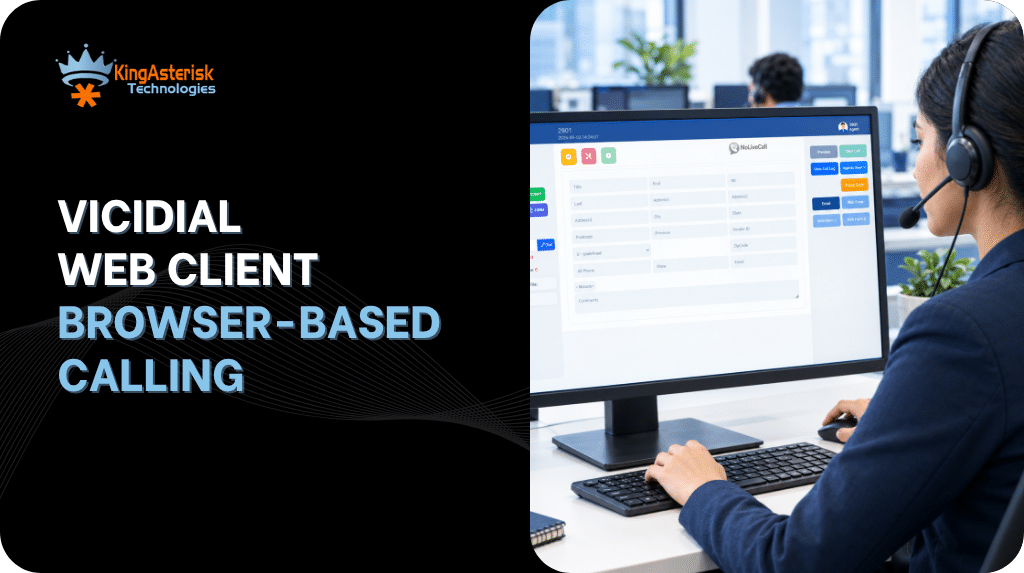
Every agent on a VICIdial system works from a single screen. That screen is the VICIdial Web Client, and it opens in a normal browser tab. There is no program to install and no softphone license to buy. This guide explains what the client does, how agents sign in, how browser calling is set up, how scripts work, and how to fix the errors we see most often.

Customized VICIdial Agent Screen with Call Controls

What is the VICIdial Web Client?

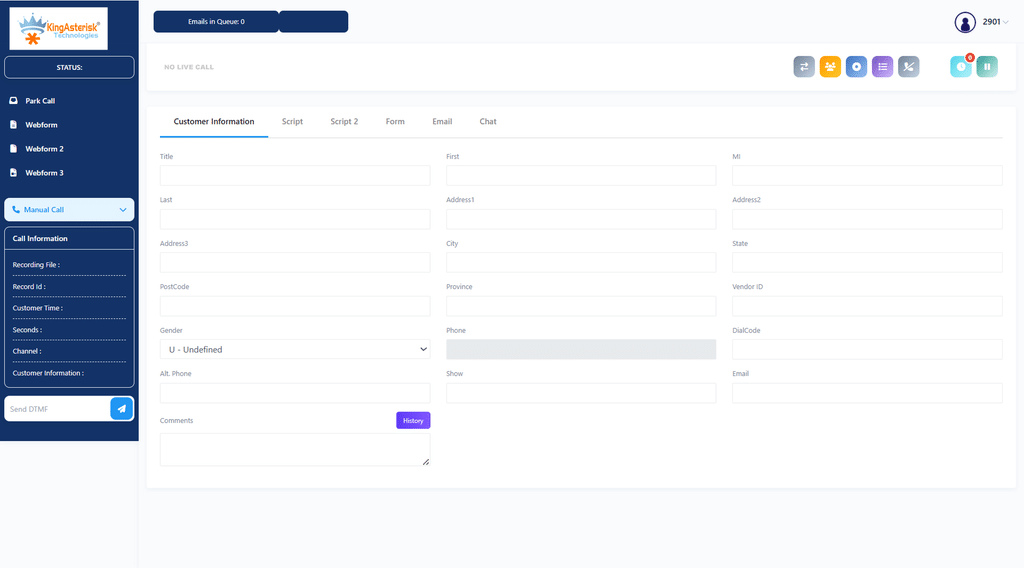
The VICIdial Web Client is the agent side of VICIdial. It is a set of PHP pages that Apache serves from the /agc/ folder on your web server. The main page is vicidial.php, so the address on a typical system looks like:

https://dialer.example.com/agc/vicidial.php.

MariaDB stores the leads, users and campaigns. Asterisk places and receives the calls. The page checks in with the server about once a second, which is why lead details show up the moment a call connects.

Some people search for it as the agent web client. The name changes, but the page is the same: the place where an agent logs in, takes calls, reads a script and picks a disposition.

🇩🇪 Boost Productivity : Top 5 Dialers in Germany

Is VICIdial a dialer?

Yes. VICIdial is a dialer first and also handles inbound calls. Each campaign has a dial method that decides how numbers are called.

Dial MethodWhat It Does
MANUALThe agent manually clicks or enters each phone number to place a call.
RATIODials a set number of lines per available agent based on the Auto Dial Level setting.
ADAPT_HARD_LIMITAdjusts the predictive dialing level while enforcing a strict drop-rate limit.
ADAPT_TAPEREDGradually adjusts the dialing level to help manage the call drop rate.
ADAPT_AVERAGEAdjusts predictive dialing based on the average drop rate.
INBOUND_MANHandles inbound calls while allowing agents to make manual outbound calls when idle.

Whatever the dial method, the VICIdial Web Client is where the agent sees the result: a live call and a lead on screen.

What is VICIdial used for?

Teams use VICIdial for outbound sales and lead follow-up, collections, appointment reminders, surveys and political polling, and inbound queues with IVR menus. Many run a blended setup where agents take inbound calls and drop back to outbound dialing when the queue is empty. Call recording, reports and DNC list handling come with the system, so a small team can start on one server and move to a cluster later.

Can I use VICIdial for free?

Yes. VICIdial is open source under the AGPLv2 license and has no per-agent fee. You can install it and run it for as many agents as your hardware supports.

Free covers the software only. Someone still has to install it, tune it, keep Asterisk and MariaDB updated and fix problems on a busy day.

How much does VICIdial cost?

There is no license price, so the cost is everything around the software.

  • One all-in-one server is enough for a small team. Larger teams split the database, web and telephony roles across separate machines.
  • SIP trunks and phone numbers are usually the biggest running cost, because carrier minutes grow with call volume.
  • Paid support, custom features and training are optional but common.
  • Admin time goes into reports, list loading and updates.

Agent count, call volume and dialing countries differ for every team, so any single price you read online is a guess. A fair estimate needs those three numbers.

VICIdial download and VICIdial Web Client download

People often search for a VICIdial web client download, but agents have nothing to download. The client lives on the server, and agents just open its address.

What you do download is the server software. The usual route is the ViciBox ISO from the official VICIdial website. ViciBox is built on openSUSE and installs Asterisk, Apache, MariaDB and VICIdial together. The installer lets you choose a single all-in-one machine or separate roles for a cluster. When the install finishes, the client is live at /agc/vicidial.php.

Take the VICIdial download from the official site only. Copies from forums or file-sharing pages can be outdated or modified.

VICIdial agent login, step by step

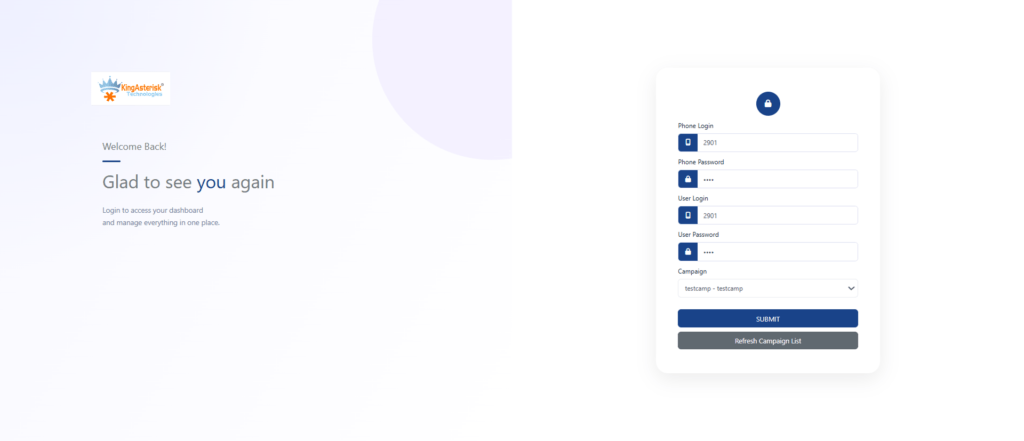
The VICIdial agent login has two screens.

VICIdial Agent Login Page for Contact Center Agents
  • Open the KingAsterisk Free Live Demo in Chrome or Firefox.
  • Use the demo login credentials provided on the demo page to access the VICIdial Agent Login screen.
  • Enter the required agent login details in the demo interface.
  • Select an available campaign from the dropdown, if prompted.
  • Click Submit and follow any browser microphone permission prompts if browser calling is enabled.

After login you land on the main screen in a paused state. Click Resume to start taking calls.

Agent web client: campaign login

The campaign dropdown only lists campaigns your user group is allowed to use. If yours is missing, ask your admin to check Allowed Campaigns on your user group under Admin > User Groups. Picking the wrong campaign is a common reason agents get no calls, so read the name before you click Submit.

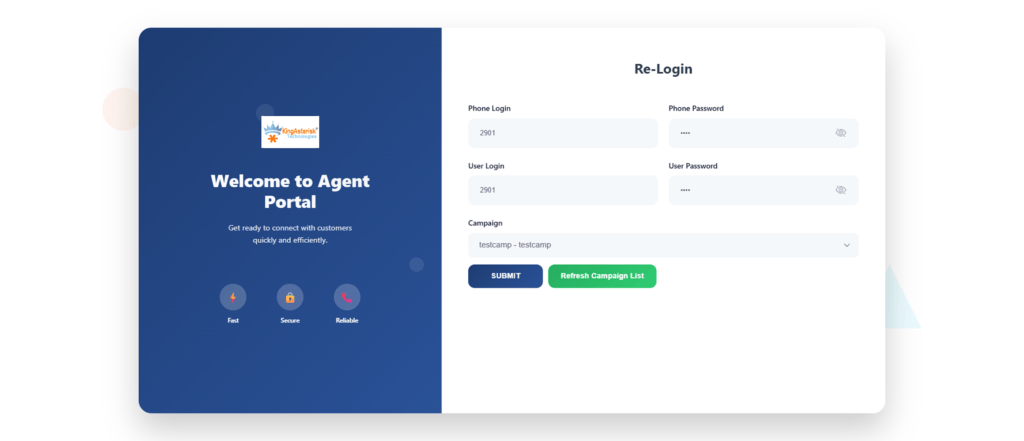
You may also see this page called the agent web client 2.0 login. Layouts differ between builds and custom themes, so confirm the exact address with your administrator. The standard flow is the same: phone login, then user login and campaign.

VICIdial Web Client example: one call from start to finish

Here is a normal session in the VICIdial Web Client on an outbound campaign that uses ADAPT_TAPERED.

VICIdial Web Client Agent Interface During a Call
  • The agent logs in and clicks Resume.
  • The system dials leads in the background. When a person answers, the call drops into the agent’s browser phone and the lead’s name, phone number and city fill the screen.
  • The Script tab shows what to say, with the lead’s first name already in place.
  • The call ends. The agent clicks Hangup Customer, picks a status such as SALE, NI, NA, CALLBK or DNC, and submits it.
  • The system moves on to the next lead.

Warm transfers use the Transfer – Conf button. Every status is saved with the lead, so supervisors can pull reports by agent, talk time and disposition, and reload leads by status later.

How to set up a VICIdial script

A VICIdial script is a block of HTML that shows up in the Script tab of the agent screen. You create it under Admin > Scripts and pick it in the campaign’s Script setting. Variables wrapped in –A– and –B– pull lead data into the text.

<p>Hello, may I speak with --A--first_name--B-- --A--last_name--B--?</p>
<p>This is --A--fullname--B-- from Your Company. Is --A--phone_number--B-- the best number to reach you?</p>

Keep scripts short. Agents glance at them during a call, so one clear opening line and a few branching notes work better than a full page of text.

VICIdial Agent Login Interface

Browser calling in the VICIdial Web Client

The browser phone uses WebRTC through ViciPhone, a JavaScript SIP client that runs inside the page. Four things have to be in place.

First, HTTPS with a certificate the browser trusts. Browsers block microphone access on plain HTTP pages, and a self-signed certificate usually makes the secure WebSocket connection fail. Let’s Encrypt works fine.

Second, the Asterisk WebSocket server turned on in /etc/asterisk/http.conf:

[general]
enabled=yes
bindaddr=0.0.0.0
bindport=8088
tlsenable=yes
tlsbindaddr=0.0.0.0:8089
tlscertfile=/etc/letsencrypt/live/dialer.example.com/fullchain.pem
tlsprivatekey=/etc/letsencrypt/live/dialer.example.com/privkey.pem

Third, the phone entry is marked as a webphone. Under Admin > Phones, set Set As Webphone to Y for that extension.

Fourth, open firewall ports: TCP 443 for the client, TCP 8089 for secure WebSocket, and UDP 10000 to 20000 for audio, which is the default RTP range in rtp.conf. If the server sits behind NAT, also set externip and localnet in sip.conf and check the ICE settings.

Common problems and fixes

Most trouble with the VICIdial Web Client comes from a short list of causes.

What the Agent SeesLikely CauseFix
No Audio Either WayMicrophone blocked or RTP ports closedAllow microphone access in browser settings and verify the required UDP RTP port range is open.
Phone Stays UnregisteredPort 8089 closed or certificate not trustedVerify TCP port 8089 is reachable and install a trusted TLS certificate.
Campaign Missing at LoginCampaign not listed in the user’s Allowed CampaignsOpen Admin > User Groups and verify the user’s campaign permissions.
Login RejectedIncorrect phone or user credentials, or inactive userVerify the agent’s login details, phone settings, and active status in the admin panel.
One-Way AudioNAT or media configuration issueCheck externip, localnet, firewall rules, and ICE settings where applicable.
Blank Script TabNo script assigned to the campaignSelect and save the appropriate script in the campaign settings.

Use a current Chrome or Firefox, keep extra extensions off agent machines, and avoid logging the same user in from two browsers at once. That alone prevents a lot of support tickets.

🔥 Free Live Demo : Live Demo of Our Solution!

FAQs

Do agents need a VICIdial web client downloadâť“

No. The client runs from your server. Agents open /agc/vicidial.php in a browser. Only the server needs the VICIdial software installed.

Which browsers work with the VICIdial Web Clientâť“

Current versions of Chrome and Firefox are the safest choice, and Edge on Chromium works well too. Safari supports WebRTC, but test it with your own setup before rolling it out to a full team.

Is VICIdial a dialer or just an agent screenâť“

It is a full dialer with an agent screen. The server places the calls using the dial method you pick, and the web client is where agents handle them.

Can I use VICIdial for free, and how much does it costâť“

The software is free under the AGPLv2 license. Your costs are servers, SIP trunks, support and admin time, and they depend on agent count and call volume.

Can I change how the web client looksâť“

Yes. Screen colors can be changed from the admin panel, and deeper changes such as your logo, layout and CSS are made in the files under /agc/. Keep a copy of your edits, because a VICIdial update can overwrite them.

Why is my microphone blocked at VICIdial agent loginâť“

Usually the page is loaded over HTTP instead of HTTPS, so the browser refuses microphone access. Switch to HTTPS, allow the microphone in the site settings and reload the page.

Get help with your VICIdial setup

KingAsterisk Technology installs, tunes and supports VICIdial for contact center teams. If you want the VICIdial Web Client branded with your logo, connected to your CRM or fixed after an upgrade, send us your agent count, daily call volume and dialing countries. We will reply with a clear plan and estimate.

KINGASTERISK_NOTE

Top 5 Germany-Based Dialers for Modern Contact Centers
Call Center Dialer Software Solutions

Contact Center Dialer Germany: Top 5 Dialers for Modern Teams

Top 5 Germany-Based Dialers for Modern Contact Centers

If agents spend half the shift listening to ringing lines, the dialer solution is the problem, not the people. Choosing the right contact center dialer Germany teams can run legally and comfortably comes down to two things: how the dialer places calls, and how well it fits German rules and working habits.

This guide walks through five dialing modes that KingAsterisk Technologies sets up for teams based in Germany. All five run on VICIdial and Asterisk, so you will see the real campaign settings behind each one. By the end you will know which mode suits your team, what a dialer costs, and how to start using it.

German vicidial

What German teams need from a dialer

Outbound calling in Germany is shaped by two rules. GDPR requires a lawful basis for processing phone numbers and call recordings. The UWG (Gesetz gegen den unlauteren Wettbewerb) requires prior express consent for advertising calls to consumers. For business contacts, telephone advertising may be permitted where there is at least presumed consent based on specific circumstances indicating a genuine interest in the call. This is general information, not legal advice, so confirm your process with your own counsel. 

In practice, a contact center dialer Germany teams use should:

  • store a consent date and source against every lead
  • check your internal DNC list before each dial
  • announce recording at the start of the call
  • show a real German number as caller ID
  • run the agent screen in German
🚀 Transform Your Interface : Custom Vicidial Themes for BPOs

The top 5 dialers for contact center teams in Germany

Here are the five modes, with the VICIdial settings behind each one.

1. Predictive dialer

A predictive dialer places several calls per free agent and adjusts the pace from live answer rates and talk time. In VICIdial this is Dial Method ADAPT_TAPERED, ADAPT_AVERAGE or ADAPT_HARD_LIMIT, with a ceiling set in Maximum Adapt Dial Level and a cap in Drop Percentage Limit.

For a large contact center dialer Germany campaign with 30 or more agents, this mode gives the most talk time per hour. The risk is abandoned calls, which German consumers report quickly. Keep the drop limit low and play a short message when a call is dropped.

2. Power dialer

A power dialer dials a fixed number of lines per agent, for example 1.5 or 2.0, and never changes it by itself. In VICIdial this is Dial Method RATIO with Auto Dial Level set to 1.5 or 2.0. It fits teams of 10 to 30 agents whose answer rates stay steady through the day. Watch the answer rate: if it jumps, two people can answer at once and one of them gets dropped.

3. Progressive dialer

A progressive dialer dials one line per available agent. In VICIdial this is Dial Method RATIO with Auto Dial Level 1.0. Agents get a short gap between calls and very few calls are dropped, which makes this the safest choice when consent must be exact. Talk time per hour is lower than in predictive mode, but the pace is easier on agents and on your drop rate.

4. Preview dialer

A preview dialer shows the lead record first. The agent reads the notes and clicks to dial. In VICIdial this is Dial Method MANUAL with Manual Dial Preview enabled. It suits insurance, finance and B2B teams where each call needs context. It is the slowest mode by volume and the strongest on call quality.

5. Auto dialer

An auto dialer works through a list and connects answered calls to an agent, or plays a recorded message. Teams use it for appointment reminders and payment notices to customers who have agreed to be contacted. Automated calls with promotional content need prior express consent under the UWG, so the rules above apply in full.

German vicidial

Which dialer is best for a contact center?

There is no single winner. Match the mode to your team:

  • fewer than 10 agents and strict consent rules: preview or progressive
  • 10 to 30 agents with steady answer rates: power
  • 30 or more agents and large consented lists: predictive
  • reminders and confirmations only: auto

Most teams end up running two modes, not one, inside a single contact center dialer Germany setup. For example, preview for key accounts and predictive for a large consented list, each in its own campaign.

Setting up numbers and the SIP trunk

People who search for a contact center dialer Germany number usually need two things: German numbers to show as caller ID, and a SIP trunk to place the calls. KingAsterisk does not supply numbers, DIDs or SIP routes. You get them from a carrier licensed in Germany, and we connect them to your dialer.

Use a number people can call back, such as a +49 30 (Berlin) or +49 89 (Munich) number. German rules do not allow hiding your number on sales calls.

Lead formatting matters too. German national numbers start with 0, so remove it and store 49 in the phone_code field. The Berlin number 030 1234567 becomes phone_code 49 and phone_number 301234567. In the VICIdial carrier settings, set Dial Prefix to 9 and use a dial plan entry like this:

exten => _949X.,1,AGI(agi://127.0.0.1:4577/call_log)
exten => _949X.,2,Dial(SIP/de-carrier/${EXTEN:1},,tTo)
exten => _949X.,3,Hangup

Replace de-carrier with your trunk name, and set the Campaign CallerID field to your German number. If you use answering machine detection (AMD), test it on real German greetings first. AMD is timing based, and settings tuned on English greetings can misread German ones.

How to use a dialer in a contact center

Here is the basic flow for a new contact center dialer Germany campaign.

  • Load your list as a CSV with phone_code 49, the consent date and the consent source.
  • Run the list against your internal DNC list before importing.
  • Create a campaign and choose the Dial Method from the modes above.
  • Add agents to a user group and set the agent screen to German.
  • Write the script: greeting, company name, recording notice, consent check.
  • Start with a test batch of 20 to 50 calls and listen to the recordings.
  • Watch the real-time report and adjust the dial level or drop limit before scaling up.

How much does a dialer system for contact centers cost?

There are two ways to pay. A monthly subscription is charged per agent, and vendors commonly list somewhere between 20 and 70 euros per agent per month, depending on features. A licensed dialer is bought once and installed on your own server, with setup and support priced separately.

Run the numbers for your team. At 40 euros per agent per month, 25 agents cost 12,000 euros a year, every year. A licence is spread over all the years you use it, plus your server and support. 

The KingAsterisk price depends on agent count, dialing modes, CRM link and the German interface, so a quote after a short call is more accurate than any list price. When you compare any contact center dialer Germany quote, ask about extra charges for recording storage, reports and API access.

German vicidial

Why teams choose KingAsterisk

KingAsterisk Technologies has 14 years of experience, with more than 900 contact centers set up and over 2,000 projects delivered. For Germany, we offer a custom VICIdial German interface, licensed installs on your own server and 24/7 technical support.

The KingAsterisk CRM dialer keeps the lead record, call history and disposition on one screen, so agents do not switch tabs between calls. If you already use a CRM, we can connect it through the API instead. For every contact center dialer Germany project, we also set up call recording, reports and an internal DNC check before go-live.

🔥 Free Live Demo : Live Demo of Our Solution!

FAQs

What is the best dialer software for contact centersâť“

The best one matches your list size and consent rules. VICIdial with Asterisk is a proven base for outbound and inbound work, and it supports all five modes in this guide. KingAsterisk adds the German interface, CRM link and support around it.

Is it legal to use a dialer for outbound calls in Germanyâť“

Yes, with the right consent. The UWG requires prior express consent for advertising calls to consumers, and GDPR requires a lawful basis for the data. Confirm your process with a lawyer.

Can KingAsterisk provide a contact center dialer Germany numberâť“

We do not sell numbers, DIDs or SIP routes. Buy German numbers from a licensed carrier, and we connect them to your dialer and set the caller ID.

Does the agent screen work in Germanâť“

We offer a custom VICIdial German interface for the agent screen. Tell us if you need the admin pages translated too.

Should I buy a licence or pay monthlyâť“

If your team will use the dialer for years and wants control over its data, a licence installed on your own server usually fits. For a project of a few months, a monthly plan from a subscription vendor can cost less up front.

Start with a small test campaign

A good contact center dialer Germany teams can rely on matches their lists, respects consent and is easy for agents to use. Start with a small test campaign, check the recordings and the drop rate, then scale up.

Ready to set it up? Reach out to our experts, and tell us your agent count, list size and the mode you want to start with.

KINGASTERISK_NOTE