A call connects, the audio sounds fine, and then it drops at almost the same second every time. If you are seeing Asterisk SIP Extension Disconnects after 25 to 28 seconds, you are not dealing with a random fault. A timer is running out. Something in the signaling is waiting for an answer that never arrives, and when the wait ends, Asterisk hangs up.
This guide explains that timer, shows how to prove it with a trace, and covers the fixes we apply most often on Ubuntu servers and on PBX setups where one extension works and its twin on the same network does not.
What causes Asterisk SIP extension disconnects at 25 to 32 seconds
When Asterisk answers a call, it sends a 200 OK and waits for the phone to reply with an ACK. If the ACK does not arrive, Asterisk sends the 200 OK again. It repeats at growing intervals, starting at T1 (500 ms) and doubling up to T2 (4 seconds). After 64 x T1, which is 32 seconds, it stops waiting and sends a BYE.
RTP does not depend on the ACK, so both sides can hear each other during that window. That is why the call sounds normal and then dies on the clock. A stopwatch reading depends on when you start counting and when the first 200 OKs leave the server, so readings anywhere from about 25 to 32 seconds fit the same timer.
On chan_sip you will often see a console line saying a retransmission timeout was reached for a critical response. The exact wording varies by version, but this message indicates that Asterisk did not receive the expected acknowledgment for the response.
Capture the SIP trace first
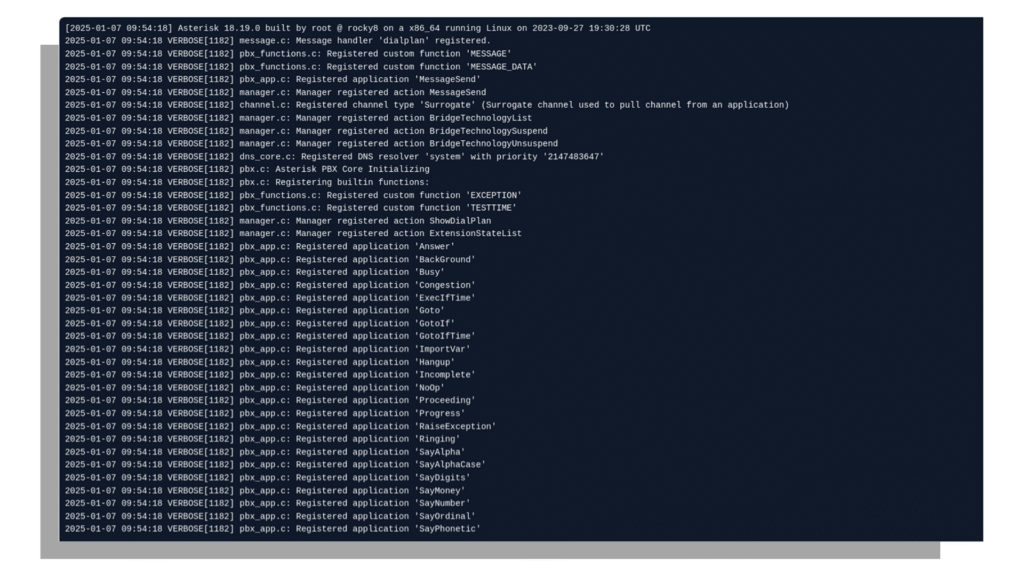
Guessing wastes hours. Take the trace before you change anything. Log in to the console as root and run:
asterisk -rvvv
core set verbose 5
pjsip set logger on
sip set debug onUse pjsip set logger on for PJSIP endpoints and sip set debug on for chan_sip. Place a call that fails, let it drop, then turn logging off with pjsip set logger off or sip set debug off. Copy the text from the INVITE down to the BYE.
Look for the same 200 OK appearing three, four or more times in a row with no ACK between them. If you see that, the ACK is being sent somewhere your server cannot receive it, or it is being blocked on the way. The next four sections cover the usual reasons.
Cause 1: the ACK is sent to an address Asterisk cannot reach
The phone builds the ACK from the Contact header in the 200 OK. If that header carries a private IP, the wrong port, or an address that only exists on one side of a NAT, the ACK goes nowhere. Moving a device from a custom port to 5060 without clearing the old registration can leave a stale Contact behind and produce the same result.
On a PJSIP endpoint, check these options first:
[1001]
type=endpoint
transport=transport-udp
rewrite_contact=yes
force_rport=yes
rtp_symmetric=yes
direct_media=noOn chan_sip, the matching peer settings are:
nat=force_rport,comedia
directmedia=no
qualify=yesThen set the network details on the transport, or under [general] for chan_sip:
[transport-udp]
type=transport
protocol=udp
bind=0.0.0.0:5060
local_net=192.168.1.0/24
external_signaling_address=203.0.113.10
external_media_address=203.0.113.10For chan_sip, use externip and localnet. Replace the sample addresses with your own.
Cause 2: direct media takes Asterisk out of the path
With direct_media=yes (canreinvite=yes on chan_sip), Asterisk can step out of the media path after the call is answered. The two phones are then expected to reach each other directly. If they can, nobody notices. If they cannot, the call breaks.
This explains many cases of Asterisk SIP Extension Disconnects where one extension works and another does not. The working pair can reach each other, and the failing pair cannot, even though both sit on the same VLAN with what looks like identical settings. Set direct_media=no on the failing endpoint and retest. If the drop disappears, you have your answer. You can then decide whether to fix the reachability between the devices or leave the media anchored on the server, which is usually the safer choice.
Cause 3: a SIP ALG rewriting packets
Many routers and firewalls ship with a SIP ALG (Application Layer Gateway) that rewrites addresses inside SIP packets. It often does this correctly in one direction and wrongly in the other. If one extension passes through a router with the ALG on and another does not, you get exactly the “one works, one does not” pattern.
Compare what sits between each device and Asterisk. Turn the SIP ALG off on the router or firewall, reboot the device if the vendor says so, and test again. A trace taken on both sides of the router will show the altered Contact or Via headers if the ALG is the cause.
Asterisk SIP extension disconnects on Ubuntu
Ubuntu and Debian installs have a habit that catches people out. The file /etc/hosts usually maps the server’s hostname to 127.0.1.1. If your transport or external address setting uses a host name, Asterisk can resolve it to that loopback address and advertise it in the Contact and SDP. The remote side then sends its ACK to 127.0.1.1, which is itself.
We have fixed Asterisk SIP extension disconnects on Ubuntu servers simply by replacing a host name with the literal public IP in external_signaling_address and external_media_address. Check this first:
cat /etc/hosts
hostname -I
asterisk -rx "pjsip show transports"Two more Ubuntu checks. If ufw is active, confirm it allows the signaling port and the RTP range:
ufw allow 5060/udp
ufw allow 10000:20000/udpThe RTP range must match rtpstart and rtpend in /etc/asterisk/rtp.conf. Then check journalctl -u asterisk for crashes or restarts, because a service restart drops every registered extension at once.
Why does my SIP call disconnect after 15 minutes?
A drop at a longer, steady interval has a different cause than a drop at 32 seconds. The usual suspects are SIP session timers and NAT state. Session timers make both ends refresh the call with a periodic re-INVITE or UPDATE. If that refresh is blocked or answered with an error such as 420 or 481, the call ends when the timer expires. In PJSIP, look at the timers, timers_min_se and timers_sess_expires options on the endpoint. In chan_sip, the equivalent is session-timers in sip.conf.
The second suspect is a router that closes the UDP mapping when it sees no traffic for a set time. Put a trace on the call, find the last packet before the drop, and check what failed after it. Fixing the refresh path or lowering the keepalive interval usually resolves Asterisk SIP extension disconnects that arrive at a fixed interval such as 15 minutes.
Why are my calls getting automatically disconnected after a few minutes?
When calls end at uneven times, a few minutes in, look at registration and media instead of the ACK. Start with the extension itself:
asterisk -rx "pjsip show contacts"
asterisk -rx "pjsip show endpoint 1001"If the contact shows as Unavail or keeps disappearing, set a qualify interval on the AOR so Asterisk and the NAT keep seeing traffic:
[1001]
type=aor
max_contacts=1
qualify_frequency=30
remove_existing=yesAlso check rtp_timeout and rtp_timeout_hold on the endpoint. If they are set and RTP stops flowing for any reason, Asterisk ends the call on purpose. A one-way audio fault that goes unnoticed can then look like a random disconnect. When Asterisk SIP extension disconnects show up as scattered drops like this, the trace and core show channels output taken just before the drop will tell you which side stopped sending.
Asterisk SIP extension disconnects on a PBX relay
Some setups use an Asterisk PBX only as a relay between two systems, such as an IP PBX on one side and a trunk or another server on the other. A relay does not remove the address problem. It puts its own address in the Contact header and in the SDP, so if that address is wrong for one path, that leg breaks.
When you troubleshoot Asterisk SIP extension disconnects on a PBX relay, trace each leg separately. Confirm which address each side advertises and whether the ACK for each leg reaches the right place. Then run these on both the working and the failing peer, and compare the output line by line:
asterisk -rx "sip show peer working_peer"
asterisk -rx "sip show peer failing_peer"Settings that “look the same” often differ in one line, and that line is usually the bug.
A short checklist before you change anything
- Take a SIP trace and look for repeated 200 OK messages with no ACK.
- Check the Contact header and the SDP for private, loopback or wrong-port addresses.
- Set direct_media=no on the failing endpoint and retest.
- Turn off the SIP ALG on any router in the path.
- Replace host names with literal IPs in the external address settings.
- Confirm the firewall allows SIP and the full RTP range.
- Compare the working and failing endpoints line by line.
Work through these in order. Most Asterisk SIP extension disconnects are solved by step 2, 3 or 4.
FAQs
In this context, Asterisk is the name of an open-source PBX and telephony server. It is not a symbol inside the SIP protocol. SIP is the signaling protocol used to set up and end calls, and Asterisk is one of the systems that speaks it. You will also see the * character in some dial codes and on console prompts, which is a different use of the same word.
Yes. PJSIP, through the chan_pjsip driver, is the standard SIP stack in current Asterisk versions. The older chan_sip driver was deprecated for years and removed in Asterisk 21, so on Asterisk 21 and later all SIP endpoints are configured in pjsip.conf. If your server still uses sip.conf, you are on an older release.
Same VLAN does not mean the same path or same settings. A different Contact address, a different NAT or ALG behavior, direct media being on for one endpoint, or a stale registration can all make one extension fail while the other works. Run pjsip show endpoint (or sip show peer) for both and compare every line.
Find the 200 OK that answers the INVITE. If the same 200 OK repeats several times and no line starting with ACK appears afterward, the ACK was not received. Check the Via and Contact headers in that 200 OK to see where the phone was told to send it.
Often yes. Run pjsip reload or sip reload after changing the endpoint, transport or peer settings, then re-register the phone and test a new call. A full restart is only needed when you change certain transport bindings or when the service itself has crashed.
No. Changing timers will not fix an unacknowledged 200 OK. The call will still end when the retransmissions run out, so the real fix is to make sure the ACK can travel from the phone to Asterisk.
Need to Fix Your Asterisk Issues?
If your trace is not making sense, or the fix works for a day and the fault returns, send us the SIP trace and the endpoint config. The KingAsterisk team has fixed these faults on Asterisk and VICIdial servers for many years, and we can point you to the exact line that is wrong. Reach us through the contact page.