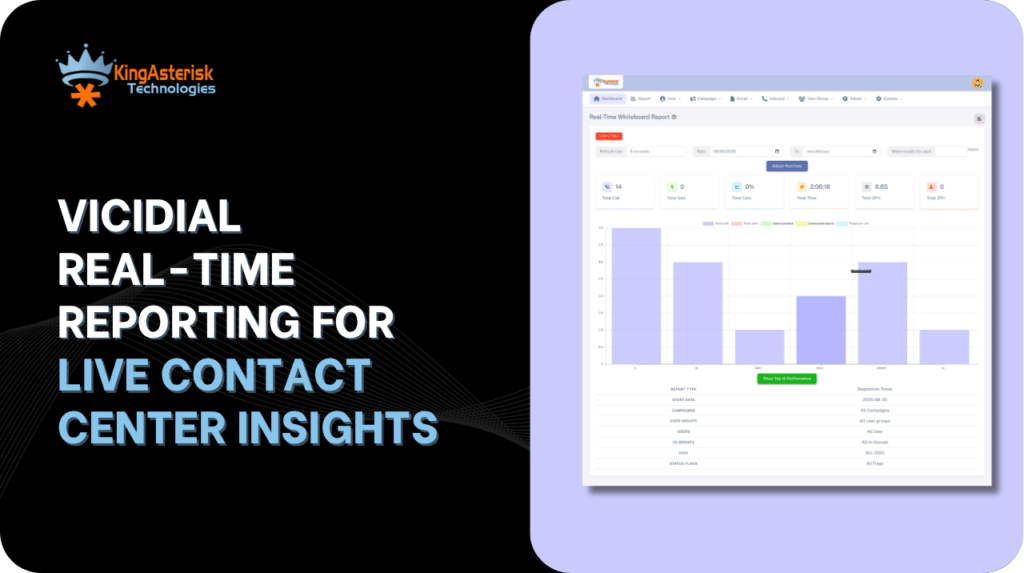
Open the VICIdial real-time screen at 10:15 on a busy morning and you can see most of what is happening on the floor. You can see who is talking, who is paused, who is stuck in wrap-up, and whether the dialer is moving. VICIdial Real Time Reporting puts all of that on one page that refreshes every few seconds.
Many supervisors only glance at the colors. This guide shows what each field means, which numbers to watch, and what to do when something looks wrong.
What Is VICIdial Used For?
VICIdial is an open-source platform built on Asterisk. Teams use it to:
- Run outbound campaigns with predictive, ratio or manual dialing
- Take inbound calls through ingroups and IVR menus
- Blend inbound and outbound on the same agents
- Manage lead lists, call scripts, dispositions and recordings
- Pull reports on agents, campaigns and lists
Sales teams, collections teams, surveys and support desks all run on it. The real-time report is how supervisors watch it work.
What Are Real-Time Reports?
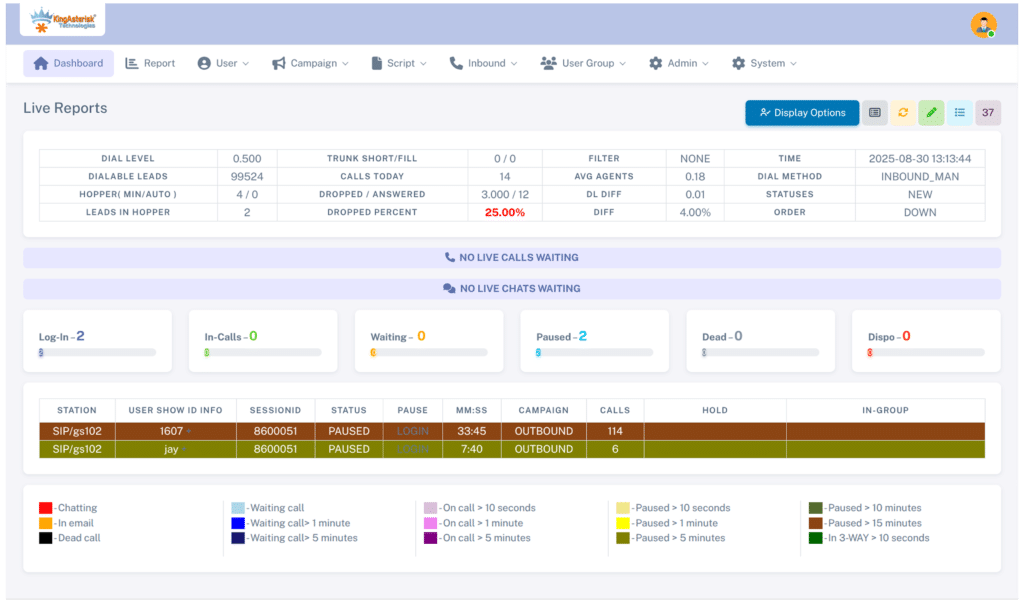
Real-time reports are live screens that refresh on a timer. A normal report tells you what happened yesterday. VICIdial Real Time Reporting tells you what is happening right now, such as which agent is on a call, how long the longest hold is, and how many leads remain in the hopper. Use real-time reports to react. Use the historical reports to analyze trends.
VICIdial Real Time Reporting Login: How to Open It
- Go to
https://YOUR-SERVER/vicidial/admin.php. - Log in with a user account that has permission to access the Real-Time Main Report and the relevant campaigns.
- Open Reports and click Real-Time Main Report.
You can also go straight to https://YOUR-SERVER/vicidial/realtime_report.php. The main report itself is served by AST_timeonVDADall.php, which is the script behind the page you will see most often.
If the login works but the report is blank, check the user’s report permissions and the allowed campaigns and user groups for that account. A restricted user group will hide everything outside it.
Report Options at the Top
Before you read any numbers, set the view. The options bar controls what you see:
- Campaign / group select: pick one campaign, several, or all.
- Refresh rate: 4 to 8 seconds is usual for a supervisor screen.
- Display options: show or hide phones, server details, call IDs and more.
- Inbound: include inbound groups so you can see queue calls.
Most of these map to URL parameters, so you can bookmark a saved view. More on that below.
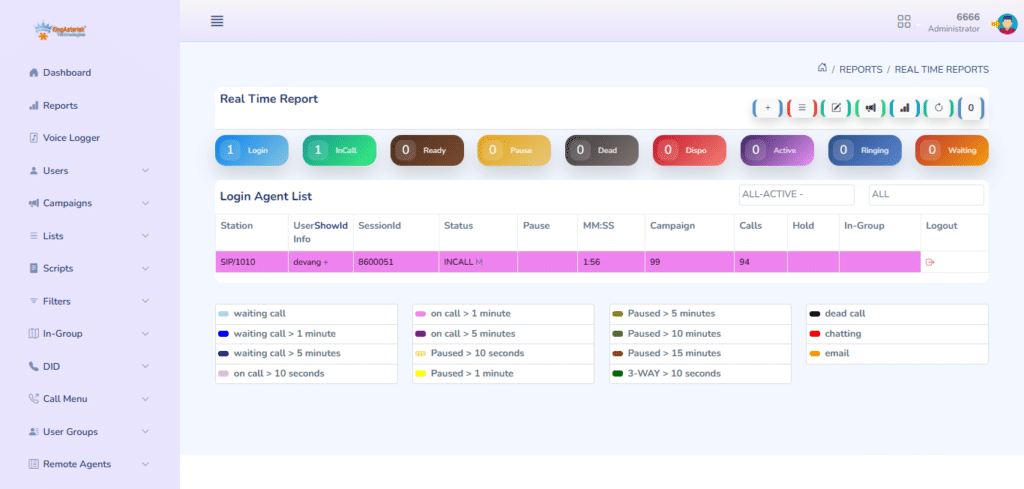
Reading Agent Status in VICIdial Real Time Reporting
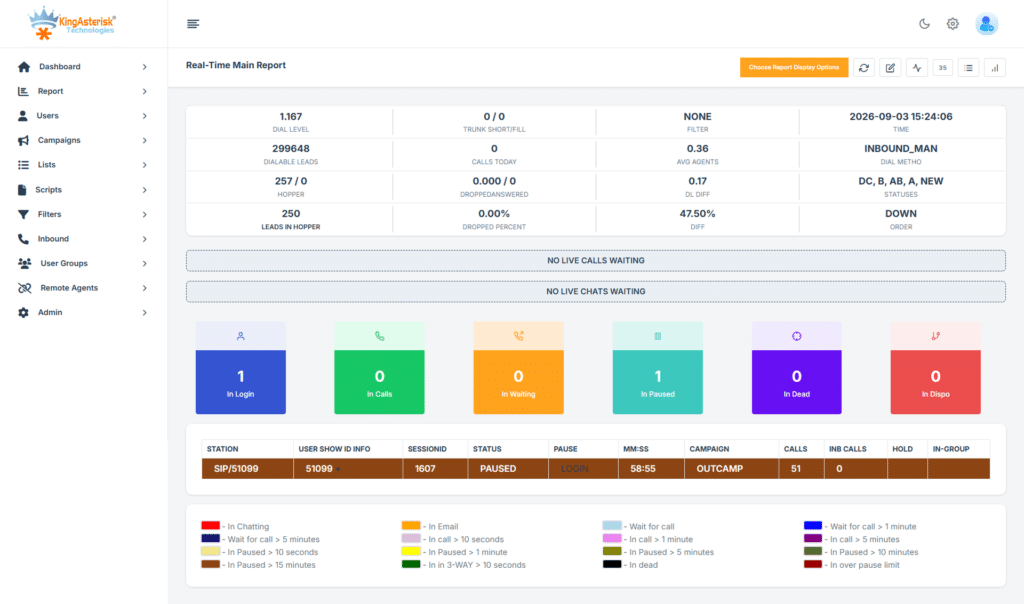
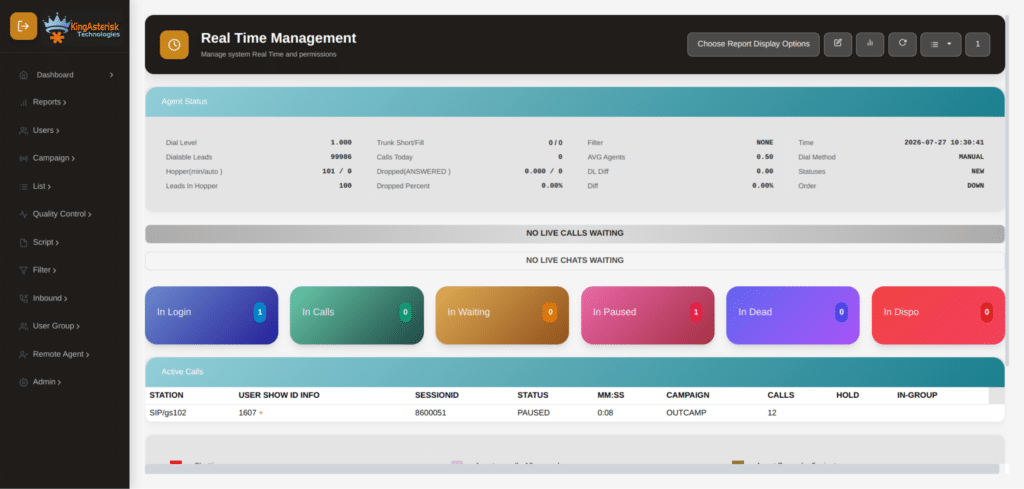
The agent grid is the part you look at most. Each row is one logged-in agent.
| Field | What It Shows |
|---|---|
| User / Name | Identifies the logged-in agent. |
| Station | Shows the phone or extension assigned to the agent. |
| Status | Displays the agent’s current state, such as READY, INCALL or PAUSED. |
| MM:SS | Shows how long the agent has been in the current state. |
| Calls | Displays the number of calls handled today. |
| Campaign | Shows the campaign the agent is working on. |
The statuses that matter:
- READY: logged in and waiting for a call.
- INCALL: on a live call.
- PAUSED: not taking calls (a break, a meeting, or a pause code).
- DISPO: the call has ended and they are choosing a disposition.
- DEAD: the call dropped on the agent’s end, and the agent is still on the screen.
- CLOSER: the agent is waiting on an inbound or transferred call.
The timer matters more than the status. An agent in READY for 10 seconds is normal. An agent in READY for 3 minutes means the dialer is not feeding them leads. An agent in DISPO for 20 seconds is fast. An agent in DISPO for 3 minutes is a training issue or a quiet break. Colors shift as the time grows, so a quick scan shows you which rows need attention.
Compare agents side by side. If one agent has 47 calls and the next desk has 28, ask why. It could be longer talk time, more pauses or a disposition habit.
Campaign Statistics in VICIdial Real Time Reporting
The top of the report shows the health of each campaign. These are the fields to watch:
- Dial level: how aggressively the dialer is placing calls per available agent.
- Dialable leads: leads left that can legally be called right now.
- Hopper level: how many leads are loaded and ready.
- Calls ringing / waiting: live calls in progress and calls waiting on an agent.
- Agents logged in / in call / ready / paused: the floor in four numbers.
- Calls today / drops today / drop percentage: your compliance numbers.
- Average hold time: how long answered calls wait for an agent.
The two numbers to check first are the drop percentage and the hopper.
Drops are answered calls with no agent available. Monitor the campaign’s drop rate closely and follow applicable telemarketing regulations. If the drop rate rises, lower the dial level or review agent availability.
If the hopper hits zero, the dialer has nothing to call. Check these in order:
- The list is set to Active.
- The campaign’s lead filter is not too narrow.
- The leads are inside their allowed calling hours for their timezone.
- The AST_VDhopper process is running through cron.
A VICIdial Real Time Reporting Example
Here is a simplified view of what a supervisor might see on a Tuesday morning:
Campaign: SALES01 Dial level: 3.0 Hopper: 412 Drops today: 14 (1.8%)Reading it takes ten seconds. Agent 1011 has been paused for almost eight minutes with only 12 calls, so find out why. Agent 1015 has been in DISPO for over two minutes, so check whether the disposition list is confusing. Agent 1004 and 1007 look normal. Drops are at 1.8%, which is inside the limit.
That is the point of VICIdial Real Time Reporting. The screen shows you which rows to look at before the day’s numbers slip.
Monitoring Features: Listen, Whisper and Barge
From the real-time screen you can step into a live call. These are the options next to an INCALL agent:
- Listen (monitor): hear the call silently. Neither side knows.
- Whisper: talk to the agent only. The customer cannot hear you.
- Barge: join the call and speak to both sides.
To use them, your own phone or softphone must be registered and entered as the monitoring extension. Your user also needs monitoring rights. If you can hear the customer during a whisper, check the call routing and the extension you entered.
Listening to a handful of calls every day tells you more about agent quality than any number on the report.
Controlling Agents From the Screen
Supervisors can also act on what they see. Depending on your permissions you can:
- Log an agent out if their session is stuck
- Force a status change on a frozen agent
- Open the agent’s call record and lead details
Use these sparingly. Forcing changes on a live agent can cut off a call.
Customizing the Report with URL Parameters
Every option on the screen is also a URL parameter. A saved URL gives each supervisor the exact view they need:
https://YOUR-SERVER/vicidial/realtime_report.php?RR=8&groups[]=SALES01&adastats=2&NOLEADSalert=1- RR sets the refresh rate in seconds.
- groups[] picks the campaign.
- adastats turns on extra dialer statistics.
- NOLEADSalert warns you when a campaign runs out of leads.
Parameter names can differ a little between VICIdial versions, so check the options on your own report page and copy the URL it produces.
For a wall display, open one campaign per monitor with a refresh of 5 to 6 seconds. Anything faster adds load without telling you anything new.
Common Problems with VICIdial Real Time Reporting
Agents show READY but no calls are coming. Check the hopper first, then the dial level, then whether the trunk is registered. Run asterisk -rx “sip show peers” (or pjsip show endpoints) to confirm the carrier is reachable.
Agent status stuck or not updating. The agent may have closed the browser without logging out. A stale row stays in the vicidial_live_agents table until the keepalive process cleans it up. Check that the AST_manager_kill_hung_congested and the other VICIdial cron processes are running.
The drop rate suddenly spiked. Look for a sudden drop in agents, a carrier delay or a dial level that is too high for the number of agents logged in. Lower the dial level first and investigate second.
The report loads slowly. It reads straight from MySQL. Large campaigns, an overloaded database and a very short refresh rate all slow it down. Raise the refresh rate to 8 to 10 seconds, narrow the campaign selection, and check for long-running queries.
Pulling Live Data Without the Screen
For a custom wallboard you can read the same data directly. A quick, read-only look at who is logged in:
SELECT user, status, campaign_id, calls_today, last_state_change
FROM vicidial_live_agents
ORDER BY campaign_id, user;You can also use the Non-Agent API. The logged_in_agents function returns the logged-in agents for a campaign:
https://YOUR-SERVER/vicidial/non_agent_api.php?source=dashboard&user=APIUSER&pass=APIPASS&function=logged_in_agents&campaign_id=SALES01The API user must have API access enabled, and your server’s IP must be allowed. Never write to the live tables. Only read from them.
Keep API polling to every 5 to 10 seconds. Our team also builds custom dashboards and reports views around these endpoints, and you can see examples on the VICIdial customization page. If you are also setting up browser-based calling, our guide to the VICIdial Web Client covers that side.
A Daily Checklist for Supervisors
- Start of shift: confirm everyone is logged in and the hopper is above your minimum.
- Every 30 minutes: check drops, dial level and anyone with a long PAUSED or DISPO time.
- Midday: listen to two or three calls from different agents.
- Shift change: make sure old sessions are logged out so they do not clutter the screen.
- End of day: note anything odd and compare it with the historical reports.
VICIdial Real Time Reporting only helps if someone acts on what it shows. A five-minute habit like this catches most problems early.
Frequently Asked Questions
It is a live screen in the VICIdial admin panel that refreshes every few seconds. It shows agent status, active calls, campaign statistics and queue activity as they happen.
Go to /vicidial/admin.php, log in with a user that has reporting rights, then open Reports > Real-Time Main Report. You can also open /vicidial/realtime_report.php directly.
The software is free and open source. Calling costs money because you still need a server, SIP trunks or carrier minutes, and setup and support time.
Yes. It dials leads in predictive, ratio and manual modes. It also handles inbound queues, IVR, agent screens, lead management and reporting.
A long DISPO time usually means the agent is unsure which disposition to pick, or is taking an unofficial break. A long PAUSED time means the agent is away from calls. Check the pause code and talk to the agent if it keeps happening.
Yes. Choose the campaign in the report options, or pass it in the URL with groups[]=CAMPAIGNID and save the link.
Final Thoughts
VICIdial Real Time Reporting is free, it is already built into your system, and it shows you everything happening on the floor. Learn the statuses, watch the timers and check the drop rate and hopper first.
Save your views as URLs and keep your monitoring extension ready. If you want the screen reshaped for your team, with different columns, a cleaner layout or a wallboard, our team can build it. Talk to us about custom VICIdial reports.