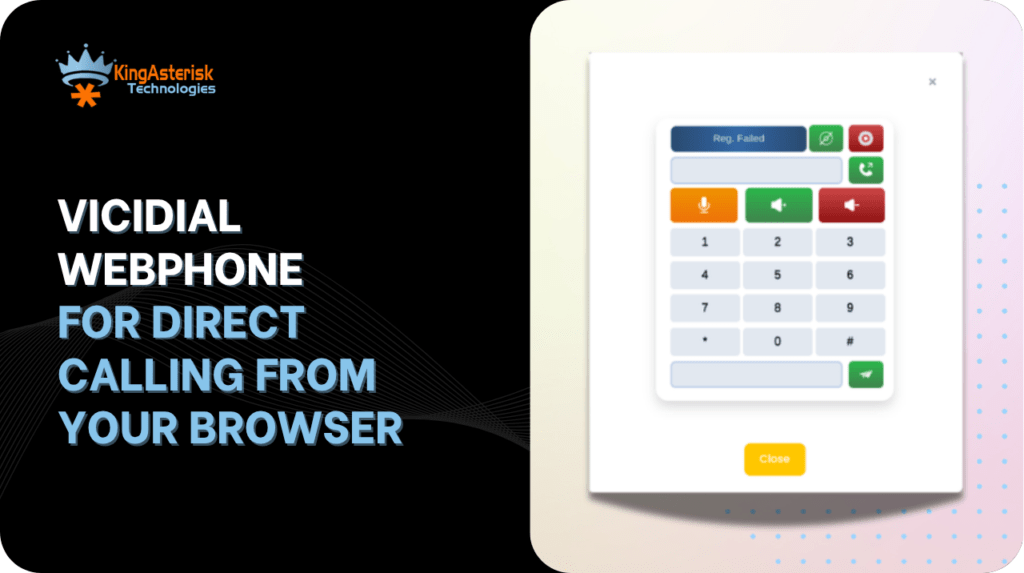
The VICIdial Webphone removes the second application entirely. Most VICIdial deployment services in Australia still ask agents to run a desktop softphone alongside the agent screen. Two applications, two login states, two points of failure, and a support queue full of tickets that begin with “my phone disconnected but the dialler says I’m live”.
The agent opens a browser tab, logs in, and the audio path is established by the same page that renders the lead record.
This guide covers what actually happens underneath that tab, how to configure it correctly on a production system, and how to diagnose the three failure patterns that account for most webphone tickets we see at KingAsterisk.
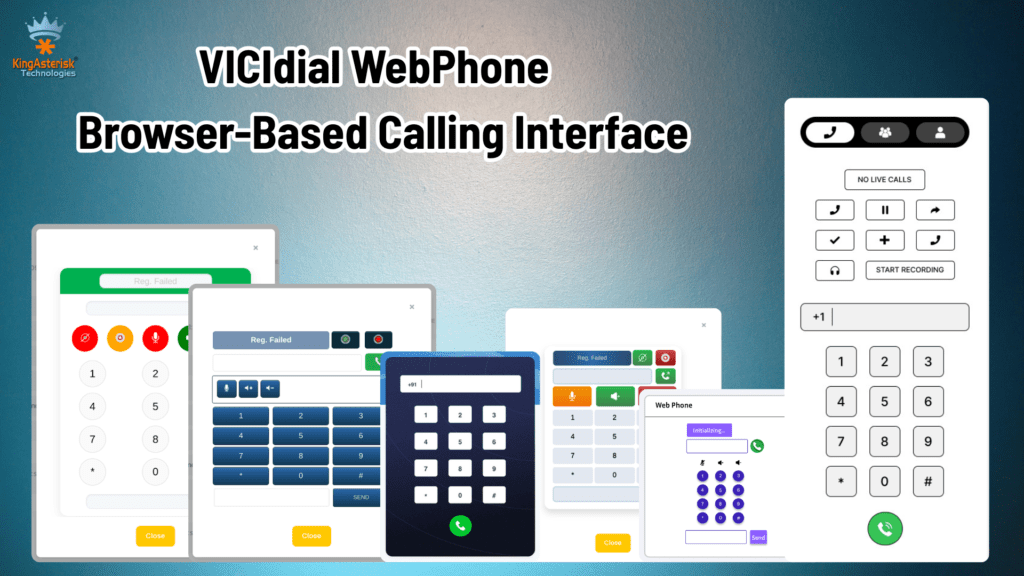
What the VICIdial Webphone actually is
The term covers a browser-embedded SIP user agent written in JavaScript, typically built on SIP.js or JsSIP, delivered inside an iframe or a panel within the agent interface. It performs the same functions a hardware IP phone or MicroSIP client would perform: it registers an extension, answers an inbound leg from Asterisk, and passes media.
What changes is the transport. A desktop softphone speaks SIP over UDP or TCP and carries audio as RTP. A browser cannot open raw UDP sockets, so the VICIdial Webphone speaks SIP over WebSocket and carries audio as SRTP with keys negotiated through DTLS. Asterisk handles both sides through res_http_websocket and the transport-wss configuration in PJSIP.
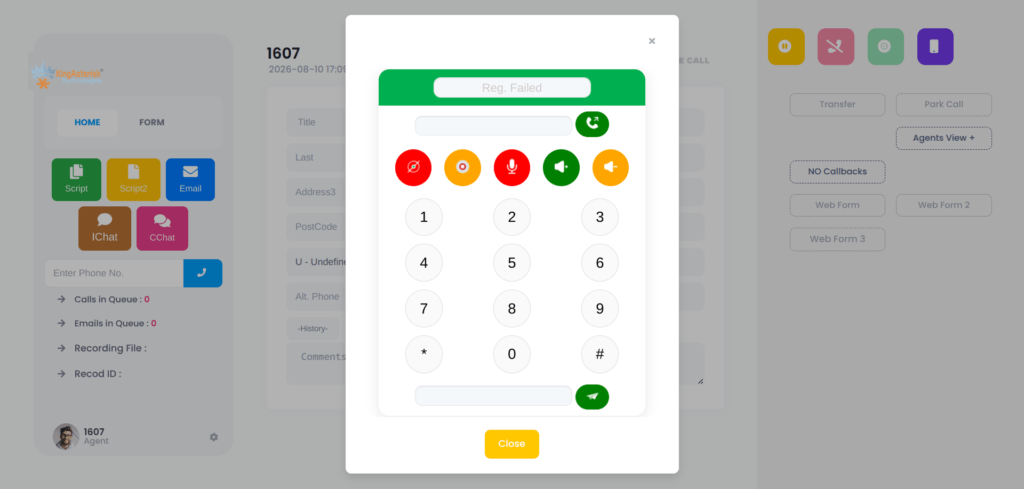
For the agent, the practical effect is that the phone login field in the VICIdial agent screen and the audio device become the same session. There is no separate registration to babysit.
How the browser reaches Asterisk
The call path for a webphone agent in an outbound campaign looks like this:
- The agent loads the agent interface over HTTPS. The webphone panel initialises and reads its extension and password from the user record.
- The JavaScript user agent opens a WSS connection to the Asterisk server, normally
wss://your-domain:8089/ws. - A SIP REGISTER is sent across that WebSocket. Asterisk creates or updates the contact for that endpoint.
- VICIdial’s dialler originates a call through AMI. Asterisk places a leg to the registered WebRTC endpoint.
- The browser answers, ICE candidates are exchanged, DTLS completes, and SRTP flows between the browser and Asterisk.
Every one of those five steps can fail independently, which is why a structured diagnosis matters more than restarting services.
Server-side requirements
The webphone needs the following in place before an agent ever logs in:
- Asterisk compiled with res_srtp, res_crypto, res_http_websocket and OpenSSL support.
- HTTP server enabled in http.conf with TLS bound to 8089 and a certificate chain that the browser trusts.
- A PJSIP transport of type wss, and endpoints configured with webrtc=yes,
media_encryption=dtls, ice_support=yes, use_avpf=yes, and dtls_verify=fingerprint. - An RTP port range opened in the firewall, commonly 10000 to 20000 UDP, matching rtp.conf.
- A STUN server entry where agents sit behind NAT.
On the platform side, we recommend AlmaLinux with a dedicated IP address supplied from the client end. Hardware is sized to the agent count and concurrency target, with both Intel and AMD options available, and KingAsterisk handles installation and configuration on the prepared server.
VICIdial-side configuration
Inside the dialler itself, three records matter.
The phones table entry defines the extension the browser registers as, its password, the server IP it belongs to, and the protocol. For a WebRTC endpoint this must be marked as a webphone entry rather than a standard SIP device, or Asterisk will build the dial string without the WebRTC media flags.
The user record carries the webphone URL and the phone login the agent inherits at session start. Where a client runs a custom interface, the path differs from stock.
A standard build serves the agent screen at http://[YOUR_SERVER_IP]/vicidial/vicidial.php, while a KingAsterisk custom deployment commonly serves it at /agent/agent.php or a client-specified path. Authentication logic is identical; only the file path changes.
The campaign record controls whether the webphone is used for the agent’s session and whether the browser tab is the audio endpoint for auto-dialled calls.
Verifying registration before blaming the browser
Once an agent logs in, confirm the endpoint is genuinely registered rather than assuming the green indicator in the UI is authoritative.
From the Asterisk CLI:
pjsip show endpoints
pjsip show contactsProgrammatically, the SIP Device Status API returns the same information in JSON, which is useful for monitoring dashboards and supervisor panels:
GET /api/v1/sip/devices?status=ONLINE
A typical response entry:
{
  "extension": "8601",
  "protocol": "PJSIP",
  "deviceName": "Agent 8601",
  "registrationStatus": "ONLINE",
  "ipAddress": "192.168.1.55",
  "lastSeen": "2026-07-15T15:18:40Z"
}Registration status here is read live from Asterisk rather than from a stored configuration value, so a device that appears in the database but not in this response has never completed a WebSocket handshake.
Three failure patterns and how to work through them
1. The webphone registers but the agent never receives a call
Start with the agent state, not with telephony. Run:
SELECT user, status, campaign_id
FROM vicidial_live_agents;
A result such as:
TEST_AGENT | PAUSED | SAMPLE_CAMPAIGNtells you the dialler will not route anything to that agent. A paused agent is excluded from the ready pool, so no auto-dialed call and no hopper lead will reach the browser regardless of how healthy the WebRTC session is. If the agent reports they clicked Resume, check whether the pause code selection completed and whether the session is writing updates at all. A stale row with an old last_update_time points to a browser tab that lost its keepalive rather than to a paused agent.
2. Auto-dialling produces nothing
Check the campaign:
Campaign: SAMPLE_CAMPAIGN
auto_dial_level=0With auto_dial_level set to zero, the dialler places no automatic outbound attempts. The campaign is in manual mode by design. Agents in that campaign must originate calls themselves, and the webphone will sit silent and idle while appearing perfectly healthy. Before changing the value, confirm the campaign was intended to run predictive or ratio dialling. Raising the level on a campaign built for manual verification work will generate abandoned calls and compliance exposure.
3. Manual dialling does not work
This is the pattern that costs the most support time, because everything looks correct.
Symptoms: the agent logs in successfully. The webphone registers. The agent sees the Dial Next Number button and can click it. Nothing happens. There is no outbound call, no screen update, no Asterisk originate, and no VICIdial action recorded.
Work through it in this order:
- Confirm the agent session is writing to the database. If vicidial_live_agents shows no recent update for that user, the browser is not completing its polling cycles.
- Check for a blocked request in the browser console, a reverse proxy stripping requests, or mixed-content blocking where the agent page is HTTPS but an internal request is HTTP.
- Confirm the campaign permits manual dialling and that the agent’s permissions include it. The Agent Skills API exposes this directly:
GET /api/v1/agents/{agentId}/skillsA permissions array containing ManualDial confirms the entitlement exists.
- Confirm the hopper has leads available for the list the campaign is using. Dial Next Number pulls from the hopper; an empty hopper produces exactly this silence.
- Watch Asterisk during the click. If no origin appears in the manager log, the failure is between browser and database. If an origin appears and fails, the problem is the carrier or dial plan, not the webphone.
- Confirm the dial prefix, the campaign’s dial timeout, and the outbound caller ID are valid for Australian numbering. A malformed prefix on a 61-prefixed number can cause an origin to be rejected before it reaches the carrier.
To test the telephony path independently of the agent screen, originate a call through the API and observe whether the browser rings:
POST /api/v1/calls/originate
{
  "agentId": "agent001",
  "campaignId": "OUTBOUND001",
  "phoneNumber": "+61280001234",
  "recording": true
}A 202 response with CALL_INITIATED and a silent browser isolates the fault to the WebRTC leg. No response at all isolates it to AMI or campaign configuration.
One-way audio and other media faults
When signalling succeeds but audio does not, the cause sits in media handling.
Silence in both directions after an answer usually means DTLS never completed. Check the certificate on port 8089, its expiry, and whether the chain is complete. Browsers will establish the WebSocket against a trusted certificate and still fail the DTLS handshake if the fingerprint verification setting is inconsistent.
Audio in one direction only points to RTP reaching the browser but not returning, or the reverse. Verify the RTP port range is open bidirectionally, that ice_support is enabled, and that a STUN server is reachable from agent networks. Corporate networks in Australia frequently block high UDP ranges by default.
Choppy audio with good signalling is jitter. For distributed teams across Sydney, Melbourne, Brisbane, Perth and Adelaide, server placement matters. A server located near the majority of agents reduces round-trip delay measurably, and carrier health should be validated alongside it:
GET /api/v1/carriers/statusASR and ACD figures returned there give a fast read on whether degradation is local media or upstream carrier behaviour.
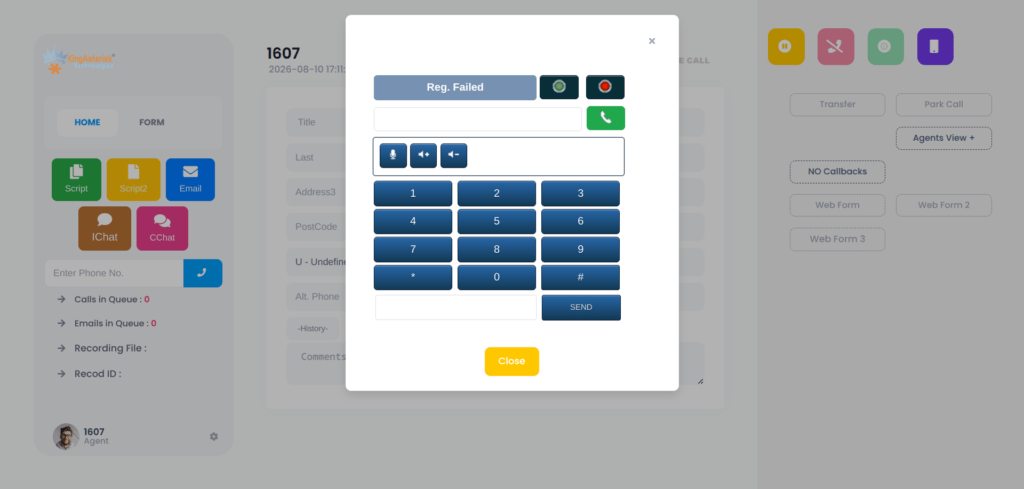
Microphone permission and browser behaviour
The webphone calls getUserMedia to capture audio. Browsers grant that only on secure origins, and only after explicit user consent. Two consequences follow.
First, the agent interface must be served over HTTPS with a trusted certificate. An IP-address URL with a self-signed certificate will load the page and fail the microphone request.
Second, a permission denied once may be remembered by the browser profile. An agent who clicked Block on their first day will keep failing until the site permission is reset, even after a full system restart. Include that check in your first-line script.
Where the webphone fits in a wider deployment
Browser-based calling changes what else becomes possible. With no desktop client to install, agent onboarding for a distributed Australian team reduces to a URL and credentials. Screen pops, click-to-dial from a CRM record, and supervisor monitoring all operate against the same session.
KingAsterisk builds WebRTC softphones, custom agent interfaces, CRM integrations with Salesforce, HubSpot, Zoho and custom platforms, multi-level IVR flows, AMI-driven live dashboards, and performance tuning for high-concurrency MariaDB environments.
People also ask
Current versions of Chrome, Edge and Firefox all support the required WebRTC APIs. Chromium-based browsers are the most commonly deployed in production because of consistent device-permission behaviour.
Yes. Microphone capture requires a secure context, and the WebSocket connection to Asterisk must be WSS. A valid certificate from a trusted authority is required; self-signed certificates cause intermittent and hard-to-diagnose failures.
Usually agent state or campaign configuration rather than telephony. Check vicidial_live_agents for a PAUSED status and the campaign’s auto_dial_level value before investigating Asterisk.
It can, provided port 8089 TCP outbound and the RTP UDP range are permitted, and a STUN server is reachable. Strict outbound UDP filtering is the most common blocker.
Yes, with appropriate media capacity planning. WebRTC endpoints consume more CPU per channel than plain RTP because of DTLS and transcoding, so server sizing should account for concurrency rather than headcount alone.
Talk to KingAsterisk
If your agents are still running a separate softphone, or your existing webphone drops registrations under load, KingAsterisk can audit the deployment and implement a browser calling setup built for your environment. We handle Asterisk and PJSIP configuration, certificate and transport setup, custom agent interface development, CRM integration, and ongoing support for Australian operations.
Contact KingAsterisk to discuss your requirements and get a deployment plan for your server.