
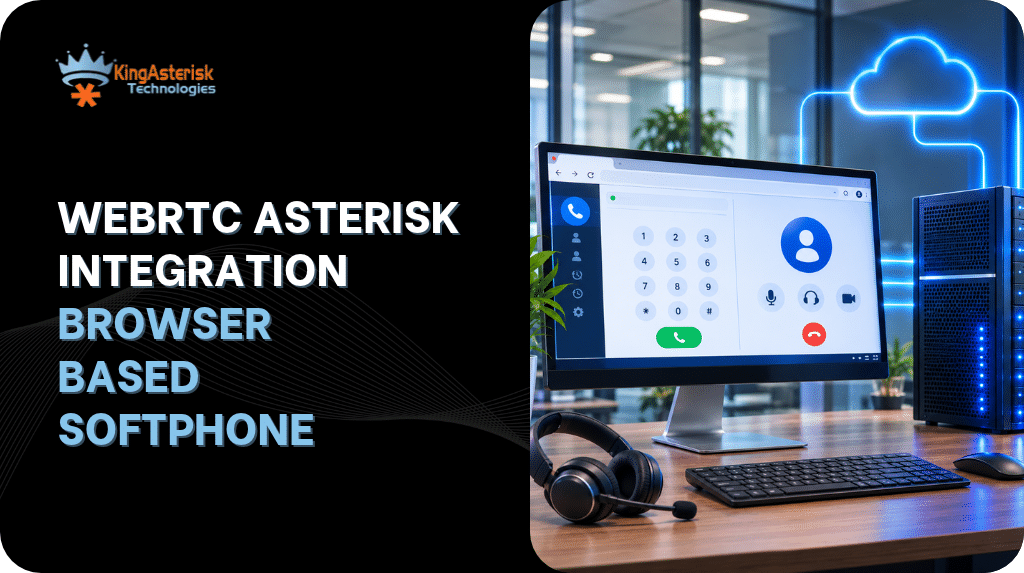
WebRTC Asterisk integration removes the friction by letting an agent place and receive calls directly from a browser tab, with no extension to install and no SIP client to configure on the desktop. Agents logging into an Asterisk dialer through a native phone, a hardware handset, or a third-party softphone adds friction that most contact center operations teams would rather not deal with.
This guide covers how WebRTC Asterisk integration actually works under the hood, how to configure PJSIP for it, a working tutorial you can follow end to end, and the real-world issues that show up once agents start using browser-based softphones at scale.
What is WebRTC Asterisk integration
WebRTC (Web Real-Time Communication) is a browser standard that lets audio, video, and data flow directly between a browser and a server without plugins. Asterisk, as a SIP server and media engine, can terminate WebRTC sessions and bridge them into standard SIP infrastructure. The result is a softphone that lives entirely inside a browser tab but can still place and receive calls through a normal Asterisk dialplan, trunk, and campaign setup.
For a technical content audience, the useful way to think about this: WebRTC gives you the browser-side transport (WSS signaling plus SRTP media), and Asterisk gives you the SIP logic, dialplan, queues, and trunking that already exist in a VICIdial-based deployment. Nothing about campaign logic, dispositions, or routing changes. Only the transport layer between the agent and Asterisk changes.
How WebRTC Asterisk SIP works: the moving parts
A browser cannot speak raw SIP over UDP the way a hardware phone does. WebRTC Asterisk SIP integration bridges that gap through several components working together.
SIP over WebSocket (WSS)
Signaling (INVITE, REGISTER, BYE, and so on) travels over a WebSocket connection instead of UDP or TCP. Asterisk’s res_pjsip_transport_websocket module handles this, and browsers require it to run over TLS (WSS), not plain WS, in production.
DTLS-SRTP for media
Audio is encrypted end to end using DTLS-SRTP. This is non-negotiable for WebRTC; browsers simply will not send or receive unencrypted RTP. Asterisk’s PJSIP stack negotiates the DTLS handshake per call.
ICE, STUN, and TURN
Browsers run behind NAT, corporate firewalls, and sometimes restrictive network policies. Interactive Connectivity Establishment (ICE) finds the best path for media between the browser and Asterisk, using STUN to discover public IP/port mappings and TURN as a relay fallback when a direct path is not possible. Skipping TURN is one of the most common reasons remote agents report one-way or no audio.
Codec negotiation
Browsers support Opus and, depending on version, G.711 (PCMU/PCMA). Opus gives better quality at lower bandwidth, which matters for agents on inconsistent home or mobile connections. A mismatch between what the browser offers and what the Asterisk endpoint allows results in a call that connects but carries no audio.
Asterisk WebRTC PJSIP configuration
PJSIP is the only supported channel driver for WebRTC Asterisk integration going forward. The older chan_sip driver does not have reliable WebRTC support and should not be used for new builds.
Setting webrtc=yes on the endpoint is a shortcut that automatically applies the DTLS, ICE, and AVPF settings a WebRTC call needs, but it is worth keeping the individual directives visible during development so you can see exactly what is negotiated when something fails.
The PJSIP WebSocket transport must also be configured:
[transport-wss]
type=transport
protocol=wss
bind=0.0.0.0
http.conf also needs the WebSocket listener enabled:
[general]
enabled=yes
bindaddr=0.0.0.0
bindport=8088
tlsenable=yes
tlsbindaddr=0.0.0.0:8089
tlscertfile=/etc/asterisk/keys/asterisk.pem
tlsprivatekey=/etc/asterisk/keys/asterisk.keyAnd rtp.conf should define a sane RTP port range that matches whatever firewall rules you open:
[general]
rtpstart=10000
rtpend=20000
icesupport=yes
stunaddr=stun.l.google.com:19302A TURN server is strongly recommended for any deployment with agents working outside the office network, since STUN alone cannot traverse symmetric NAT.
WebRTC Asterisk integration tutorial: getting a browser phone talking to Asterisk
Here is a practical sequence for standing up a working browser softphone against an existing Asterisk install.
- Generate or install a valid TLS certificate. Self-signed certificates work for lab testing but most browsers block or warn on them for microphone access over WSS in production. Use a certificate from a trusted authority for anything agents will actually log into.
- Enable the WebSocket transport in http.conf and pjsip.conf as shown above, then restart Asterisk or reload the relevant modules (module reload res_pjsip.so, module reload http.so).
- Create a PJSIP endpoint per agent extension with webrtc=yes and transport=transport-wss, matching AOR and auth sections.
- Open the required ports: 8089/tcp for WSS signaling, and the RTP range defined in rtp.conf for UDP media.
- Choose a browser SIP library. JsSIP and SIP.js are the two most widely used JavaScript libraries for building a WebRTC softphone against Asterisk. Both handle SDP offer/answer, ICE gathering, and SIP message formatting so you are not writing that layer from scratch.
- Register the browser client against the WSS URL (wss://yourdomain:8089/ws) using the extension credentials created in step 3.
- Place a test call to a known-good destination (an echo test extension is useful here) and confirm two-way audio before wiring the softphone into an agent screen.
- Check pjsip show endpoint 6001 and pjsip show channels in the Asterisk CLI to confirm registration state and active media during the test.
- Following this order matters. Most failed WebRTC Asterisk integration example setups fail at step 1 or step 4, long before the JavaScript side is even involved, because teams jump straight into writing browser code against a transport that is not actually reachable yet.
WebRTC Asterisk integration example: a simple JsSIP registration
const socket = new JsSIP.WebSocketInterface('wss://yourdomain:8089/ws');
const configuration = {
  sockets: [socket],
  uri: 'sip:6001@yourdomain',
  password: 'ChangeThisPassword'
};

const ua = new JsSIP.UA(configuration);

ua.on('registered', () => console.log('Agent registered'));
ua.on('registrationFailed', (e) => console.error('Registration failed', e.cause));

ua.start();From here, outbound calls are placed with ua.call(destination, options), and incoming calls are handled through the newRTCSession event, where the application can auto-answer, play a ringtone, or pop a disposition screen.
WebRTC Asterisk integration with Python
Python does not sit in the audio path for WebRTC itself; the browser and Asterisk handle media directly. Where Python fits is call control and automation around the softphone, typically through the Asterisk REST Interface (ARI) or the Asterisk Manager Interface (AMI).
A common pattern:
- ARI subscribes to call events (StasisStart, ChannelStateChange) and drives custom logic, such as routing a WebRTC-originated call into a specific queue or recording decision.
- AMI, reached through a Python library such as panoramisk or a direct socket connection, is used for originating calls, pulling live channel status, or triggering actions from an external system such as a CRM screen-pop.
Troubleshooting: browser softphone registered, but manual dialing does nothing
A pattern that comes up often enough to call out directly: an agent logs in successfully, the browser-based softphone shows as registered, the Dial Next Number or manual dial button is visible and clickable, but nothing happens. No outbound call, no screen update, no Asterisk originate, no action logged.
Successful registration confirms that SIP signaling is working, but it does not guarantee that media negotiation will succeed. DTLS-SRTP and ICE connectivity should be checked separately when a call is placed.
Check the agent and campaign state first
SELECT user, status, campaign_id
FROM vicidial_live_agents;If the result shows the agent as PAUSED rather than READY, the manual dial action is being silently rejected at the application layer, not the WebRTC layer. A paused agent session will not originate, regardless of how clean the browser-to-Asterisk media path is.
Check the campaign auto dial level
Campaign: SAMPLE_CAMPAIGN
auto_dial_level=0A dial level of 0 does not block manual dialing by itself, but it is worth confirming the campaign is not mid-reconfiguration or missing a dial method setting that the manual dial button depends on.
Confirm the PJSIP channel is actually alive, not just registered. pjsip show channels on the CLI will show whether a channel exists when the dial button is clicked. If nothing appears there at all, the browser request is not reaching Asterisk, which points back to a JavaScript-side issue (a failed API call, a stale session token) rather than SIP or media.
Check browser console and network logs. A silent failure on click, with no Asterisk-side activity at all, usually means the front-end call to originate the action (whether through an Agent API call or a custom endpoint) is failing before it ever reaches Asterisk.
Separating “nothing reached Asterisk” from “Asterisk received it but rejected it due to agent or campaign state” is the fastest way to cut troubleshooting time on this specific symptom.
Security considerations for browser-based softphones
Because WebRTC Asterisk integration exposes a signaling endpoint over the public internet, a few practices matter more here than on an internal SIP trunk:
- Always run WSS over TLS, never plain WS, for anything beyond local testing.
- Use strong, unique passwords per endpoint and avoid default credentials on any admin or agent-facing panel.
- Restrict the RTP port range to only what is needed, and firewall it accordingly.
- Set max_contacts=1 on AORs tied to browser endpoints so a leaked credential cannot register from multiple locations simultaneously.
- Keep Asterisk and its PJSIP modules current, since SIP and WebRTC signaling stacks are a known target for scanning and credential-stuffing traffic.
Server requirements
Browser-based softphone deployments run on the same underlying server as the rest of an Asterisk or VICIdial-based stack, so sizing follows normal guidance: Intel or AMD hardware sized to concurrent call volume, with support available for either. An AlmaLinux server with a dedicated IP is required from the client side for new installations, along with the server access needed to complete setup and configuration.
FAQs
PJSIP is the required and supported channel driver for WebRTC in current Asterisk versions. Chan_sip does not reliably support the DTLS-SRTP and ICE negotiation WebRTC calls depend on.
They can register and sometimes place calls on simple networks, but agents behind symmetric NAT or restrictive firewalls will frequently get one-way or no audio without TURN. For any deployment with remote or distributed agents, a TURN server should be treated as a requirement, not an option.
This is usually a codec mismatch or a failed ICE/DTLS negotiation. Check that the endpoint allows a codec the browser actually offers (Opus is the most common), and confirm the RTP port range is open on the firewall in both directions.
It can work for internal lab testing, but most browsers restrict or block microphone access on pages served without a trusted certificate. Production deployments should use a certificate from a recognized authority.
JsSIP and SIP.js are the two most established options, both handling SIP signaling and SDP negotiation so custom development can focus on the agent interface rather than the protocol layer.
This almost always points to agent or campaign state at the application layer, such as a paused agent, rather than a WebRTC or SIP transport issue. Checking the agent’s live status and the campaign’s dial settings is the fastest first step.
Where KingAsterisk fits in
Building a reliable WebRTC Asterisk integration touches PJSIP configuration, certificate management, firewall and RTP port planning, and often custom call control logic layered on top through ARI, AMI, or a CRM integration. KingAsterisk works on exactly this layer, from custom browser-based agent interfaces built on modern front-end stacks, to AGI and AMI automation, to full CRM integrations, and custom-built systems.
If an existing deployment needs a browser softphone added without disrupting an active dialer setup, that is a scoped, well-understood piece of work rather than a rebuild.