Most teams building against VICIdial run into the same wall early on. The VICIdial API documentation is scattered across an aging wiki, a Subversion repository, and forum threads that are ten years old in places. There is no single, current reference that lays out every endpoint, every parameter, and every failure mode in one place.
This guide is written for developers, integration engineers, and technical leads across Australia who are connecting a contact platform to a CRM, a lead system, or an internal dashboard, and who need working detail rather than a marketing overview.
It covers the two native interfaces VICIdial ships with, how a REST layer is typically built on top of them, where to find source material, and a real diagnostic case involving a stalled manual dial function.
What VICIdial API documentation actually covers
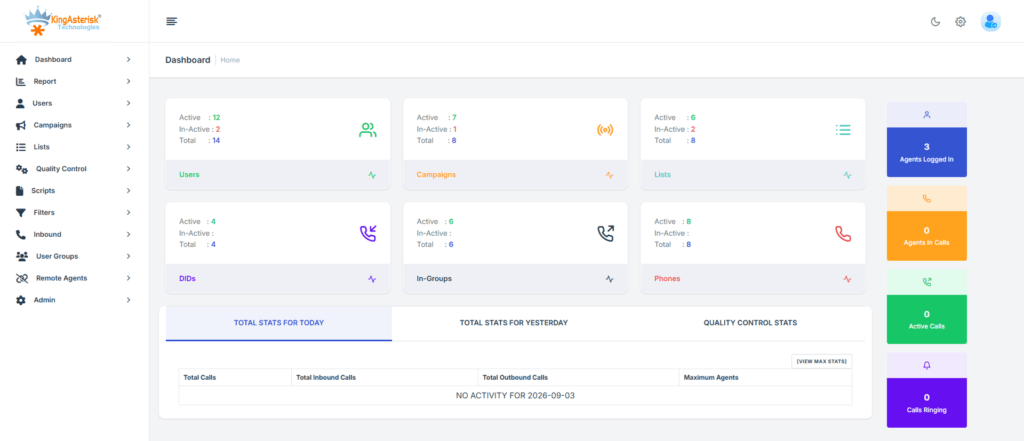
When people search for VICIdial API documentation, they are usually looking for one of three things: how to pull or push data programmatically, how to control an agent’s live session from an outside application, or how to build a REST layer over the platform for a CRM or reporting tool.
VICIdial itself does not ship a formal OpenAPI specification. What it provides instead are two PHP-based interfaces that have existed since the early Asterisk-based dialer builds, plus a database schema that experienced integrators query directly for read-heavy reporting needs.
Because the native interfaces are parameter-driven HTTP scripts rather than a documented REST contract, most integration partners, including KingAsterisk, build a REST specification layer on top of them. That layer maps familiar HTTP verbs and JSON payloads onto VICIdial’s underlying tables and scripts, which is what makes modern CRM and lead-management connections practical.
The two native VICIdial APIs
VICIdial’s own interfaces split cleanly by what they are allowed to touch.
| API Type | Endpoint | Purpose |
|---|---|---|
| Agent API | /agc/api.php | Controls an active, already-logged-in agent session |
| Non-Agent API | /vicidial/non_agent_api.php | System-level automation with no agent login required |
VICIdial Agent API
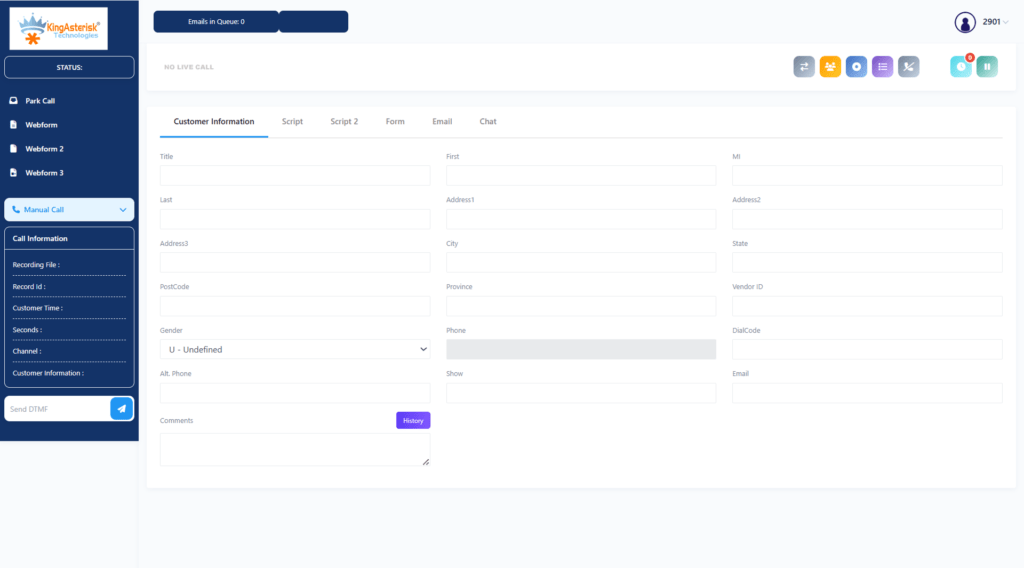
The Agent API is used once an agent is already logged into their web session. It lets an outside application drive that session: pausing the agent, resuming them, initiating a click-to-call, applying a disposition, or transferring a live call. Because it depends on an authenticated, in-progress session, it is the interface behind click-to-call buttons embedded in a CRM record and behind supervisor tools that need to nudge a specific agent’s screen state.
A REST wrapper built over this interface typically exposes a live agent status endpoint and an agent login status endpoint, since most external systems need to know whether an agent is online before attempting any session-level action. A login status check, for example, returns a simple structure confirming whether the agent is currently logged in, what time they logged in, which server they are attached to, and which campaign they are working:
{
  "success": true,
  "data": {
    "loggedIn": true,
    "loginTime": "2026-07-15T08:01:10Z",
    "serverIp": "192.168.10.15",
    "campaignId": "OUTBOUND001"
  }
}A parallel live status endpoint returns the same detail for every agent on a campaign at once, including pause codes and the customer number currently connected, pulled from the vicidial_live_agents table. That table is the single most useful reference point for anyone debugging agent-state issues, a point worth remembering before the troubleshooting section below.
VICIdial Non-Agent API
The Non-Agent API is the interface most integration work actually runs through, because it does not require a live agent session at all. It is the backend workhorse for:
- Lead generation and data processing: injecting new lists, inserting individual prospects, updating contact details, or removing leads from an external CRM
- Data retrieval and reporting: pulling lead status history, checking list tallies, and downloading campaign metrics without a human opening the administration screen
- Campaign and system administration: adding users, adjusting campaign profiles, or pushing a high-priority lead straight into the active dialing hopper
Because the Non-Agent API operates outside any single agent’s session, it is the correct choice for CRM synchronisation, batch lead uploads, and scheduled reporting jobs. The VICIdial Agent API should only be reached for when the task genuinely depends on a live, logged-in agent screen, such as click-to-call or pause and resume control.
Building a REST layer: a documentation example
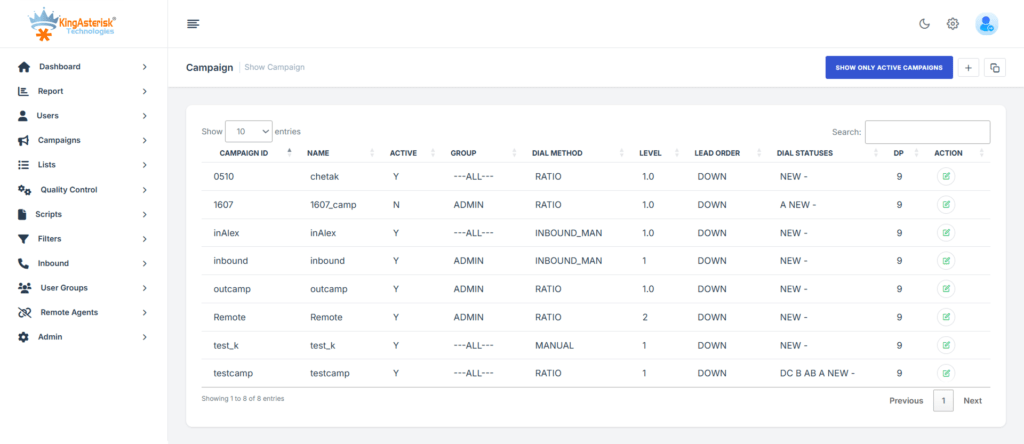
Most developers searching for a VICIdial API documentation example are not looking for the raw PHP scripts; they are looking for how a modern JSON contract gets built on top of them. A typical specification follows REST conventions closely: HTTPS only, TLS 1.2 or above, JSON with UTF-8 encoding, ISO 8601 timestamps, and E.164 phone number formatting.
Authentication runs on a Bearer token passed in the request header:
Authorization: Bearer eyJhbGc.....An unauthenticated request returns a standard structure:
{
  "success": false,
  "code": 401,
  "message": "Unauthorized Access"
}Endpoints are grouped by function rather than by which native script they eventually call. A lead management group typically covers import, lookup, update, status lookup, and bulk update. A campaign group covers listing, configuration, and statistics. An agent group covers listing, live status, performance, login status, and skills. A call management group covers history, live calls, recording metadata, and disposition and notes.
This grouping matters for anyone planning an integration, because it separates what the platform can answer instantly, a live agent status query for instance, from what requires a reporting pass across historical tables, such as a campaign statistics query spanning a date range. Building rate-limit and caching decisions around that distinction saves a lot of rework later.
Manual dialing not working: a real diagnostic walkthrough
One of the most common support tickets tied to API-connected deployments has nothing to do with the API layer at all. It looks like this:
Symptoms
The agent logs in successfully. The agent sees the Dial Next Number button and can click it. Nothing happens afterwards: no outbound call, no screen update, no Asterisk originate event, no VICIdial action of any kind. Manual dialing should work. It does not.
First diagnostic step
Before touching Asterisk logs or the dialer process itself, check the agent’s live state directly against the database:
SELECT user, status, campaign_id
FROM vicidial_live_agents;
In one recent case this returned:
TEST_AGENT | PAUSED | SAMPLE_CAMPAIGNAn agent sitting in a PAUSED state will show the interface and respond to button clicks, but VICIdial will not action a dial request until the status changes to READY. This single line is often the entire answer, and it is why the live agent status query belongs at the top of any manual dial investigation rather than at the bottom.
Second diagnostic step
If the agent status checks out as READY and the button still does nothing, the next place to look is the campaign’s dial level configuration:
Campaign: SAMPLE_CAMPAIGN
auto_dial_level=0An auto_dial_level of 0 disables automatic and manual dialing outbound for that campaign entirely, regardless of agent state. This setting is frequently left at zero on a newly built or newly cloned campaign, and it produces exactly the symptom described above: a responsive interface with no downstream action, because the campaign itself is configured to originate nothing.
Resolution path
- Confirm agent status is READY, not PAUSED, using the live agent query above.
- Confirm the campaign’s auto_dial_level is set above zero for manual dial to function.
- If both check out, review the Asterisk manager connection for the server the agent is attached to, since a dropped AMI connection produces the same symptom set with a correctly configured campaign.
- Recheck the agent’s permission set through the skills endpoint if using a REST layer, since a ManualDial permission omission on the agent record will silently block the action even when the campaign and status are both correct.
This kind of layered check, database state, campaign configuration, then transport layer, is the same order worth following for most VICIdial API integration faults, because the symptom visible to the agent or to the external application is almost always several steps removed from the actual cause.
Server requirements for API-connected deployments
Any deployment that will run a REST layer alongside VICIdial needs a server environment sized to the expected concurrency rather than the agent headcount alone. KingAsterisk suggests hardware based on the specific requirements of each build, with support available across multiple Intel and AMD configurations and compatibility across a range of server environments. For custom panel and theme work specifically, an AlmaLinux server with a dedicated IP address is required from the client side, along with server access for installation.
Why this matters for VICIdial API integration projects
A VICIdial API integration project succeeds or fails on how clearly the two native interfaces are separated in the design. Treating the Agent API and Non-Agent API as interchangeable, or routing bulk lead operations through an agent-session-dependent call, is the most common design mistake in early integration work.
Once that separation is respected, and a REST specification is built to map cleanly onto it, most CRM, reporting, and lead-management connections become straightforward to build and to maintain.
KingAsterisk builds these specifications directly from client environments rather than from generic templates, covering lead management, campaign and list operations, agent and call reporting, and real-time telephony actions such as originate, transfer, and hold, mapped against the exact database tables and scripts a given deployment runs on.
Frequently Asked Questions
Not as a single official source. The core codebase originates from VICIdial’s Subversion repository, and GitHub mirrors vary in how current they are. A version-controlled specification document built for the specific deployment is more reliable for production integration work.
A VICIdial API wrapper is a REST layer, typically JSON over HTTPS with token-based authentication, built over the native Agent and Non-Agent interfaces so external systems can integrate using standard HTTP verbs instead of the raw PHP scripts directly.
It is an endpoint that reports whether a given agent is currently logged into VICIdial, along with their login time, server, and active campaign. It is commonly checked before any session-dependent action is attempted through the Agent API.
Most integrations combine both native interfaces behind a REST specification: the Non-Agent API handles lead and campaign data, and the Agent API handles live session actions, with the REST layer routing requests to whichever native script the action requires.
VICIdial is distributed as an open-source platform, most commonly deployed through the ViciBox build on a Linux server. Before any custom installation or theme work, confirming the existing ViciBox and Subversion codebase version is the standard first step.
Yes. A typical example follows REST conventions: Bearer token authentication, JSON payloads, ISO 8601 timestamps, and endpoint groups for leads, campaigns, agents, and calls, built on top of the native Agent and Non-Agent scripts rather than replacing them
Get a VICIdial API specification built for your environment
If your team is planning a CRM connection, a lead-management build, or a reporting layer against VICIdial, KingAsterisk develops the specification directly from your ViciBox version, SVN codebase, and existing campaign structure.
We will then map it against the Agent and Non-Agent interfaces your deployment actually runs. Reach out to KingAsterisk to scope the endpoints your integration needs.