Key Takeaways
- Asterisk one way audio is almost always caused by NAT traversal failure, incorrect RTP port ranges, or missing nat= directives in your SIP or PJSIP configuration.
- The fix requires addressing both the SIP signaling layer and the RTP media layer — fixing one without the other will not resolve the issue.
- STUN, TURN, and localnet/externip settings inrtp.confandsip.confare the most impactful configuration parameters to review first.
- Firewall rules must allow UDP traffic on both port 5060 (SIP) and your full RTP port range (default 10000–20000), not just signaling.
- Packet capture using sngrep or tcpdump is the fastest way to confirm whether the issue is signaling, media, or both.
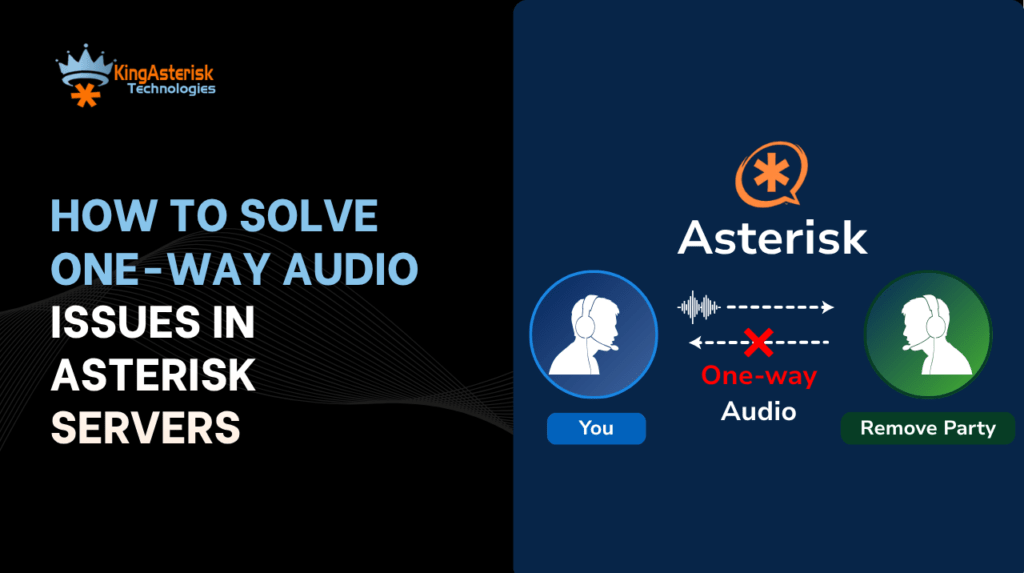
Asterisk one way audio is a call quality failure where audio flows in only one direction, typically the agent can hear the customer, but the customer hears nothing (or vice versa). This is one of the most reported and operationally damaging issues in SIP-based contact center Asterisk deployments, and it is almost never a hardware problem. The root cause is virtually always in how SIP signaling and RTP media streams negotiate network paths, particularly across NAT boundaries.
To understand why this happens, you need to appreciate that a SIP call is actually two separate communication processes running in parallel. The SIP signaling channel sets up, modifies, and tears down the call on port 5060.
The RTP (Real-time Transport Protocol) media stream carries the actual voice data on a dynamically negotiated UDP port pair. These two channels can, and frequently do, take completely different network paths. When one path is misconfigured, you get one-way audio.
In a contact center environment, this is especially damaging. An agent who cannot hear a customer, or a customer who cannot hear an IVR prompt, results in dropped calls, failed escalations, and direct revenue loss. Understanding and permanently resolving Asterisk one way audio is not optional, it is infrastructure-critical.
Root Causes: Why Does Asterisk One Way Audio Happen?
Every instance of one-way audio in Asterisk traces back to a breakdown in how the server communicates its IP address and port information during call setup. RTP (Real-Time Transport Protocol) is the media channel responsible for carrying voice packets during SIP calls. While SIP handles call setup, RTP handles the actual audio stream between endpoints.
Here are the primary causes, in order of frequency in production deployments:
NAT Traversal Failure
Network Address Translation (NAT) is the single most common culprit. When Asterisk sits behind a router or firewall, as it does in the overwhelming majority of deployments, it may advertise its private (internal) IP address in the SIP headers and SDP (Session Description Protocol) body. The remote endpoint (a SIP trunk, a softphone, a PSTN gateway) receives this private IP, attempts to send RTP packets to it, and fails because the private address is not routable from the internet. The SIP call connects and signaling works fine, but the media stream is dead on one or both sides.
Incorrect or Missing externip / externhost
Asterisk needs to be explicitly told what its public-facing IP address is so it can advertise the correct address in SDP offers and answers. If externip is missing, wrong, or stale (your IP changed), Asterisk will insert the wrong address into o= and c= lines of the SDP, causing the remote end to direct RTP to an unreachable address.
Blocked RTP Port Range
Even when SIP signaling works perfectly, your firewall or upstream provider may be blocking the UDP port range used for RTP. Asterisk’s default RTP port range is 10000–20000 UDP. If your firewall only opens port 5060 for SIP and leaves the RTP range closed, you will get a connected call with no audio in either direction — or, if the firewall is asymmetrically configured, audio in one direction only.
Codec or SDP Mismatch
If the two endpoints agree on an IP address and port but negotiate incompatible audio codecs, the receiving side may silently discard the RTP packets. This is less common than NAT issues but produces identical symptoms. Check that your allow= codec list in Asterisk matches what your SIP trunk or endpoint supports.
Symmetric RTP Not Enabled
Some endpoints behind NAT send RTP from a different source port than the one they declared in SDP. Asterisk needs rtpnat=yes (chan_sip) or the equivalent PJSIP setting to handle this gracefully. Without it, Asterisk transmits audio to the declared port, which may be unreachable, even though the endpoint is actively sending from a different port.
Diagnosing the Problem: Tools & Techniques
Before changing any configuration, confirm exactly where the audio path is breaking. Guessing and restarting Asterisk repeatedly is the wrong approach, a five-minute diagnostic pass will save hours of configuration churn.
Step 1: Capture SIP & SDP with sngrep
sngrep is the fastest way to inspect SIP traffic and read the SDP offer/answer exchange. Install it and run it while making a test call:
Terminal — sngrep capture
# Install sngrep (Debian/Ubuntu)
apt-get install sngrep

# Run and filter by SIP port
sngrep port 5060

# Look at the SDP inside each INVITE — check the 'c=' line
# c=IN IP4 192.168.1.x  <-- Private IP = NAT problem confirmed
# c=IN IP4 203.0.113.x  <-- Public IP = signaling OK, check firewall next
Step 2: Check RTP Packet Flow with tcpdump
Terminal, RTP traffic check
# Check if RTP packets are arriving on expected port range
tcpdump -i eth0 -n "udp portrange 10000-20000"

# If you see packets outbound but nothing inbound — firewall issue
# If no packets at all outbound — Asterisk is sending to wrong IP
Step 3: Enable Asterisk RTP Debug
Asterisk CLI — Enable RTP debug
# In the Asterisk console
asterisk -rvvvv

rtp set debug on
sip set debug on   # for chan_sip
pjsip set logger on # for chan_pjsip

# Place a test call and watch for RTP Rx/Tx addresses
# "Got RTP packet from X.X.X.X:YYYY" should show the remote public IP
Quick Diagnostic Rule: If SIP shows a connected call (200 OK received, ACK sent) but you have no audio, the problem is 100% in the RTP/media layer, not signaling. Focus your investigation on NAT, firewall, and RTP configuration.
Struggling with RTP or NAT issues in production? KingAsterisk engineers can diagnose one-way audio problems remotely and restore call stability fast.
Step-by-Step: Complete Asterisk One Way Audio Fix
Identify your server’s public IP address
Run curl -s https://checkip.amazonaws.com on your Asterisk server to confirm the public IP. This is the value you will set as externip. If your IP is dynamic, use externhost=yourdomain.com with a short TTL DNS record instead.
Set externip and localnet in sip.conf
Open /etc/asterisk/sip.conf and add your public IP and internal subnet to the [general] section. This tells Asterisk exactly what addresses to advertise in SDP, see the full configuration below.
Enable nat=force_rport, comedia per peerFor every SIP peer or trunk that connects from behind NAT, add nat=force_rport, comedia to the peer definition. force_rport ensures response packets go to the correct source port. comedia enables symmetric RTP, critical for endpoints behind NAT. Ubuntu 22.04 LTS provides a stable and secure operating system environment widely used for reliable Asterisk and VoIP server deployments.
Verify and open RTP port range in your firewall
Open UDP ports 10000–20000 (or your custom range) both inbound and outbound on every firewall layer, your server’s iptables/ufw rules, any hardware firewall, and your hosting provider’s security group if applicable.
Set the RTP port range in rtp.conf
Open /etc/asterisk/rtp.conf and define explicit rtpstart and rtpend values. Make sure these match exactly what you opened in your firewall. A mismatch here is a common oversight after firewall rule changes.
Reload Asterisk and run a live test call with CLI debugging on
Run asterisk -rx “sip reload” (or core restart now for major changes), then place a test call with rtp set debug on active. Confirm you see bidirectional RTP packets in the CLI output before closing the issue.
For PJSIP deployments: update endpoint & transport configuration
PJSIP handles NAT differently from chan_sip. Set nat=force_rport,comedia at the endpoint level and ensure your transport section has external_media_address and external_signaling_address both set to your public IP
SIP Config
The configuration examples below reflect production-grade settings used in KingAsterisk contact center deployments. Replace 203.0.113.50 with your actual public IP and adjust the localnet range to match your internal subnet.
Important: Setting direct_media=yes (or canreinvite=yes in chan_sip) tells Asterisk to instruct the two endpoints to send RTP directly to each other, bypassing the Asterisk server. This almost always causes one-way audio when either endpoint is behind NAT. Keep it set to no in any production contact center deployment.
Port Range Sizing: Each active call requires two UDP ports (one for RTP, one for RTCP). A range of 10000–20000 supports up to 5,000 simultaneous calls. For large contact centers with high concurrent call volumes, verify your range is sized accordingly, a port exhaustion event produces symptoms identical to one-way audio.
Firewall & Port Rules
Firewall misconfiguration is the second most common cause of RTP audio issues after NAT, and it often affects only one direction because stateful firewall rules may allow outbound sessions while silently blocking unsolicited inbound UDP.
# Allow SIP signaling
iptables -A INPUT -p udp --dport 5060 -j ACCEPT
iptables -A INPUT -p tcp --dport 5060 -j ACCEPT
iptables -A INPUT -p tcp --dport 5061 -j ACCEPT  # TLS SIP

# Allow RTP media — this is where most deployments fail
iptables -A INPUT -p udp --dport 10000:20000 -j ACCEPT
iptables -A OUTPUT -p udp --sport 10000:20000 -j ACCEPT

# Save rules
iptables-save > /etc/iptables/rules.v4
ufw (Ubuntu/Debian alternative)
ufw allow 5060/udp
ufw allow 5060/tcp
ufw allow 5061/tcp
ufw allow 10000:20000/udp
ufw reload
Real-World Example: Contact Center Deployment
A mid-size contact center with 80 concurrent agent seats running VICIdial on Asterisk reported that agents could consistently hear customers, but customers reported complete silence on their end. The issue was intermittent, affecting roughly 30% of inbound calls, and only surfaced after the data center migrated to a new network segment with a different subnet mask.
Root cause: The localnet directive in sip.conf still referenced the old subnet (192.168.0.0/24). After the migration, agents’ workstations were on 10.10.0.0/16. Asterisk was no longer recognizing agent endpoints as “local,” so it was advertising the public IP correctly for external trunks but handling agent RTP on incorrect assumptions about the network path.
The result: RTP to external callers used the correct public IP, but Asterisk was transmitting back to agents using wrong interface addresses.
Fix applied:
sip.conf — Updated localnet entries
; Before migration (wrong after move)
; localnet=192.168.0.0/255.255.255.0

; After fix — covers both old and new subnets during transition
localnet=192.168.0.0/255.255.255.0
localnet=10.10.0.0/255.255.0.0
localnet=127.0.0.0/255.0.0.0   ; Always include loopback
After a sip reload, bidirectional audio was restored across 100% of calls within minutes. No Asterisk restart was required. The entire diagnostic and fix cycle took 22 minutes, the majority of that time was spent reviewing the network migration documentation, not troubleshooting Asterisk itself.
Frequently Asked Questions
What is the difference between one-way audio and no audio in Asterisk❓
No audio in both directions usually points to a completely blocked RTP port range, the firewall is rejecting all UDP on ports 10000–20000. One-way audio, where one side can hear but the other cannot, indicates an asymmetric routing problem: the RTP stream in one direction is reaching its destination, but the return stream is not. The fix is usually different for each scenario.
Does settin directmedia=no affect call quality or server load❓
Yes, but the trade-off is nearly always worth it. With directmedia=no, all RTP traffic passes through the Asterisk server rather than directly between endpoints. This increases server CPU and bandwidth usage but gives you full control over media, enables call recording, and eliminates NAT-related audio failures. On modern hardware, Asterisk handles several hundred simultaneous RTP streams comfortably.
How do I fix Asterisk one way audio with PJSIP instead of chan_sip❓
With PJSIP, NAT settings are split between the transport and endpoint sections. Set external_media_address and external_signaling_address in your transport definition, and set rtp_symmetric=yes, force_rport=yes, and direct_media=no on each endpoint. PJSIP gives more granular control than chan_sip, but requires all three settings to be correct simultaneously.
Can a SIP ALG on my router cause one-way audio in Asterisk❓
Yes, SIP ALG (Application Layer Gateway) is a frequent and underdiagnosed cause of one-way audio. SIP ALG attempts to rewrite SIP headers and SDP to assist NAT traversal, but it often corrupts the IP addresses and ports in the process. Disable SIP ALG on any router or firewall between your Asterisk server and SIP trunks. This setting is found in the firewall or NAT section of most consumer and business routers.
Resolving Asterisk One Way Audio: Final Summary
Asterisk one way audio is a solvable problem with a clear, systematic approach. In the vast majority of deployments, including every VICIdial-based contact center we have diagnosed at KingAsterisk, the issue comes down to three configuration areas that must all be correct simultaneously: the externip/localnet settings in your SIP configuration, the RTP port range in rtp.conf, and the firewall rules that allow UDP traffic on that port range.
The key principle to take away is this: SIP and RTP are separate communication channels. You can have perfect SIP signaling, calls that connect, ring, and show as answered, while RTP is completely broken. Always verify media flow independently of signaling, and never assume a connected call means working audio.
For contact centers running VICIdial or custom Asterisk dialers, audio reliability is non-negotiable. Every dropped call due to one-way audio is a failed customer interaction. With the configuration examples and diagnostic steps in this guide, your team has everything needed to identify the root cause in minutes and apply a permanent fix.
Quick Fix Checklist:
- Verify externip
- Verify localnet
- Open RTP ports
- Disable SIP ALG
- Enable symmetric RTP
- Confirm RTP packet flow
- Match firewall and rtp.conf ranges
- Reload SIP configuration
If you are still experiencing one-way audio after following this guide, or if you need expert assistance configuring NAT traversal, RTP, or SIP trunking for a large-scale contact center deployment, the engineering team at KingAsterisk is ready to help.
Need Expert Help with Your Asterisk Setup?
Our senior engineers have resolved one-way audio and NAT issues across hundreds of contact center deployments worldwide. Get a fast, accurate diagnosis.
Contact KingAsterisk Today!