
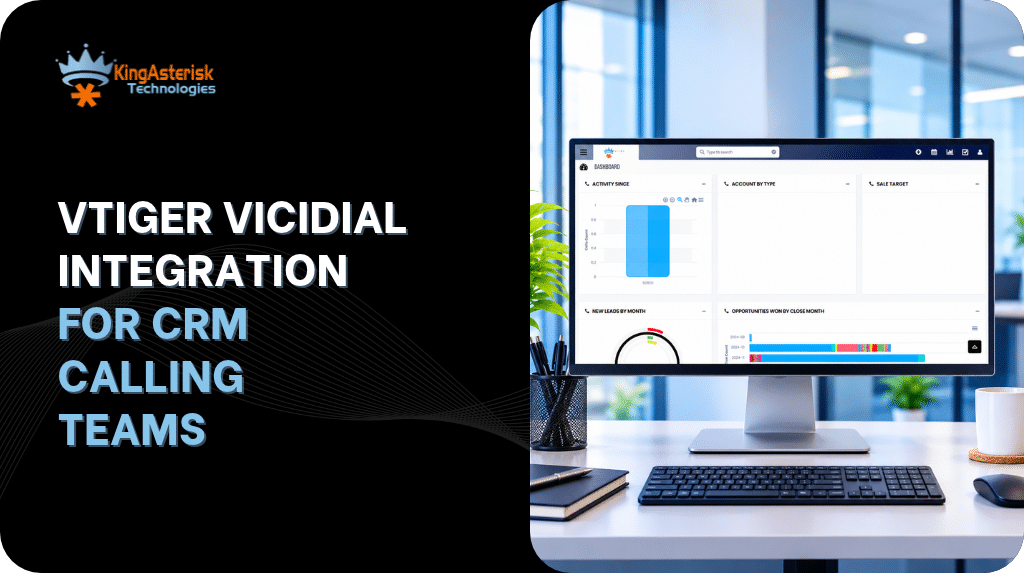
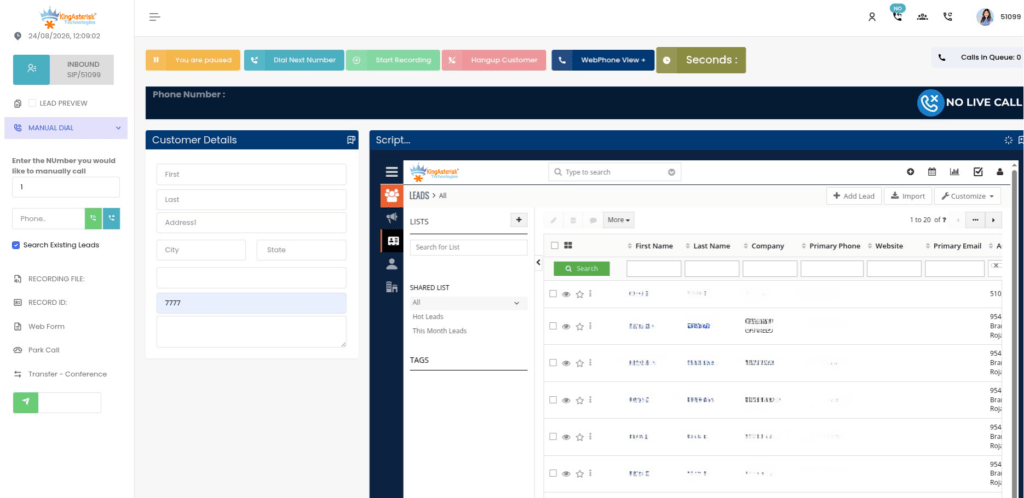
Sales and support teams running Vtiger rarely want two separate systems – one for managing contacts and deals, another for dialing. Vtiger VICIdial Integration closes that gap. It connects Vtiger’s record-keeping strength with VICIdial’s outbound and inbound dialing engine, so agents work from one screen instead of switching between a browser tab for the CRM and another for the dialer.
This article goes past the marketing pitch. We’ll walk through the actual API mechanics VICIdial exposes, how Vtiger consumes them, what a working integration architecture looks like, and – because integrations fail in predictable ways – three real dialing faults teams hit during rollout, with the queries and fixes that resolve them.
Why Integrate Vtiger with VICIdial at All
Without integration, an agent working a Vtiger lead has to manually find the number, switch to the dialer interface, place the call, then flip back to Vtiger to log what happened. Multiply that by hundreds of calls a day and the wasted clicks add up to real lost talk time.
Vtiger VICIdial Integration removes that friction in four ways:
- Lead synchronisation – contacts and leads created or updated in Vtiger flow into VICIdial’s dialing lists automatically, instead of being exported and re-imported by hand.
- Click-to-call – an agent clicks a phone number inside a Vtiger record and VICIdial originates the call through Asterisk.
- Screen-pop – when a call connects, the matching Vtiger record opens automatically so the agent sees full history before saying a word.
- Disposition and call-log sync – once a call ends, the outcome, talk time, and recording reference get written back into the Vtiger record, so the CRM stays the single source of truth.
- For teams across Australia running distributed or multi-site calling operations, this matters even more: agents may be spread across time zones and offices, and keeping the CRM and dialer in sync manually simply doesn’t scale.
For teams across Australia running distributed or multi-site calling operations, this matters even more: agents may be spread across time zones and offices, and keeping the CRM and dialer in sync manually simply doesn’t scale.
The Two APIs That Make the Integration Work
VICIdial exposes two distinct APIs, and understanding the difference is the first thing any developer building a Vtiger integration needs to get right.
| API Type | Endpoint | Purpose |
|---|---|---|
| Agent API |
/agc/api.php
|
Controls an active, already-logged-in agent session – pause, resume, dispositions, click-to-call, hangup |
| Non-Agent API |
/vicidial/non_agent_api.php
|
System-level automation that doesn’t require an agent to be logged in – lead inserts, updates, list management, reporting |
The Non-Agent API is the workhorse of a Vtiger VICIdial Integration. Because it doesn’t need an active agent session, it’s what handles the background synchronisation: pushing new Vtiger leads into a VICIdial campaign, updating a lead’s contact details after an edit in Vtiger, pulling list tallies for reporting, or injecting a high-priority lead straight into the dialer hopper when a hot prospect comes in.
The Agent API is what powers the moment-to-moment experience on an agent’s screen – specifically click-to-call. When an agent clicks a number inside a Vtiger record, the integration calls the Agent API to originate that call through the logged-in agent’s active session, rather than going through the slower lead-injection route.
A properly built integration uses both: Non-Agent API for data movement, Agent API for live call control.
A Practical Integration Architecture
A typical Vtiger VICIdial Integration is built as a middleware layer – a small application or script sitting between the two systems – because Vtiger and VICIdial don’t talk to each other’s databases directly. The usual flow looks like this:
- Outbound trigger: A new or updated lead is saved in Vtiger.
- Webhook or scheduled sync: Vtiger’s workflow engine (or a polling script, where no outbound webhook is configured) notifies the middleware.
- Lead push: The middleware calls VICIdial’s Non-Agent API to insert or update the corresponding record in the target campaign’s lead list, mapping Vtiger field IDs to VICIdial’s vicidial_list columns (name, phone, vendor lead code, custom fields).
- Agent dials: The agent works the lead inside VICIdial, or – if click-to-call is wired into Vtiger’s UI – dials directly from the CRM record via the Agent API.
- Call completes: VICIdial captures the disposition, talk time, and recording path.
- Write-back: The middleware polls or receives an event for the completed call and writes the disposition, notes, and call metadata back onto the Vtiger record, usually as an activity or a custom field update.
This pattern – lead out, call logged in – is the backbone of nearly every Vtiger telephony integration, whether built custom or adapted from an existing connector.
Authentication and Request Structure
Both the Agent and Non-Agent APIs are HTTP-based, which makes them straightforward to call from a middleware script in PHP, Node, or Python. A typical Non-Agent API call for a lead insert looks like:
http://your-server-ip/vicidial/non_agent_api.php?source=vtiger&user=api_user&pass=apipass&function=add_lead&phone_number=0255551234&first_name=John&last_name=Doe&list_id=1001Key parameters any developer needs to plan for:
- source – identifies the calling application (useful for audit trails, so set it to something recognisable like vtiger)
- user / pass – a dedicated API user with the minimum permissions it needs, never a shared admin login
- function – the operation being requested (add_lead, update_lead, update_field, and similar)
- Field-mapping parameters – phone number, name fields, list_id, vendor_lead_code, and any custom fields the campaign uses
For production environments, it’s worth creating a separate, restricted VICIdial user purely for API traffic, rather than reusing an administrator’s credentials – both for security and so the integration’s activity is traceable in logs independently of human admin actions.
Field Mapping: Vtiger to VICIdial
The most common point of failure in any CRM-to-dialer integration isn’t the API call itself – it’s mismatched field mapping. Vtiger stores leads and contacts with its own field structure; VICIdial’s vicidial_list table has a fixed, flatter schema. A mapping table like the one below needs to be defined and tested before go-live:
| Vtiger Field | VICIdial Field | Notes |
|---|---|---|
| Lead/Contact ID | vendor_lead_code | Keeps a stable cross-reference between systems |
| First Name | first_name | Direct mapping |
| Last Name | last_name | Direct mapping |
| Phone (primary) | phone_number | Must be normalised to the format VICIdial expects |
| Lead Source | source | Useful for reporting splits |
| Custom fields | vicidial_list custom fields or campaign-specific fields | Needs matching custom field setup on the VICIdial side |
Skipping this mapping exercise – or assuming field names line up automatically – is the single biggest reason integrations go live and then silently drop data.
Troubleshooting: Faults Teams Actually Hit
Even a correctly built integration runs into dialer-side faults that have nothing to do with the API layer itself. Here are three real ones worth knowing before they cost you a support ticket.
1. Agent shows as logged in but calls never queue
If leads are syncing correctly from Vtiger but calls simply aren’t being placed, check the agent’s live session state directly against the database:
SELECT user,status,campaign_id
FROM vicidial_live_agents;If this returns something like:
TEST_AGENT | PAUSED | SAMPLE_CAMPAIGNThe integration is working fine – the agent session is simply paused at the dialer level. No API call from Vtiger will force a paused agent back into rotation; that state has to be cleared from the agent screen or through the Agent API’s pause/resume function. This is a common false alarm reported as “the integration isn’t dialing” when it’s actually a session-state issue unrelated to Vtiger.
2. Leads sync but nothing auto-dials
If leads are landing in the campaign correctly and the agent is active (not paused) but outbound calls still aren’t being generated automatically, check the campaign’s dial level:
Campaign: SAMPLE_CAMPAIGN
auto_dial_level=0An auto_dial_level of 0 effectively disables automatic dialing for that campaign – agents are expected to dial manually, or the ratio needs to be set above zero for predictive/progressive behaviour. This is a campaign configuration setting, not something the Vtiger Vicidial integration controls, and it’s worth checking first whenever a freshly synced campaign “just sits there.”
3. Manual dialing not working
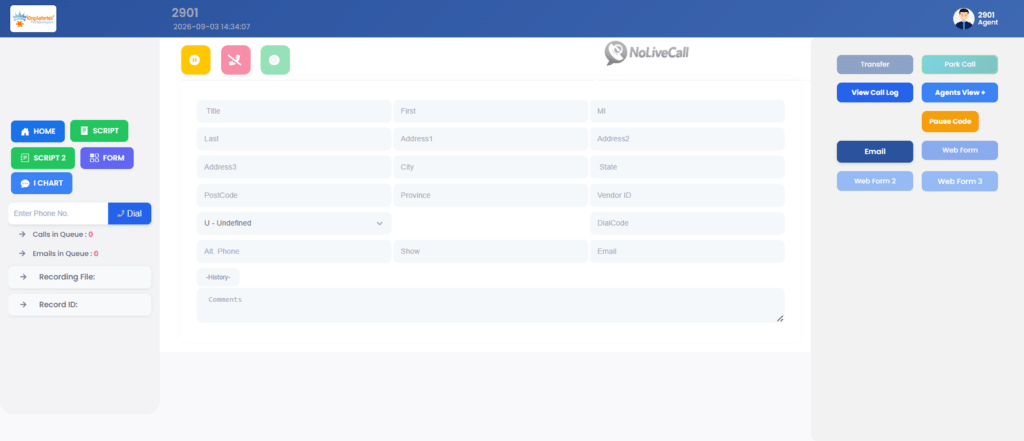
A trickier one: the agent logs in successfully, sees the Dial Next Number button, clicks it – and nothing happens. No outbound call, no screen update, no Asterisk originate, no VICIdial action at all.
Because this symptom produces no error message, it needs to be diagnosed layer by layer:
- Confirm the agent’s session and campaign are correctly matched (a mismatched campaign_id between the login and the lead list will silently block dialing).
- Check Asterisk’s CLI (asterisk -rvvv) for any originate attempt at all when the button is clicked – if nothing appears, the request isn’t reaching Asterisk, which usually points to a broken AGI call or a misconfigured carrier/trunk.
- Verify the lead’s status and call count haven’t hit a campaign-level exclusion (leads marked DNC, maxed out on attempts, or outside calling-hour rules won’t dial even on manual click).
- Check browser console logs for a failed AJAX call from the agent screen – a permissions or session-token issue can silently block the request before it ever reaches the server.
Because this fault sits between the CRM, the dialer UI, and Asterisk itself, it’s one of the few integration issues that genuinely benefits from a developer with hands-on VICIdial and Asterisk experience rather than a generic CRM administrator.
Infrastructure Requirements
A Vtiger VICIdial Integration runs on top of a standard VICIdial deployment, so the usual server prerequisites apply. Hardware is suggested based on expected call volume and agent count, with both Intel and AMD options supported.
One requirement worth flagging early: an AlmaLinux server with a dedicated IP is needed from the client side before installation and configuration can begin – this is a standard requirement for VICIdial/Asterisk environments and should be arranged before development work starts, not during it.
Frequently Asked Questions
Yes. Vtiger connects to VICIdial through its Agent API for live call control and its Non-Agent API for lead synchronisation, typically via a middleware layer that maps fields between the two systems.
Yes – click-to-call is handled through the Agent API (/agc/api.php), which originates a call from an agent’s already-active VICIdial session when triggered from a Vtiger record.
The Agent API controls an active, logged-in agent’s live session (dialing, pausing, dispositions), while the Non-Agent API handles background tasks like lead inserts, updates, and reporting without needing an agent logged in at all.
After a call ends, the middleware layer retrieves the disposition and call metadata from VICIdial and writes it back to the matching Vtiger record, usually as an activity log or custom field update.
This is almost always a campaign configuration issue rather than an integration fault – most commonly an auto_dial_level set to 0, which disables automatic dialing for that campaign until the ratio is adjusted.
It can be, provided the API connection uses a dedicated, permission-restricted VICIdial user rather than shared admin credentials, and all API traffic is logged and monitored separately from manual admin activity.
Getting This Built Properly with KingAsterisk
A reliable Vtiger VICIdial Integration isn’t a plugin you drop in and forget – it’s a middleware layer that needs correct field mapping, a dedicated API user, webhook or polling logic on the Vtiger side, and someone who understands both VICIdial’s database schema and Asterisk’s call-handling layer when faults like the ones above come up.
Teams building this in-house should budget time for exactly the kind of troubleshooting covered above, because dialer-side configuration issues (paused agents, dial-level settings, campaign mismatches) get mistaken for integration bugs far more often than actual API failures occur.