


By KingAsterisk Technology | Contact Center Solutions
If you are running a VICIdial Setup with CRM Integration on ReadyMode and wondering whether VICIdial can replace it while also integrating cleanly with your in-house CRM, the short answer is yes, and this post walks you through exactly how that works.
We will see what the architecture looks like, what the migration path involves, and why businesses in roofing, insurance, real estate, and other appointment-setting verticals are making the switch.
We recently handled two very similar client inquiries that illustrate the most common scenarios our team deals with.
Why Contact Centers Are Moving Away from ReadyMode
ReadyMode (formerly XenCALL) is a predictive dialer with a built-in CRM. For smaller operations, it works reasonably well. But as contact centers scale toward 100 agents and beyond, several limitations begin to surface:
Cost at Scale
ReadyMode charges per seat. At 100 agents, licensing fees become substantial on a monthly recurring basis. VICIdial, being open-source, eliminates per-seat licensing entirely.
CRM Lock-In
ReadyMode bundles its own CRM, which means if your team has already invested in a proprietary CRM – like the Roofing Leads Master Tracker in our second inquiry – you are essentially paying for duplicate functionality and forcing agents to juggle two systems.
Customization Ceiling
Dialers are black boxes. You cannot customize the dialing logic, agent interface, reporting layer, or lead distribution rules beyond what the vendor allows. VICIdial Setup with CRM Integration exposes every layer of the stack.
Data Ownership
With a SaaS dialer, your call recordings, lead data, and dispositions live on someone else’s server. With VICIdial Setup with CRM Integration deployed on your own infrastructure or a dedicated system environment, you own all of it.
Compliance Modules
TCPA-compliant dialing, DNC list integration, state-specific time-zone restrictions, and scrubbing logic are all configurable at the code level in VICIdial Setup with CRM Integration. In such solutions, you are dependent on the vendor roadmap.
What Is VICIdial and Why It Works at 100 Agents
VICIdial is the world’s most widely deployed open-source contact center suite. It is built on the Asterisk telephony platform and supports inbound, outbound, and blended calling across hundreds of concurrent agents. It handles predictive dialing, progressive dialing, manual preview dialing, inbound ACD queuing, IVR routing, real-time agent monitoring, call recording, and detailed reporting, all without a per-seat license.
At 100 agents operating simultaneously, VICIdial Setup with CRM Integration needs to be deployed correctly to handle the telephony load, database concurrency, and real-time event processing without bottlenecks. That is where cluster architecture becomes critical.
100-Agent Cluster Architecture: Technical Overview
Running 100 agents on a single VICIdial server is technically possible but strongly inadvisable in a production environment. Single-server deployments create a single point of failure, and the combined load of predictive dialing (which dials 3–5x agent count), real-time AMI events, MySQL read/write operations, and SIP signaling will saturate system resources during peak hours.
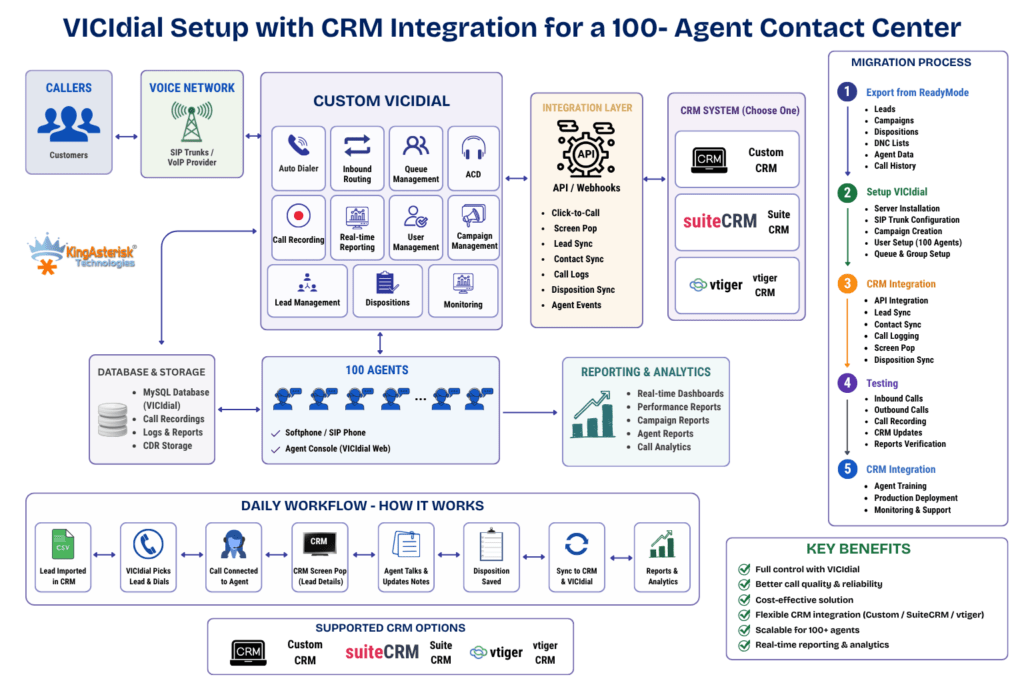
KingAsterisk designs multi-server VICIdial Setup with CRM Integration clusters specifically sized for the agent count and call volume. Here is what a production-grade 100-agent cluster looks like:
Technical Note: 100-Agent VICIdial Cluster Specification
Node 1 – Primary Web/Database Server
- Role: VICIdial web interface (Apache/PHP), MySQL/MariaDB primary database, campaign management, admin portal
- Specs: 16–32 vCPU, 64–128 GB RAM, NVMe SSD RAID for DB storage
- Handles all web traffic, reporting queries, and agent session state
Node 2 – Asterisk Telephony Server (Primary)
- Role: SIP signaling, RTP media, predictive dialing engine, call routing
- Specs: 16 vCPU, 32–64 GB RAM, dedicated NIC for SIP/RTP traffic
- Handles approximately 50 concurrent agents + dialing headroom
Node 3 – Asterisk Telephony Server (Secondary / Load Balanced)
- Role: Overflow telephony, failover, and load distribution
- Specs: Mirrors Node 2
- Handles remaining 50 agents and predictive dial burst traffic
Node 4 – Recording & Storage Server
- Role: Call recording storage, NFS/CIFS mount for recordings across all nodes, media archival
- Specs: High-capacity HDD array (10–50 TB depending on retention policy), RAID 6
Cluster Communication:
- All nodes communicate over a private VLAN (isolated from public internet)
- MySQL replication (primary → read replicas) for reporting and redundancy
- Shared recording mount accessible across all Asterisk nodes
- Heartbeat/Keepalived for automatic failover between telephony nodes
Frontend Theme & Backend Integration
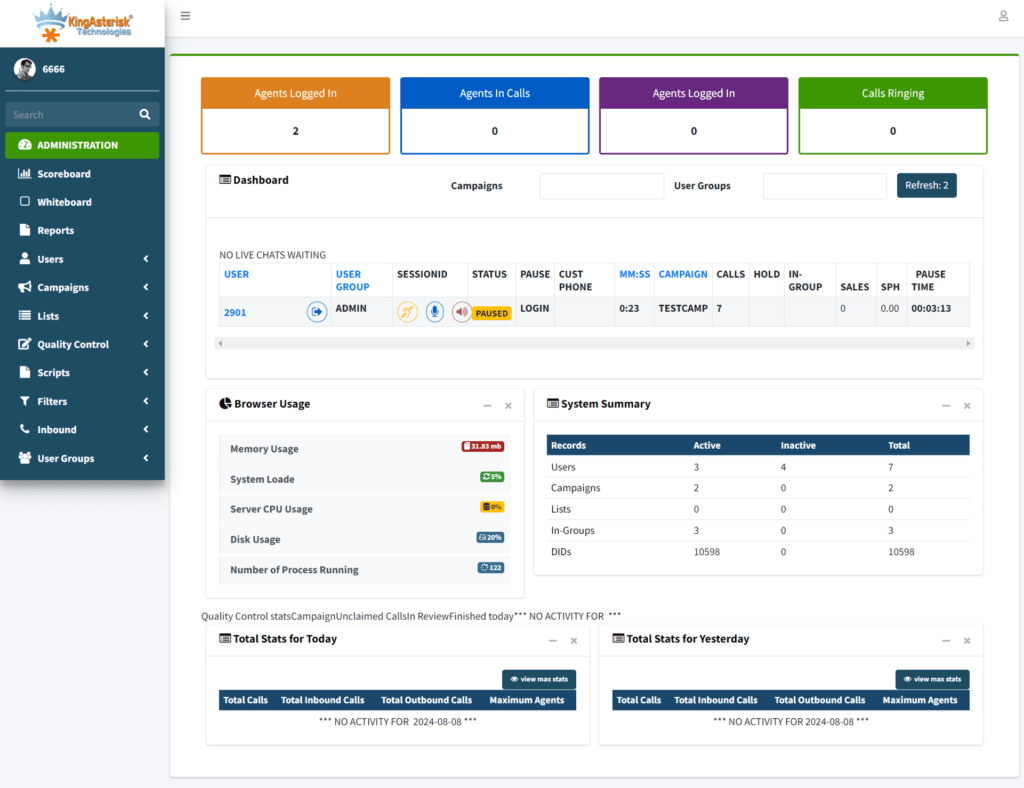
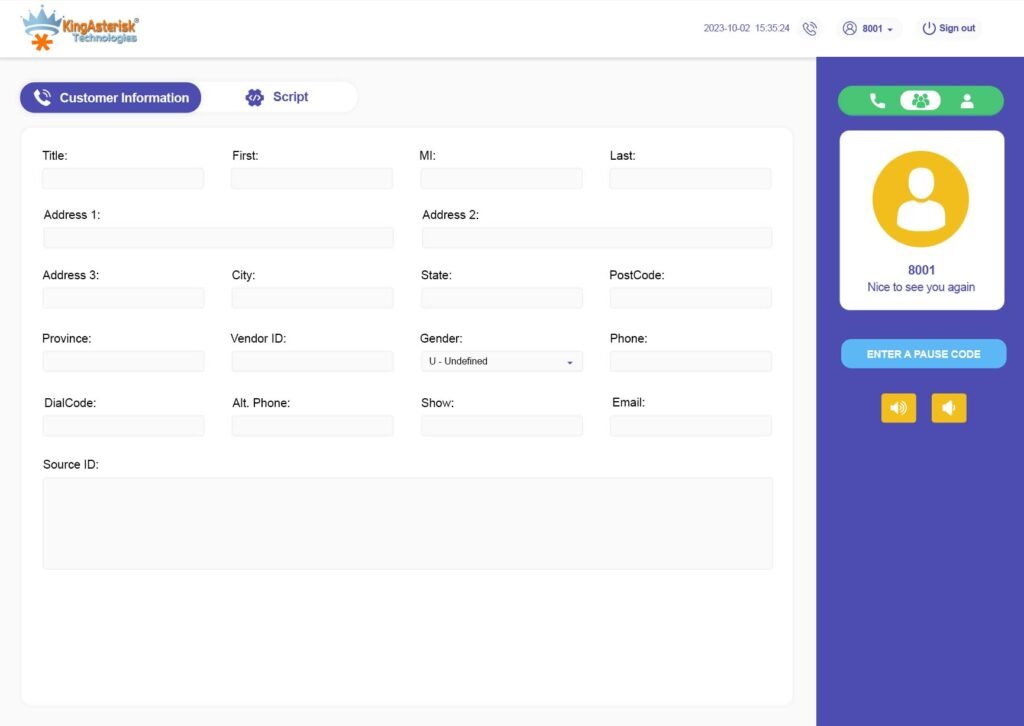
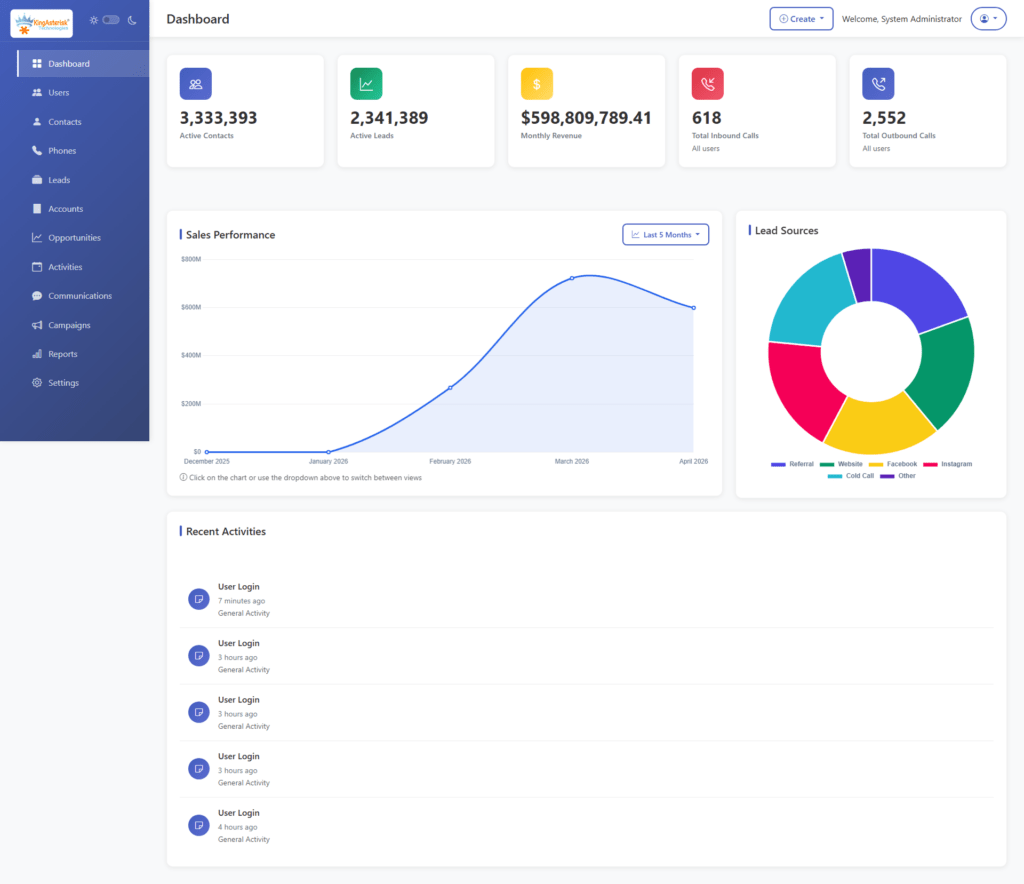
The cluster configuration is also reflected in the frontend interface. KingAsterisk’s custom VICIdial theme and agent portal are designed to be cluster-aware. It means the React-based frontend dynamically connects agents to the least-loaded Asterisk node, session routing is handled transparently, and supervisor dashboards aggregate real-time data across all nodes in a unified view.
The backend API layer abstracts the multi-node complexity so agents always see a single, consistent interface regardless of which telephony node they are connected to.
Scalability
This architecture scales horizontally. Adding 50 more agents means provisioning a third Asterisk node and updating the load balancer config, no changes to the web server or database layer required.
CRM Integration Architecture: Making Your CRM the Agent’s Main Screen
This is the most technically interesting part of both client requests. In both cases, the CRM needs to remain the primary agent interface. Agents should not be logging into VICIdial’s native interface to work leads, they should be working inside the CRM they already know, while VICIdial Setup with CRM Integration handles all the dialing invisibly in the background.
KingAsterisk builds this integration in several layers:
Layer 1 – VICIdial API Connection
VICIdial exposes a native HTTP API that allows external systems to control virtually every dialing function: log agents in and out, set agent status, trigger manual dials, transfer calls, update dispositions, and retrieve real-time call status. Your CRM communicates with this API to orchestrate the calling session without the agent ever touching the VICIdial interface.
Layer 2 – Screen Pop via Webhooks
When VICIdial connects a call to an agent, it fires a webhook to your CRM’s inbound endpoint. The CRM receives the payload – which includes the phone number, lead ID, campaign name, and any custom fields mapped during lead upload – and uses it to auto-open the correct lead record on the agent’s screen. The agent sees the homeowner’s information, appointment availability, and campaign rules already loaded before they say hello.
For the Roofing Leads Master Tracker scenario, this means: VICIdial Setup with CRM Integration dials the homeowner, connects the call to the agent’s softphone (WebRTC browser phone or hardware SIP phone), and simultaneously pushes the lead record to the CRM screen. The agent works entirely in their familiar CRM portal.
Layer 3 – Bidirectional Disposition Sync
When the agent selects a disposition in the CRM – “Appointment Booked,” “No Answer,” “Callback Scheduled,” “DNC” – the CRM pushes that disposition back to VICIdial via API call. VICIdial updates its internal records, triggers the appropriate post-call logic (callback scheduling, DNC flagging, lead recycling), and moves to the next dial. The CRM remains the source of truth for appointment and lead status; VICIdial handles the telephony state machine.
Layer 4 – Agent WebRTC Softphone Embedded in CRM
Rather than having agents use a separate softphone application, KingAsterisk embeds a WebRTC-based softphone directly inside the CRM portal. This is a browser-based SIP client that connects to the Asterisk SIP-over-WebSocket server. Agents click to answer, transfer, mute, and hang up all from within their CRM tab – no external phone app required.
This also enables full remote agent support. Agents working from home connect to the cluster over HTTPS/WSS; their browser becomes their phone.
Layer 5 – Lead Upload and Campaign Sync
Leads are managed in the CRM and pushed to VICIdial’s lead tables via scheduled API sync or real-time webhook on new lead creation. Campaign rules defined in the CRM (calling hours, state restrictions, attempt limits, callback windows) are mapped to VICIdial campaign configuration during the integration setup. When campaign rules change in the CRM, they propagate to VICIdial automatically.
Migration Path: ReadyMode to VICIdial in a 100-Agent Operation
Migrating a live 100-agent contact center from ReadyMode to VICIdial requires a phased approach. A hard cutover with 100 agents simultaneously is a recipe for chaos. Here is the migration sequence KingAsterisk follows:
Phase 1 – Infrastructure Setup (Week 1–2)
Provision the cluster nodes on your chosen environment (dedicated bare metal, AWS, or a hybrid system setup). Install and configure VICIdial on all nodes. Set up MySQL replication, shared recording storage, and load balancing. Configure SIP trunks with your carrier — VICIdial supports virtually every SIP provider, so your existing DID numbers and carrier relationships port over cleanly.
Phase 2 – CRM Integration Development (Week 2–4)
This is the custom development phase. KingAsterisk’s integration team maps your CRM’s data model to VICIdial’s lead table schema, builds the webhook and API bridge, embeds the WebRTC softphone into your CRM frontend, and implements the disposition sync logic. For the Roofing Leads Master Tracker use case, this also includes mapping appointment availability windows and contractor-specific campaign rules into VICIdial’s campaign configuration.
Phase 3 – Parallel Testing with a Pilot Group (Week 3–4)
Before cutting over all 100 agents, run 10–15 agents on the new VICIdial Setup with CRM Integration cluster in parallel with ReadyMode. Both systems dial simultaneously from separate lead lists. This stress-tests the integration under live conditions and gives your supervisors time to validate that screen pops, dispositions, recordings, and reporting all work as expected.
Phase 4 – Phased Rollout (Week 4–6)
Migrate agents in groups of 25–30. Each group trains on the CRM-integrated workflow (which should be minimal training since they are still using their familiar CRM). Once a group is stable on VICIdial, move to the next group. By Week 6, all 100 agents are on VICIdial and ReadyMode is fully deprecated.
Phase 5 – ReadyMode Data Export
Export all historical call records, lead dispositions, and recordings from ReadyMode. KingAsterisk can build data migration scripts to import historical lead activity into VICIdial’s database so your reporting continuity is preserved. Call recordings from ReadyMode are downloaded and archived alongside your new VICIdial recordings.
Custom Reporting and Real-Time Dashboards
One area where VICIdial + custom development significantly outperforms ReadyMode is reporting depth and flexibility.
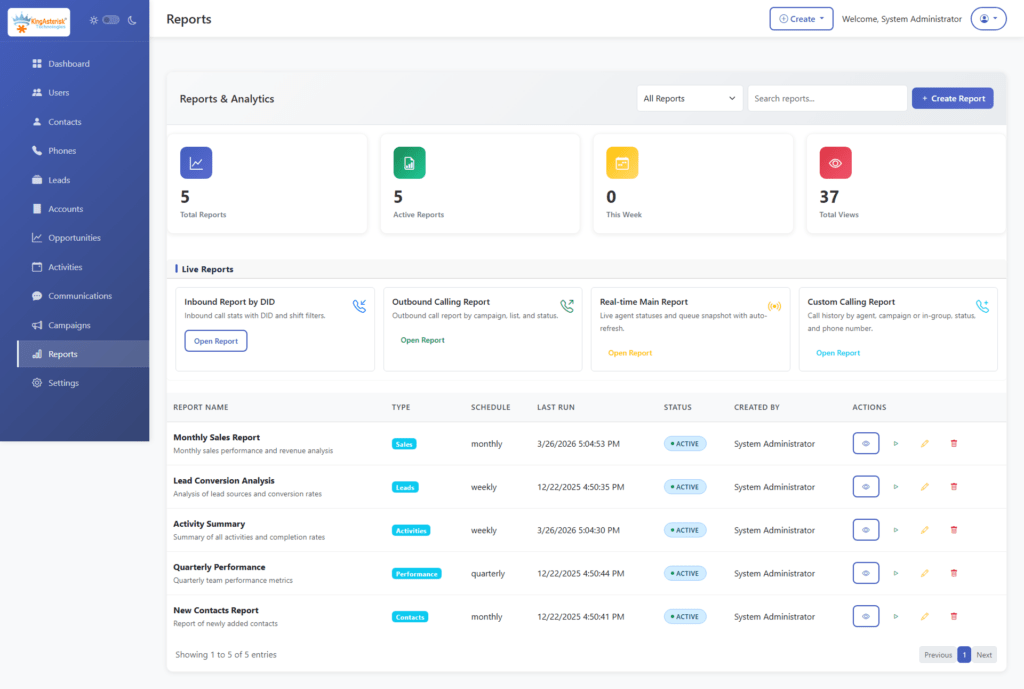
KingAsterisk builds custom reporting modules on top of VICIdial’s database that give contact center managers visibility they cannot get from any out-of-the-box dialer:
Agent Performance Layer
Talk time per hour, pause code breakdown (how long agents spend in each idle state), disposition conversion rates by agent, average handle time, login/logout history, and performance ranking across the team. For a 100-agent roofing center, this translates to knowing exactly which agents are booking the most roof inspection appointments and why.
Campaign Analytics
Lead penetration rate (what percentage of your list has been attempted), contact rate by hour of day, best calling windows by state or area code, callback queue depth, and recycled lead performance. These metrics directly drive ROI decisions – when to dial which lists, how aggressively to recycle, and when to retire dead leads.
Real-Time Supervisor Dashboard
A live view of all 100 agents showing current call status, duration on current call, disposition of last call, and queue wait times. Supervisors can barge into calls, whisper to agents, or take over calls from this dashboard. KingAsterisk builds this as a React-based interface that updates via WebSocket – no page refreshes, sub-second latency.
Executive KPI Dashboard
Appointments booked per day, per campaign, per contractor (for roofing centers serving multiple clients), revenue-linked conversion metrics, and trend analysis over configurable date ranges. Exportable to PDF or pushed automatically to your BI tool via scheduled data export.
IVR, Compliance, and Advanced Dialing Logic
For contact centers in regulated or compliance-sensitive environments, VICIdial’s open architecture allows compliance modules that dialers cannot match.
TCPA Compliance
Configurable DNC list integration, calling hour enforcement by state time zone, cell phone detection logic, and consent-based dialing modes. All configurable at the campaign level.
Multi-Client Campaign Isolation
For roofing centers calling on behalf of multiple contractors, each contractor gets their own campaign with isolated lead lists, reporting, and DNC lists. Agents can be assigned to specific contractor campaigns. Lead credits, delivery records, and appointment outcomes are tracked per contractor inside the VICIdial Setup with CRM Integration.
Dynamic IVR for Inbound Callbacks
When a homeowner calls back after a missed call, a custom IVR routes them to the correct contractor campaign queue. Text-to-speech reads their name and appointment reference from the CRM database in real time.
Advanced Dialing Features
KingAsterisk configures advanced VICIdial features that help improve outbound campaign performance and agent productivity. These include answering machine detection (AMD), call recording, callback management, DNC list integration, lead recycling, and campaign-specific dialing strategies. By automating routine dialing processes and reducing manual effort, contact centers can increase efficiency while maintaining compliance and reporting accuracy.
Why KingAsterisk for This Deployment
KingAsterisk Technology has handled VICIdial deployments ranging from small 10-agent pilot setups to enterprise-scale 500+ agent clusters. Our team brings deep expertise across every layer of the stack – Asterisk dialplan development, VICIdial Setup with CRM Integration and customization, CRM API integration, WebRTC softphone development, MariaDB performance optimization, and custom React-based frontend development.
For the specific scenario described in both client inquiries – 100 agents, custom CRM as primary interface, migration from ReadyMode, we have a proven deployment playbook. We understand that your CRM is not just a database; it is the operational hub your agents live in, and the integration has to be invisible and reliable from day one.
What we deliver:
- Multi-node VICIdial cluster sized for 100 agents with headroom for growth
- Full CRM integration with screen pop, disposition sync, and lead management
- WebRTC softphone embedded in your CRM portal
- Custom agent and supervisor dashboards built in React with real-time WebSocket data
- ReadyMode data migration and historical reporting continuity
- TCPA and DNC compliance configuration
- Ongoing support, monitoring, and performance optimization
FAQs
2. Can VICIdial integrate with a custom CRM❓
Yes. VICIdial can integrate with custom CRMs using APIs, webhooks, database connections, and screen pop integrations.
3. How long does it take to migrate from ReadyMode to VICIdial❓
Migration timelines vary, but most 100-agent deployments can typically be completed within a few weeks, depending on CRM complexity and data migration requirements.
4. Do agents need to work inside the VICIdial dashboard❓
Not necessarily. With a custom CRM integration, agents can manage their daily tasks directly from your CRM.
5. Can we continue using our current phone numbers and SIP provider after migrating❓
In most situations, yes. Your existing DIDs, SIP trunks, and preferred telecom carrier can usually be retained and connected to the new VICIdial platform.
6. Is VICIdial suitable for remote or work-from-home agents❓
Absolutely. VICIdial is designed to support distributed teams. Remote agents can securely connect using WebRTC softphones, SIP devices, VPN access, or browser-based dialing solutions.
Ready to Migrate from ReadyMode or Integrate Your CRM with VICIdial?
Whether you are running a roofing appointment-setting center, an insurance lead generation operation, or a general outbound contact center looking to cut per-seat SaaS costs and take control of your dialing infrastructure, KingAsterisk can scope, build, and deploy the right solution.
Contact KingAsterisk Technology!
Get a detailed technical consultation and cost estimate for your specific setup – 100 agents, your CRM, your data, your control.
KingAsterisk Technology specializes in VICIdial Setup with CRM Integration, Asterisk, IVR, and custom contact center development. We serve contact centers, BPOs, appointment-setting agencies, and enterprise communication environments globally.


