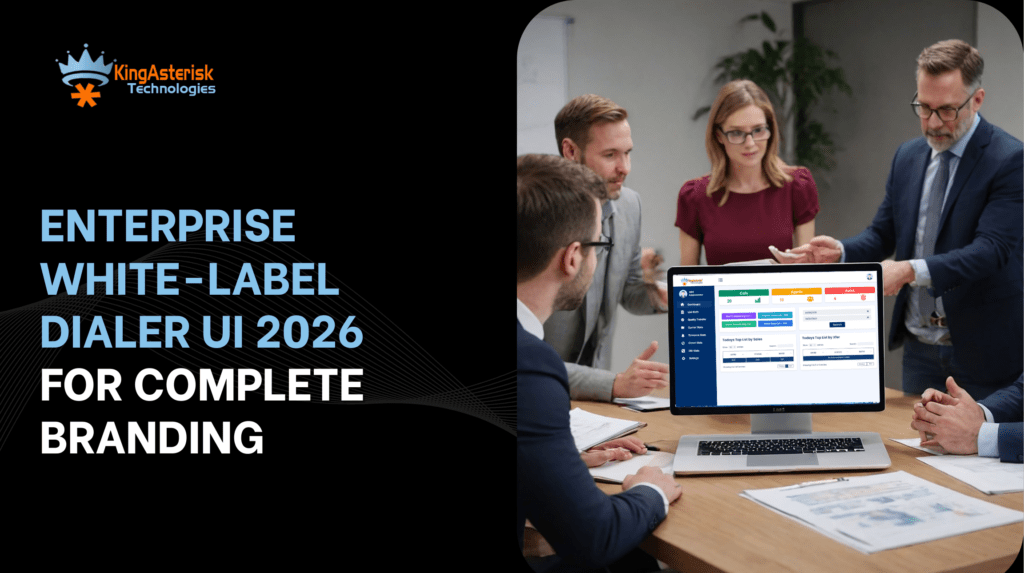
Enterprise White-Label Dialer UI 2026 for Complete Branding
Vicidial Software Solutions

Enterprise White Label Dialer UI 2026: Complete Agent & Admin Branding Solutions

Big brands protect their look, Big brands protect their voice, Big brands never send users into a tool that feels basic. Your contact center software should follow the same rule. That need drives the rise of the Enterprise White Label Dialer UI. Most businesses still use generic screens. Agents see one Contact Center Dialer layout. Managers see another layout. 

Nothing matches the company brand. That gap creates confusion. It weakens trust. It slows teams down. KingAsterisk Technology changes that story. We build a fully branded experience for both agents and admins. Very few providers offer this level of control. That makes this feature rare. That makes it powerful.

Think about this. A customer talks to your company. They open emails with your colors. They visit your website. Then your agent shares a screen or report that shows a different logo and style. That breaks the brand flow in one second. A strong Enterprise White Label Dialer UI removes that break and keeps everything aligned.

Branding does not mean just a logo in the corner, Branding shapes trust, Branding shapes memory, Branding shapes how people feel during every interaction. Research from major marketing studies shows that consistent brand presentation can raise revenue by over 20%. That number tells a clear story. Visual unity matters.

Let’s explore how this new design approach transforms agent work, admin control, customer trust, and business growth.

What Makes an Enterprise White Label Dialer UI Different?

Many people ask a simple question. “Isn’t this just a theme change?” No. A true Enterprise White Label Dialer UI goes much deeper. It reshapes the entire interface experience.

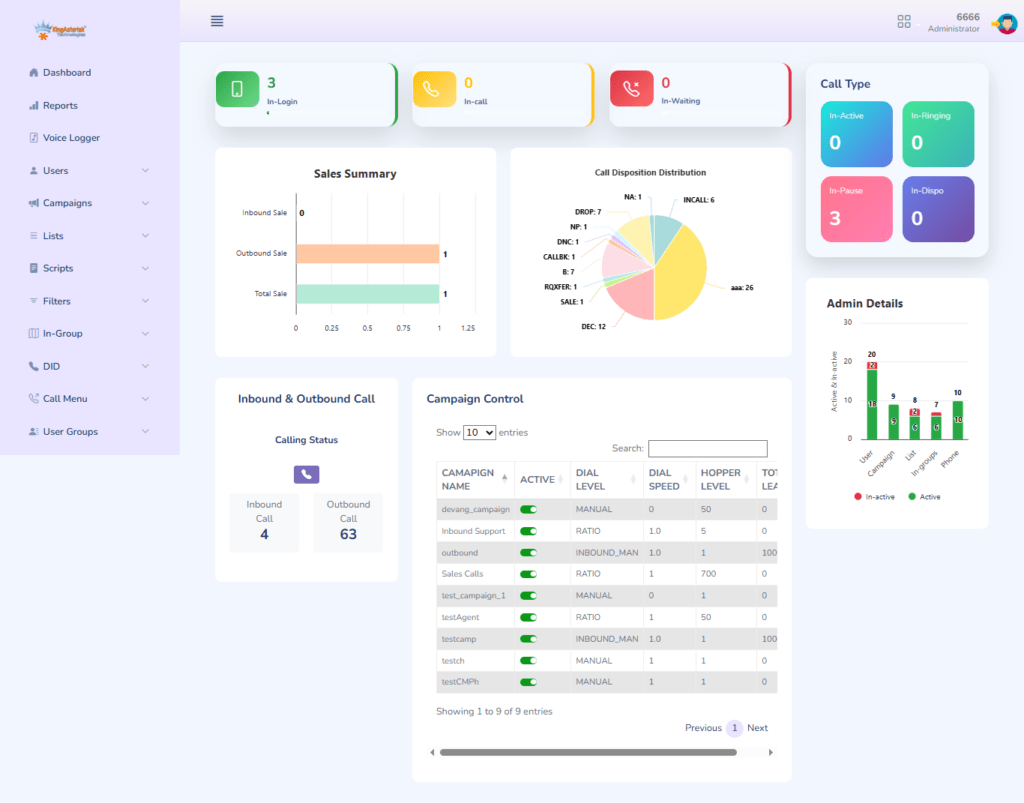
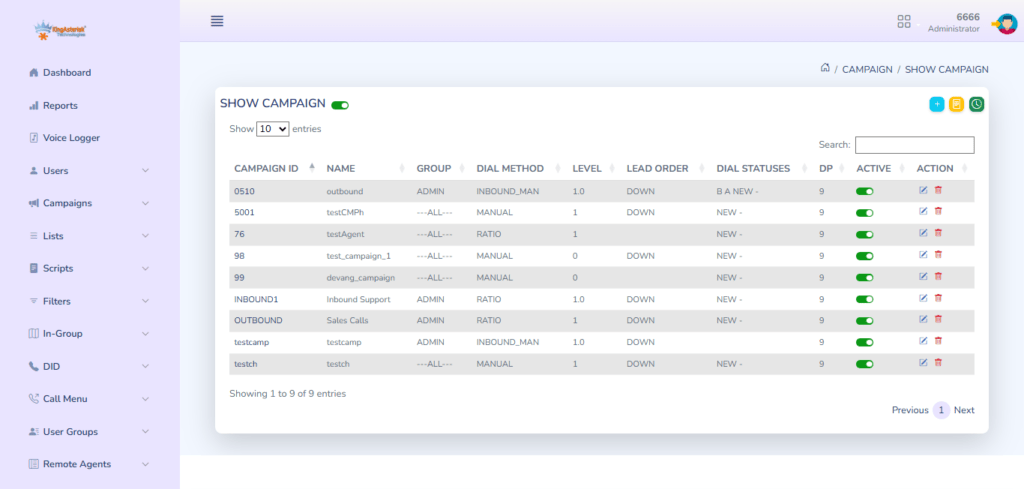
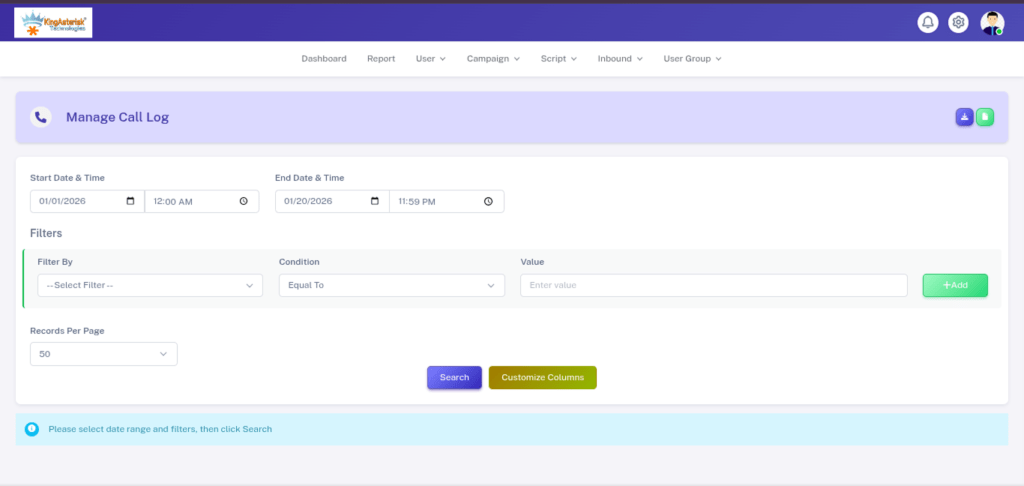
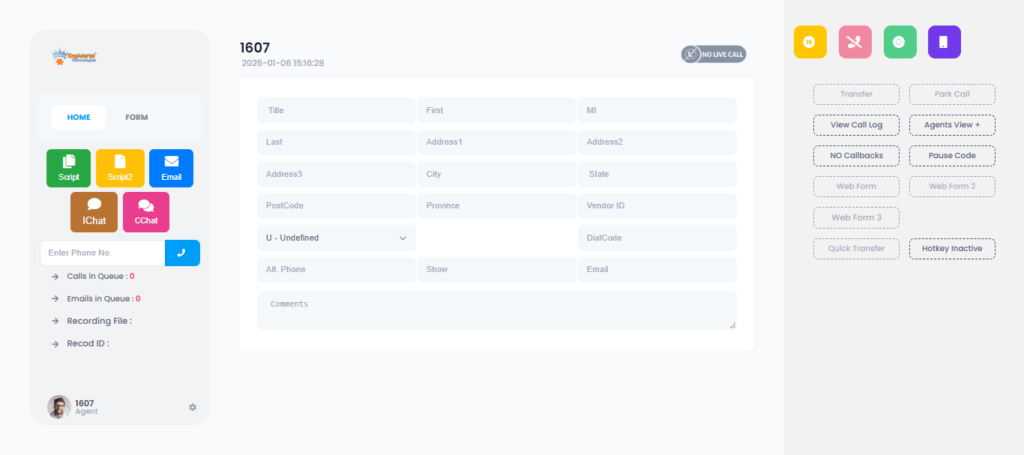
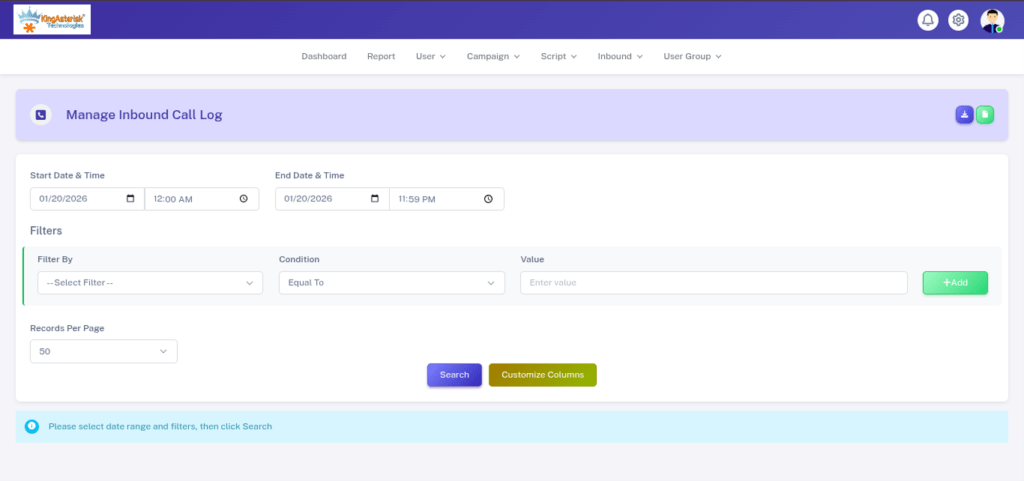
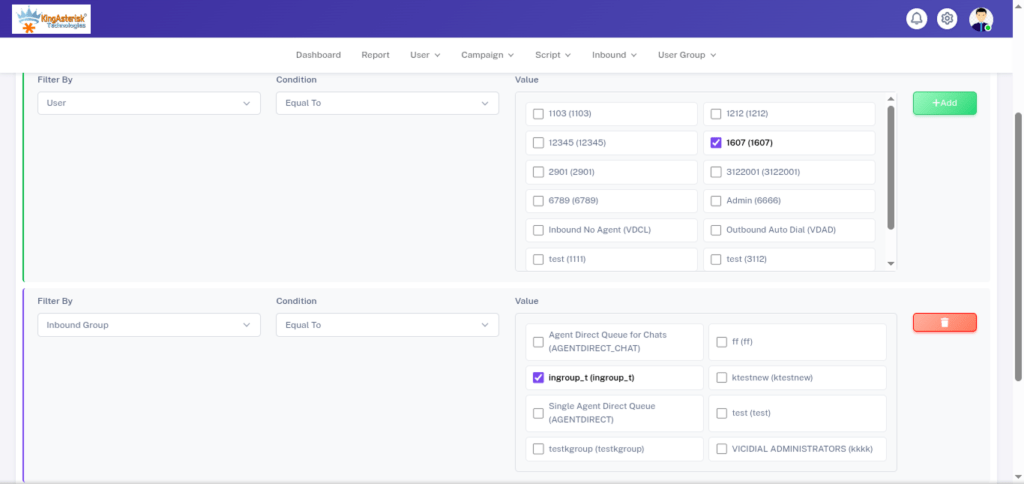
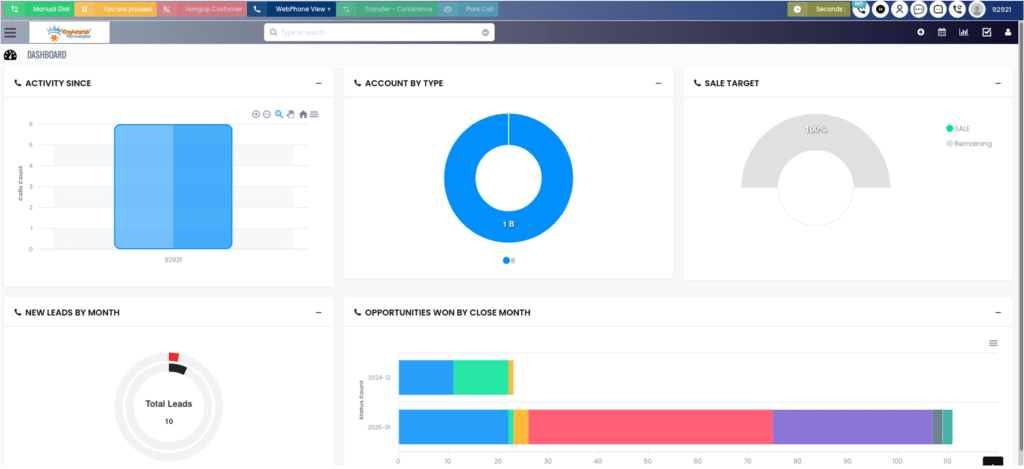
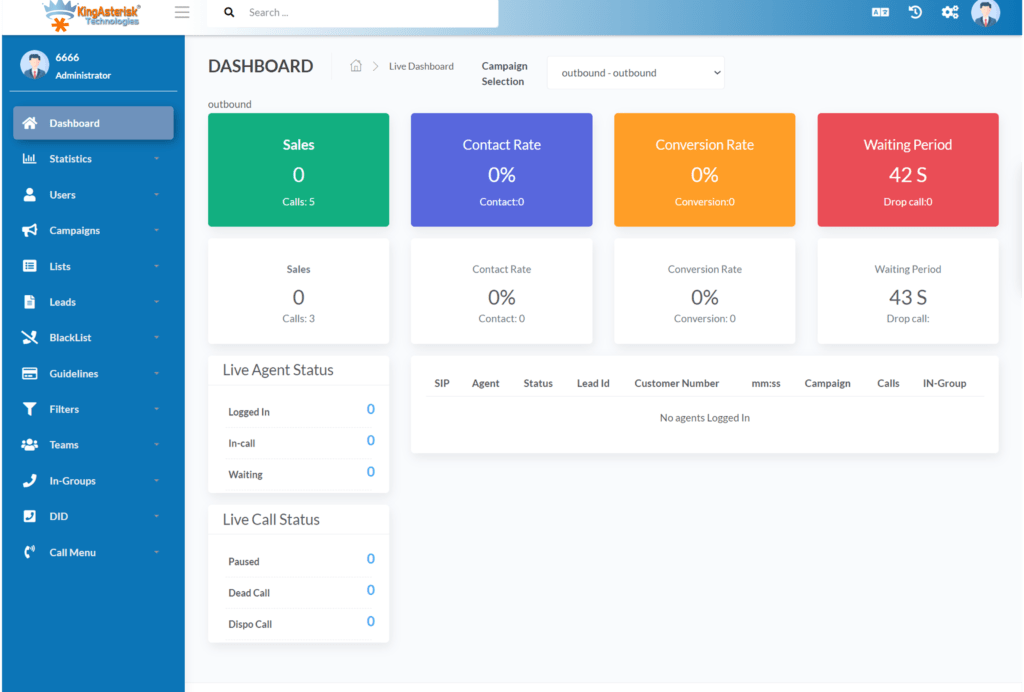
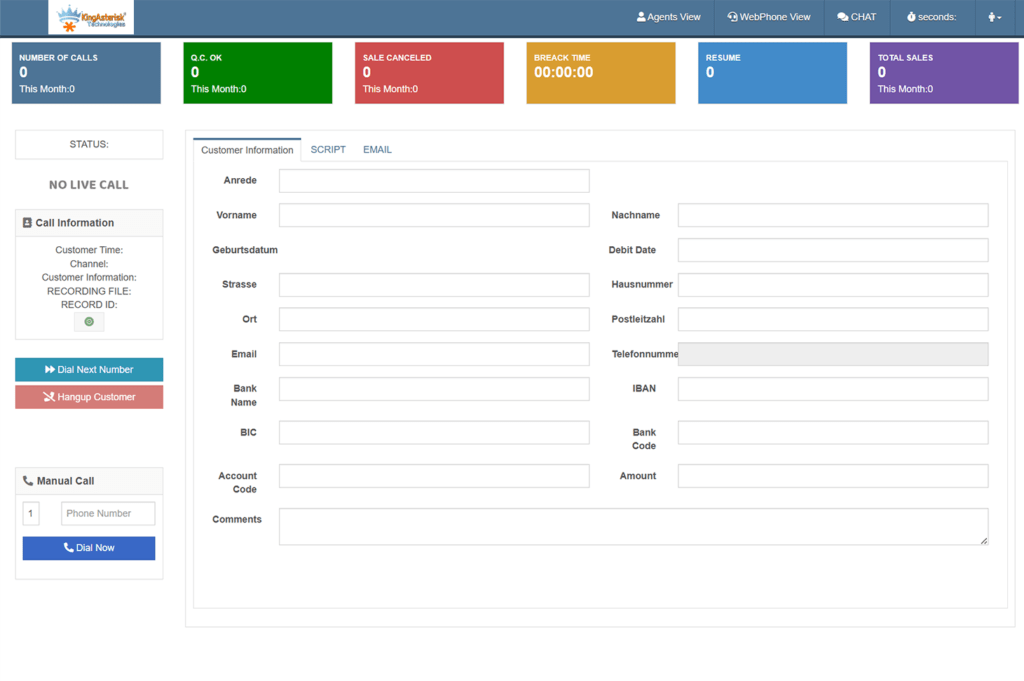
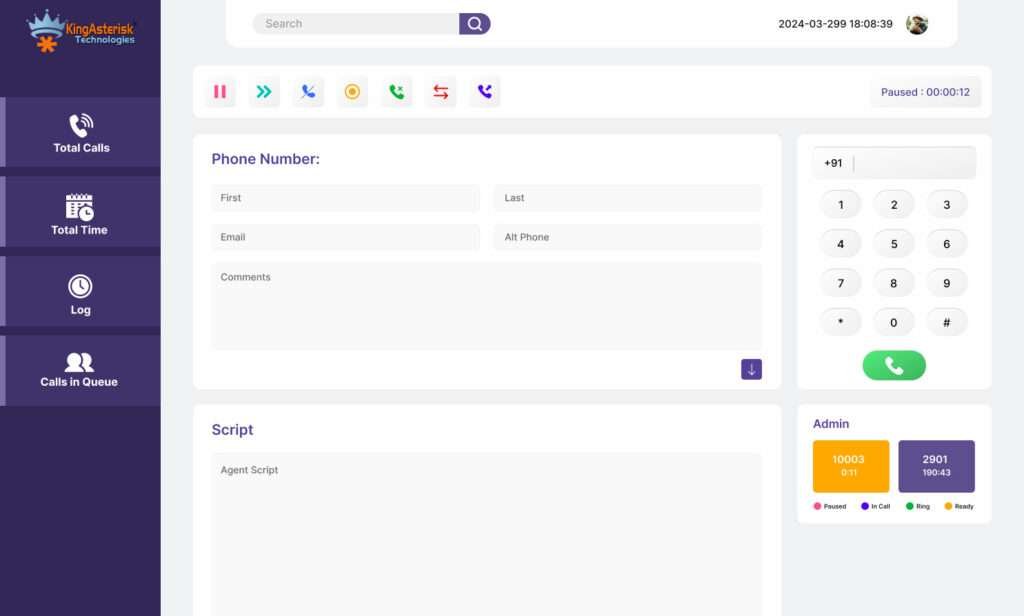
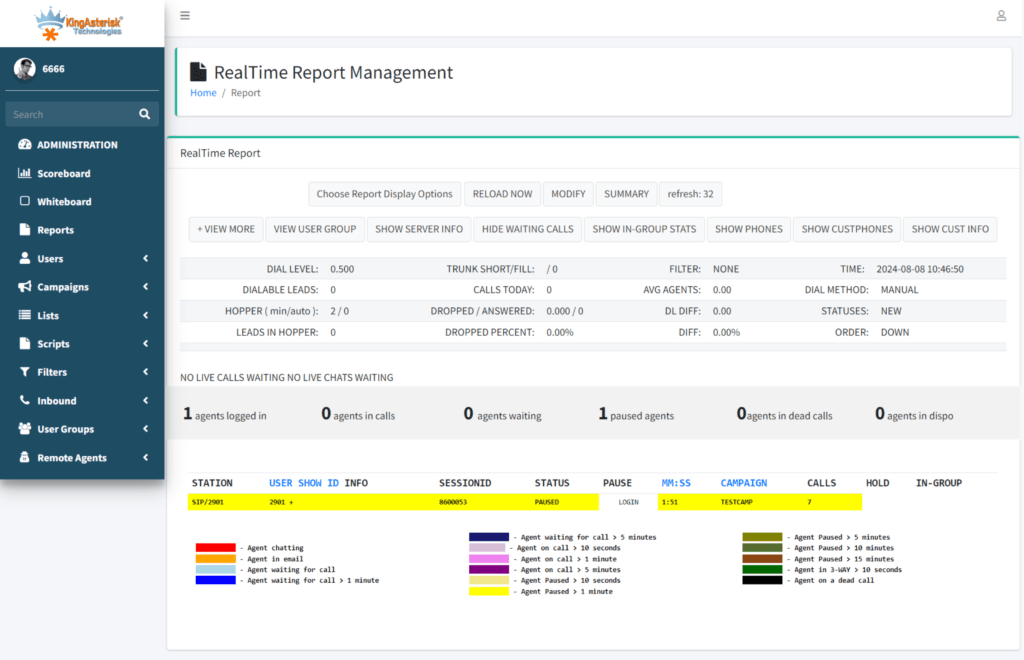
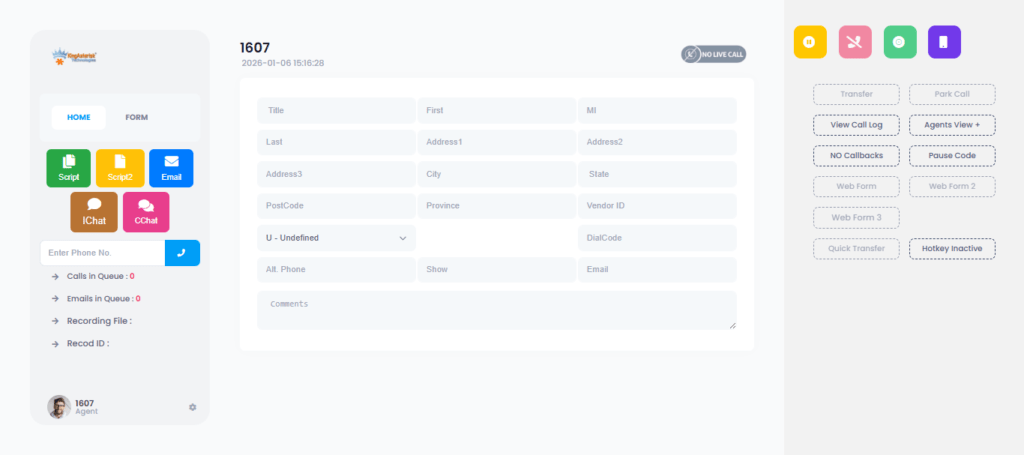
KingAsterisk builds a custom branded dialer UI for enterprises where every screen reflects your identity. Agents log in and see your logo, your color scheme, your terminology, and your workflow labels. Admins manage campaigns from dashboards that follow the same brand structure. The system feels like your own product, not a third-party tool.

Here is what changes in a real enterprise white label dialer interface:

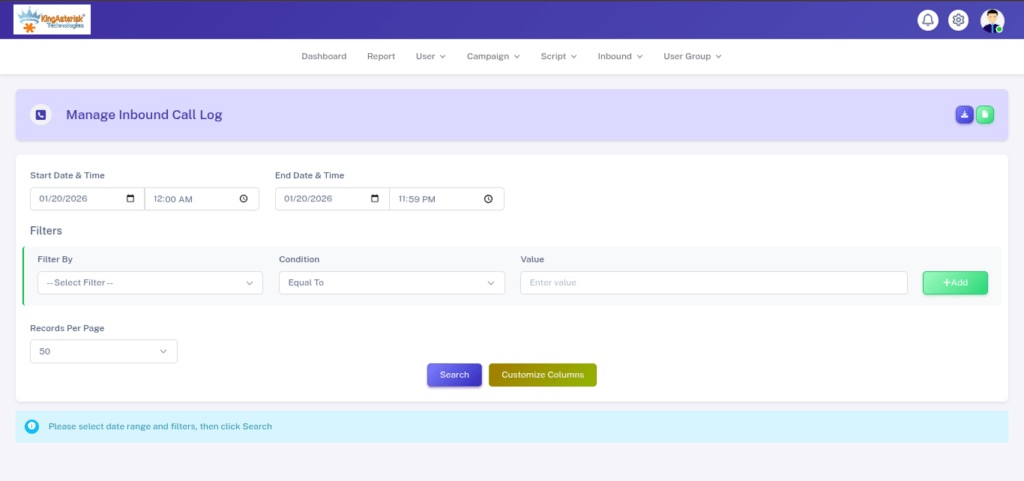
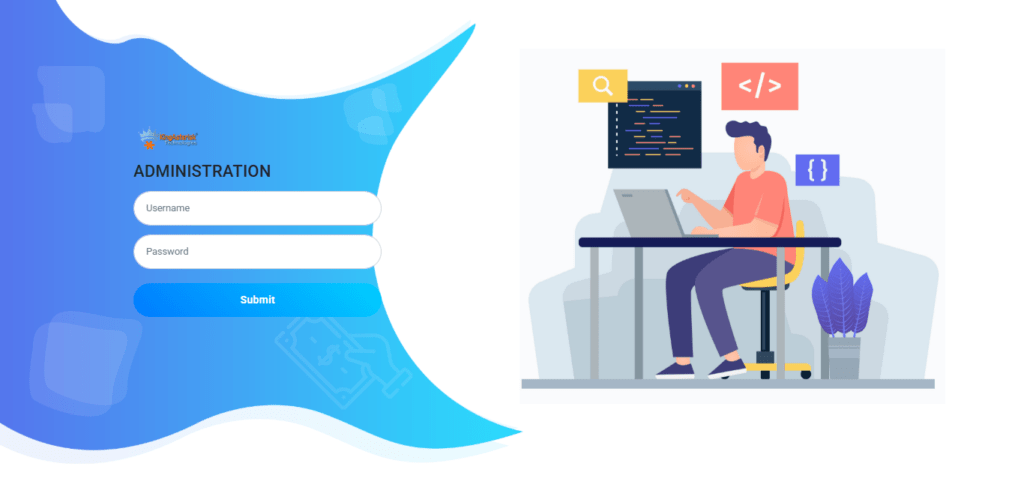
  • Login pages show your brand identity
  • Agent desktops follow your visual language
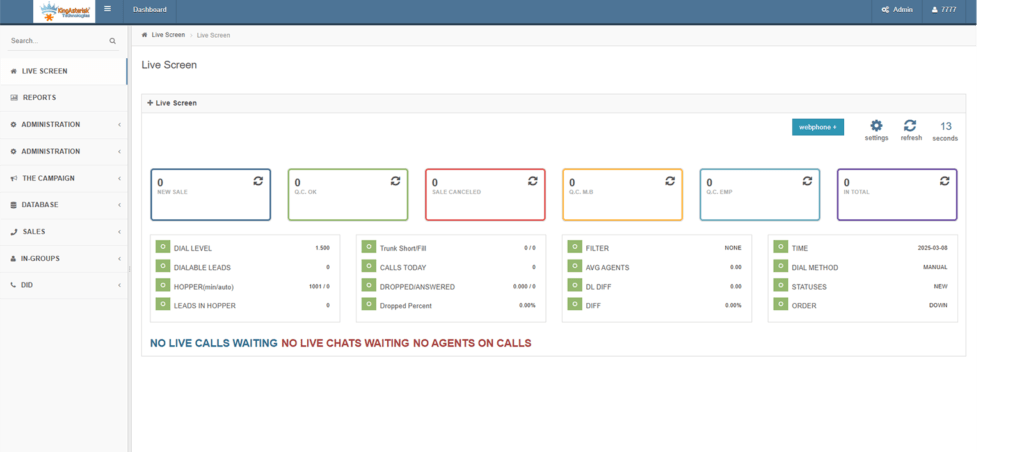
  • Admin dashboards match company style
  • Reports carry your name and layout
  • Notifications use your brand tone

These elements build a complete Enterprise White Label Dialer UI experience.

Now think about agent psychology. An agent who works inside a branded environment feels connected to the company. That agent feels part of the brand mission. That feeling improves focus. It improves responsibility. It improves performance. Studies on workplace design show that a familiar environment increases productivity and reduces mental load.

Let’s look at a simple example.

Case Example:

A retail support center runs 120 agents. They switch from a generic interface to a branded one built by KingAsterisk. Agents now see product images, campaign themes, and brand colors inside their workspace. Training time drops by 18% because screens match the company language. Supervisors report fewer mistakes in call notes. Agents feel more confident when customers ask about products. The interface supports the conversation instead of distracting the agent. That shift shows the power of a Custom branded dialer UI for enterprises.

Another big factor is control. Enterprises need strict design rules. They want fonts, spacing, layout, and color balance to follow brand guidelines. KingAsterisk gives that control through enterprise dialer UI customization features. You shape the user-centric call center UI instead of adjusting your brand to a tool.

A strong Enterprise White Label Dialer UI also supports multi-tenant dialer solution setups. Different business units can use separate branding while working under one platform. One company. Many identities. One unified system.

How Branded Agent and Admin Dashboards Boost Productivity

Ask any manager this question. “Where do agents lose time?” The answer often points to screen switching, clutter, and confusing layouts. A branded agent and admin dashboard UI solves these problems through design clarity.

KingAsterisk structures the Enterprise White Label Dialer UI around real workflows. Agents see only what they need during live conversations. Admins see data in clear, visual formats. Every element serves a purpose.

Key productivity drivers include:

  • Clean agent desktop experience
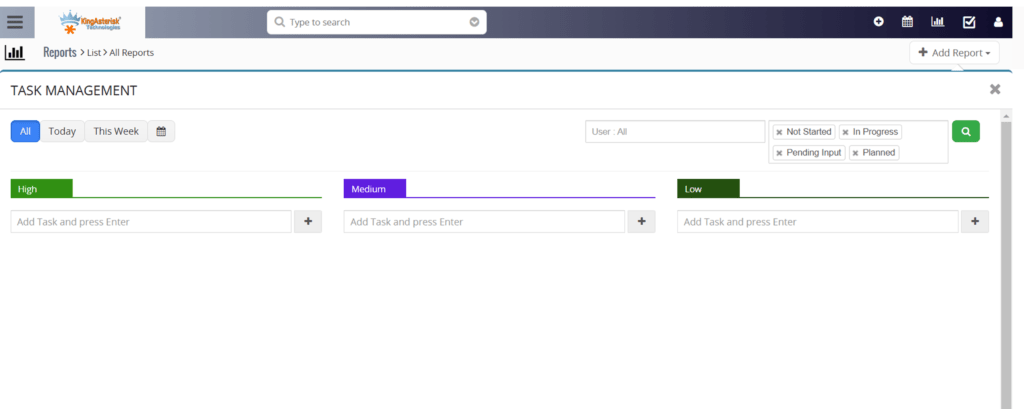
  • Simple admin panel UX design
  • Real-time analytics dashboard
  • Real-time call monitoring tools
  • Drag-and-drop UI builder options

Agents move faster because they do not search for buttons. Managers make quicker decisions because dashboards show real-time stats clearly.

Let’s compare two scenarios.

Scenario A – Generic Interface

The agent handles 90 calls per day, switches tabs often and struggles to find notes. The agent makes small data entry mistakes.

Scenario B – Enterprise White Label Dialer UI

The agent handles 108 calls per day, and sees structured workflow screens. Agent logs notes faster. Supervisor tracks performance in real time.

That jump from 90 to 108 calls means a 20% increase in output. Design drives that change.

Another bonus comes from accessibility. UI accessibility compliance ensures clear contrast, readable fonts, and logical layouts. Agents with different needs work comfortably. That inclusion supports performance and morale.

KingAsterisk focuses on hyper-customizable SaaS UI concepts for enterprise environments. Teams adjust layouts as processes evolve. The system grows with the business.

Branding, Trust, and Customer Experience Impact

Customers notice details, Customers remember visuals, Customers trust consistency. A strong Enterprise White Label Dialer UI supports brand loyalty at every touchpoint.

Marketing research from leading industry sources shows that consistent brand visuals improve customer recall and trust. When customers see the same identity across channels, they feel confident. A White label Predictive dialer UI solutions approach helps create that continuity.

Branding also helps internal communication. Teams from sales, support, and operations share the same platform style. They speak the same visual language. That unity reduces confusion between departments.

Brand Consistency Builds Instant Recognition

A familiar interface reduces doubt and makes interactions feel official. That visual match strengthens memory and recall over time.

Professional Appearance Increases Customer Confidence

A clean branded interface makes your business look structured and reliable. Customers trust companies that look organized during communication. Strong presentation supports credibility in every interaction.

Familiar Visuals Reduce Customer Anxiety

People feel unsure when systems look unfamiliar. A branded environment gives a sense of stability and control. That comfort helps customers stay calm during important discussions.

Strong Branding Improves Perceived Service Quality

Customers often judge quality based on appearance before they judge performance. A polished interface signals that the company pays attention to detail. That perception raises overall satisfaction.

Unified Experience Across Touchpoints

When emails, dashboards, reports, and agent screens match, the journey feels smooth. Customers do not feel like they moved between different systems. That flow strengthens brand trust.

Visual Identity Supports Emotional Connection

Colors and design trigger emotions faster than words. A consistent interface keeps the brand feeling present during every call. That presence helps build long-term loyalty.

Branded Reports Strengthen Authority

When follow-ups and summaries carry company identity, they feel more official. Customers treat branded documents with more seriousness. This detail reinforces professionalism.

Clear Layout Improves Communication

A structured branded UI helps agents find information quickly. Faster responses create smoother conversations. Customers notice and appreciate that speed.

Consistency Encourages Repeat Engagement

People return to brands they recognize and trust. A consistent system experience makes the brand feel dependable. That familiarity increases repeat business.

Strong Visual Identity Differentiates You from Competitors

Most businesses use generic interfaces. A fully branded environment stands out instantly. That difference makes your company more memorable.

Let’s look at another case.

Case Study: Education Support Center

An education services firm supports students and parents. They use a branded agent desktop with school-themed colors and icons. Agents guide parents through processes using screens that reflect the institution identity. Feedback surveys show a 25% increase in satisfaction scores after interface branding. Parents say the interaction feels more organized and professional.

That result highlights how an Enterprise call center white label software approach affects customer perception.

Branding also supports long-term memory. People remember colors and shapes faster than text. When your dialer interface uses your brand style, every interaction strengthens brand presence.

Ask this simple question. “Do you want your contact center to feel like part of your company or like an external tool?” The answer seems obvious. A secure enterprise white label dialer platform makes the contact center a true brand extension.

See It Live: Live Demo of Our Solution!

Security, Compliance, and Enterprise Control

Enterprises demand control, Enterprises demand safety, Enterprises demand compliance. KingAsterisk builds the Enterprise White Label Dialer UI with strong security-focused design elements.

Secure authentication UI flows protect access. Role-based access control limits features by user type. Admins define who sees what. That structure protects data and processes.

Compliance-ready dashboards help track activity logs, user actions, and performance metrics. Enterprises that follow data privacy laws need visibility. The interface design supports that visibility in a simple way.

Scalable enterprise dialing platform design allows growth from 50 agents to 5,000 agents without interface chaos. Layout rules stay consistent. Navigation stays simple. The structure stays clean.

Integration also plays a major role. Salesforce/CRM integrated UI layouts allow agents to view customer records inside the same workspace. They avoid switching tools, They reduce errors, They improve conversation flow. A white label omnichannel dialer interface can also bring voice and SMS unified interface functions into one view.

Performance tracking completes the picture. Real-time agent performance UI components show call counts, talk time, and quality scores instantly. Supervisors coach agents faster. Agents adjust behavior during live operations.

A strong Enterprise White Label Dialer UI does not just look good. It drives speed, It drives trust, It drives performance.

Role-Based Access Control

Admins assign access based on job roles. Agents, supervisors, and managers only see what they need. This control reduces mistakes and protects sensitive data.

Activity Logs & Audit Trails 

The system records every action taken inside the dialer interface. Managers review user activity anytime. This visibility supports internal control and regulatory readiness.

Secure Login Framework

Strong authentication protects user accounts. Login layers block unauthorized access. Teams keep operations safe without slowing down work.

Compliance-Ready Dashboards

Admins track call records, performance data, and user actions in one place. Visual dashboards simplify monitoring. Teams stay aligned with data privacy and operational standards.

Permission-Based Data Visibility

Different teams handle different data. The interface shows information based on permissions. This structure protects confidential customer details.

Real-Time Monitoring Control

Supervisors watch live activity from a central panel. They step in quickly when issues appear. This control keeps quality high and risk low.

Data Protection Design

The dialer interface follows structured data handling rules. Clear data boundaries reduce exposure. This design supports enterprise-level security expectations.

Multi-Department Governance

Large organizations run multiple teams. Admins manage all groups from one control layer. Each unit keeps independence while leadership keeps oversight.

Custom Policy Configuration

Enterprises define their own operational rules. Admins adjust workflows and restrictions easily. The system adapts to company policy instead of forcing change.

Scalable Control Structure

As teams grow, control remains organized. Admins manage hundreds or thousands of users without complexity. The structure stays clean and easy to operate.

Final Thoughts

Your contact center speaks to thousands of customers. Every screen your agents use shapes those conversations. Every dashboard your admins use shapes decisions. Why let those tools carry someone else’s identity?

The future belongs to businesses that own their tools visually and functionally. The Enterprise White Label Dialer UI gives that ownership. It unites brand, productivity, and control in one system.

KingAsterisk Technology brings this rare capability to enterprises that want more than a basic interface. You get a platform that feels like your own product, You get an experience that supports agents, You get dashboards that empower leaders.

One question remains. Do you want a dialer that works… or a dialer that works and represents your brand at every click?

VICIdial Agent Logout Feature in Realtime Report STEP-BY-STEP
Vicidial Software Solutions

VICIdial Agent Logout Option in Realtime Report: Detailed Guide

Call centers run in seconds. One extra minute of agent idle time can change daily targets. One unnoticed logout can affect service levels. Supervisors need live visibility. Managers need proof, not guesswork. That need gave birth to a powerful feature — VICIdial Agent Logout Option in Realtime Report. This ViciDial feature shows exactly when, why, and how often agents log out. 

Very few solution providers offer this level of control and clarity. KingAsterisk Technology delivers this capability as part of its contact center solution services, and this feature stands out as a rare operational advantage.

Many systems show call data. Many dashboards show agent status. But logout tracking in real time? That changes workforce control completely.

Think about this simple question: If an agent logs out five times a day without reason, do you see it instantly? Most teams do not. Now you can.

This guide explains everything in plain language. You will learn how the system works, why logout visibility matters, how supervisors use it, and how it improves performance, compliance, and productivity.

Why Realtime Logout Visibility Changes Call Center Control

Every contact center tracks calls. Many track talk time. Some track pauses. But logout behavior often stays hidden. That gap causes lost productivity. It also creates confusion during audits, disputes, or performance reviews.

The VICIdial Agent Logout Option in Realtime Report fills that gap. It brings logout events into the live dashboard. Supervisors no longer depend on guesswork or end-of-day reports. They see logout activity the moment it happens.

Simple fact: Research on workforce monitoring shows that real-time visibility improves productivity by up to 15% because managers act faster. Faster action means fewer delays and fewer unresolved issues.

What logout tracking really tells you

Logout data shows more than a simple exit. It reveals behavior patterns.

  • Frequent short logouts may signal system confusion
  • Long logouts may indicate disengagement
  • Logout spikes may show process issues
  • Logout timing may reveal workload imbalance

A supervisor who sees this live can react within minutes. That action protects service levels. That action saves campaign performance.

Example from a real support floor

A team of 40 agents handled outbound campaigns. Supervisors noticed missed dialing time every afternoon. Reports showed normal call counts. Something still felt wrong.

They enabled VICIdial Agent Logout Option in Realtime Report. Within two days, they spotted a pattern. Five agents logged out during low-lead periods and returned later. Each logout lasted 10–12 minutes.

Daily loss = 5 agents × 10 minutes × 2 times = 100 minutes lost
Monthly loss ≈ 50 hours of paid time

After monitoring started, supervisors addressed the issue. Logout frequency dropped. Productivity rose.

Why this feature stays rare

Most systems focus on calls, not agent behavior. Logout tracking requires deeper event capture and live reporting logic. Many vendors avoid it because it needs customization expertise. KingAsterisk Technology implements it as part of advanced contact center reporting customization.

That makes it a differentiator, not a common feature.

🚀 Implement Like a Pro: VICIdial Installation on AlmaLinux 9

How VICIdial Agent Logout Option in Realtime Report Works

Let us keep this simple and clear. The system records an event every time an agent logs out. It stores the timestamp, It captures the user ID, It records session duration. The realtime report then displays this data instantly in the supervisor dashboard. Supervisors do not wait for end-of-day exports. They see logout events alongside agent status.

What the realtime dashboard shows

The VICIdial Agent Logout Option in Realtime Report includes:

  • Agent name and ID
  • Logout timestamp
  • Total session duration before logout
  • Agent state before logout
  • Current availability status

Supervisors can sort, filter, and analyze this data in seconds.

Short question: Do you want to know who left the system during peak hours? Now you can answer that immediately. Logout reasons matter 

Managers often ask: Did the agent log out for a valid reason? When teams define logout categories, supervisors gain clarity. These categories may include:

  • Break
  • End of shift
  • System issue
  • Training
  • Escalation

Tracking these reasons supports workforce management. It also reduces disputes.

Logout behavior vs idle time

Many confuse logout with idle. They differ.

Idle = Agent stays logged in but inactive
Logout = Agent exits session

Idle time affects dialing speed. Logout affects workforce availability. Both need tracking, but ViciDial logout monitoring gives stronger control because it directly impacts active workforce size.

Numbers that explain impact

In a 100-agent center:

If 10 agents log out for 15 extra minutes daily
Lost time = 150 minutes/day
Lost time monthly ≈ 75 hours

That equals nearly two full working weeks lost. The VICIdial Agent Logout Option in Realtime Report exposes that loss immediately.

What Makes This Logout Feature Different from Standard Reporting

Many contact centers rely on historical reports. Managers download files. They check logs after shifts end. That approach delays action. Delayed action means lost opportunities.

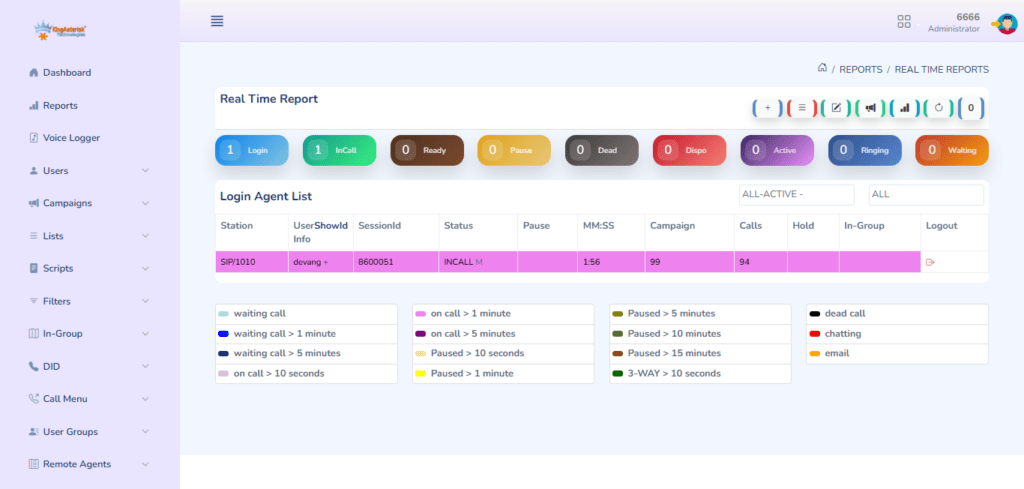
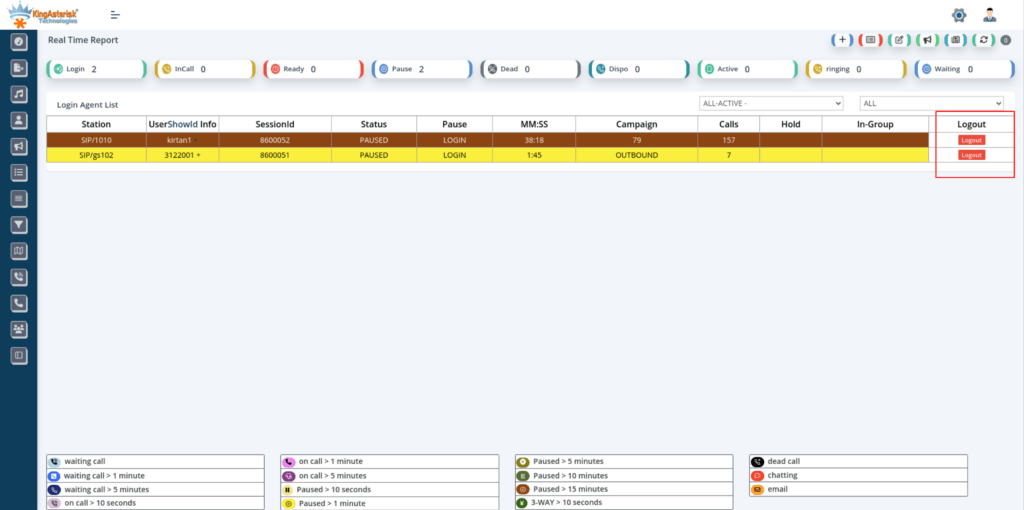
The VICIdial Agent Logout Option in Realtime Report works directly inside the live screen supervisors already use, allowing both monitoring and action in one place.

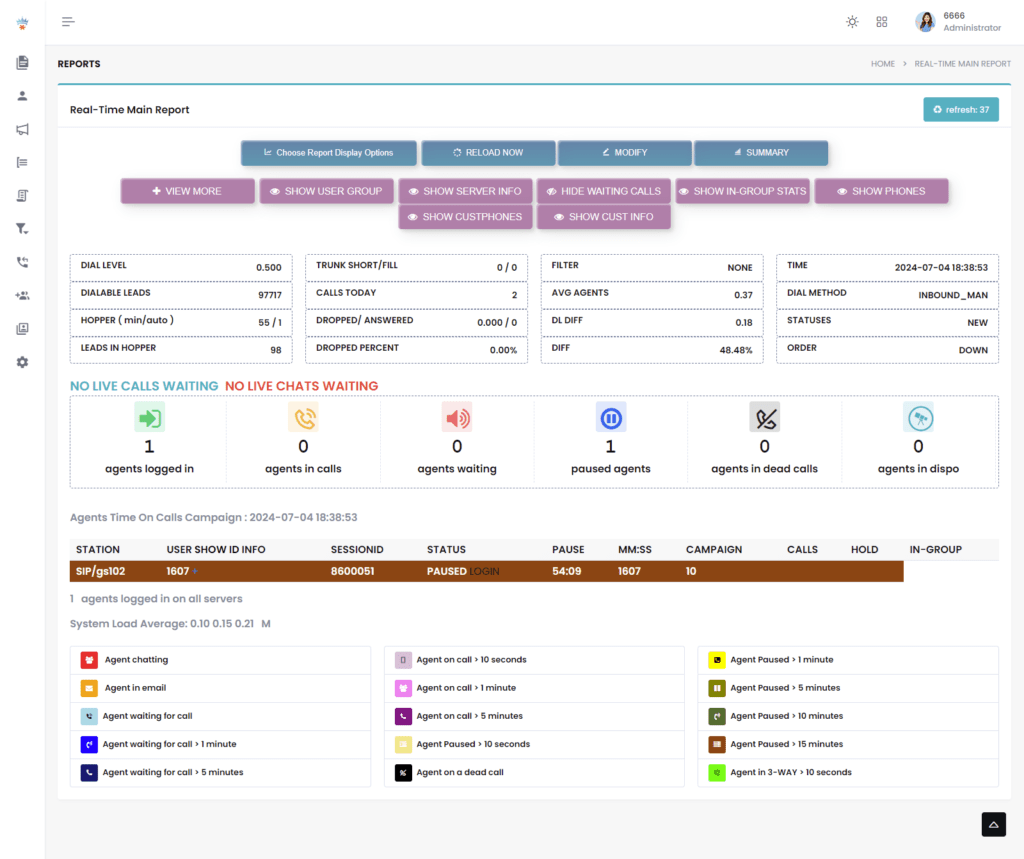
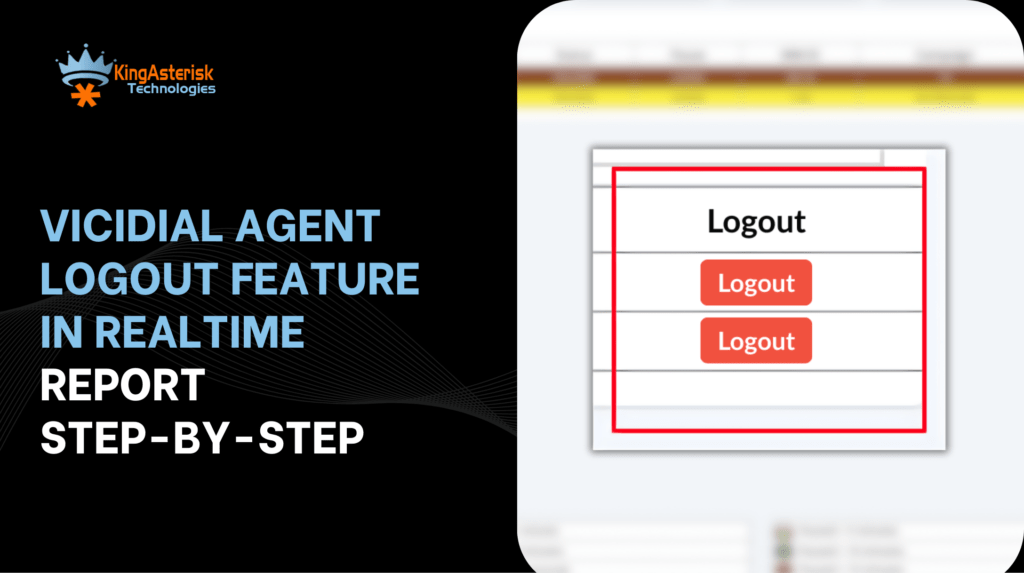
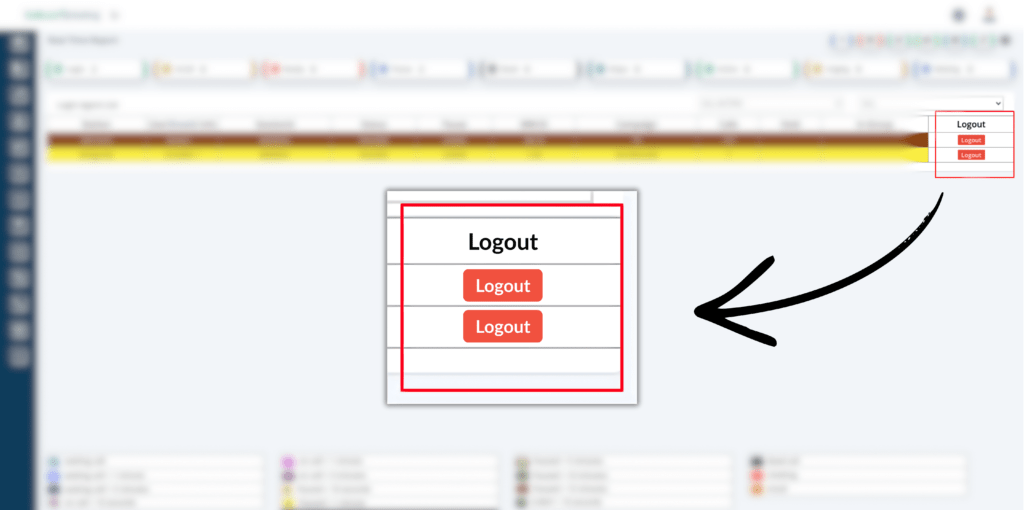
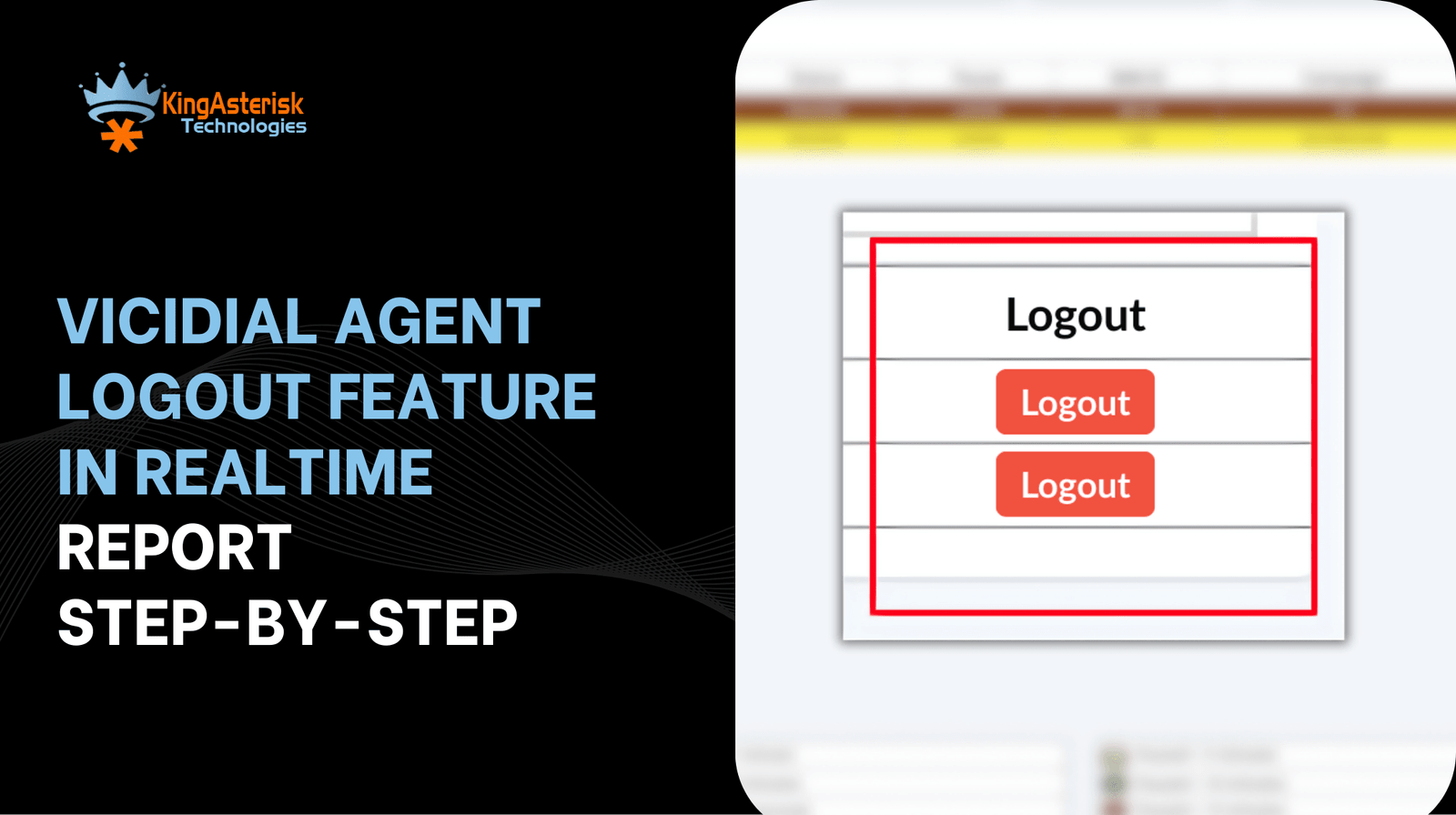
The screenshot shows a real-time report interface with clear agent rows and a visible Logout button column on the right side.

You do not just watch. You manage live.

What the realtime screen shows

From the interface:

  • Agent Station ID
  • User information
  • Session ID
  • Current Status (Ready, Paused, etc.)
  • Pause type
  • Session timer (MM:SS)
  • Campaign name
  • Call count
  • Hold details
  • Group info
  • Logout action button

All this appears in one scrolling view. Supervisors do not jump between tools.

How Supervisors Use Logout Monitoring for Better Performance

Supervisors do not just watch screens. They manage outcomes. Logout monitoring helps them take action, not just observe data.

1. Live intervention

When an agent logs out during high call demand, supervisors notice instantly. They can check with the agent, They can adjust staffing, They can prevent service dips.

2. Fair performance evaluation

Performance reviews often raise disputes. An agent may say, “I stayed available.” Data may say otherwise. Logout logs provide clear proof. This clarity supports fair decisions.

3. Schedule adherence

Workforce planning depends on adherence. Logout data helps managers compare scheduled hours with actual active time.

Simple formula supervisors use: Active session time = Login time – Logout time – Approved breaks. This formula becomes reliable when logout data stays visible in realtime Vicidial reports.

4. Detecting behavior patterns

Some agents log out only near shift end, Some log out during low lead volume, Some log out after tough calls. Patterns reveal operational or emotional factors. Managers can then offer support or training.

Case study style scenario

A customer support center saw high abandonment in the last hour of shifts. Supervisors blamed call volume. Logout tracking showed 12% of agents logging out early.

After introducing VICIdial Agent Logout Option in Realtime Report, supervisors addressed early exits. Abandonment dropped. Customer satisfaction improved.

5. Coaching opportunities

If an agent logs out frequently after difficult interactions, that signals stress. Managers can offer coaching. They can balance workloads. That reduces burnout.

Industry insight

Contact center studies show that structured monitoring combined with supportive coaching improves agent retention. Logout analytics help start those conversations with facts.

What you measure, you manage. What you see live, you control faster.

Business Impact, Reporting Accuracy, and Competitive Advantage

This feature affects more than supervision. It impacts cost, compliance, and planning.

Productivity gain

Reducing unnecessary logout time by even 5% raises campaign output significantly. That small change improves revenue performance.

Accurate reporting

Historical reports often miss short logout bursts. Live capture ensures full accuracy. Leaders receive reliable numbers.

Workforce planning

Managers plan schedules better when they understand true active time. They avoid overstaffing and understaffing.

Cost example

  • Without logout monitoring:
  • Hidden lost time = 70 hours/month
  • Average agent cost = $7/hour
  • Monthly loss = $490

With VICIdial Agent Logout Option in Realtime Report, supervisors cut that by half. Savings appear fast.

Compliance readiness

Many industries require proof of agent activity records. Logout logs provide session history. That supports audit needs.

Operational transparency

Clear data builds trust between managers and agents. Everyone sees the same facts.

Competitive edge

Few providers implement logout control directly inside realtime reporting dashboards. KingAsterisk Technology delivers this rare capability as part of customized contact center solutions. Businesses gain deeper operational insight than standard setups provide.

Another quick question: Would you rather manage by assumption or by live facts?

Final Thoughts

Call centers run on timing. Visibility creates control. Control drives performance. The VICIdial Agent Logout Option in Realtime Report gives supervisors real-time awareness, accurate reporting, and better workforce decisions. It helps managers reduce hidden productivity loss, It supports fair evaluation, It improves compliance readiness.

Most platforms stop at call tracking. This feature goes deeper. It focuses on agent session behavior, a factor many overlook. KingAsterisk Technology delivers this advanced capability as part of its contact center solution services, giving businesses stronger operational insight than standard reporting systems provide.

If you want sharper supervision, cleaner reports, and better productivity, logout monitoring in realtime reports becomes essential — not optional.

VICIdial Installation on AlmaLinux 9 Complete Setup Guide – 2026
Vicidial Software Solutions

VICIdial Installation on AlmaLinux 9: Step-by-Step Deployment Guide 2026

Want full control over your call center system? Want speed, stability, and freedom? No fluff. No confusion. Just action. KingAsterisk Technology works as a Contact Center Solution services provider company. Our team handles real Vicidial dialer environments every day. We test setups, We fix errors, We improve performance. This guide shares that hands-on knowledge so you can complete VICIdial Installation on AlmaLinux 9 the right way.

Many people ask simple questions.

  • Where do I start?
  • What breaks most often?
  • How do I avoid errors?
  • You will find those answers here.

AlmaLinux 9 gives long-term stability. Linux experts across education and research communities recommend enterprise Linux distributions for telephony workloads because they offer security updates, package consistency, and performance control. Reliable systems create better uptime. Better uptime means more calls, more leads, and better agent output.

One line truth: A clean setup saves 20+ hours of troubleshooting later.

System Preparation Before VICIdial Installation on AlmaLinux 9

Preparation decides success. Most failures happen before Vicidial installation even begins. You must control the foundation first.

You start with a minimal AlmaLinux 9 setup. Avoid unnecessary packages. Extra software creates conflicts. Clean systems stay stable.

Check hardware strength. Real call centers need strong CPU cores, fast SSD storage, and enough RAM. A 100-agent setup often uses:

  • 8+ CPU cores
  • 32 GB RAM
  • SSD storage
  • Stable public IP

More agents need more resources. Call recording and reporting also use disk and memory. Planning prevents overload.

You update the system first:

dnf update -y

dnf upgrade -y

Updates fix security gaps and dependency bugs. Research from major security communities shows that outdated packages create most Linux vulnerabilities. So update before anything else.

Next, install required tools:

dnf install epel-release -y

dnf install wget nano git net-tools perl gcc make -y

These tools help during compilation and configuration. You configure the firewall early. Open only required ports. Keep everything else closed. Tight security blocks attacks and protects customer data.

Set SELinux to permissive mode during installation:

setenforce 0

You can tune it later. Beginners often break dialers by keeping strict policies during setup.

Over 60% of Linux deployment errors come from missing dependencies or blocked services. You must also set hostname and time zone. Dialer logs depend on correct time. Now your system stands ready for VICIdial Installation on AlmaLinux 9.

Core Software Setup for VICIdial Installation on AlmaLinux 9

This stage builds the working environment. You install database services first:

dnf install mariadb mariadb-server -y

systemctl enable mariadb

systemctl start mariadb

Secure the database:

mysql_secure_installation

Use a strong password. Remove test databases. Good database hygiene protects records and call logs.

Install web services:

dnf install httpd php php-mysqlnd php-gd php-mbstring php-cli -y

systemctl enable httpd

systemctl start httpd

Install telephony dependencies:

dnf install perl-CPAN perl-DBI perl-DBD-MySQL sox ffmpeg -y

These tools process audio and scripts. Now download the VICIdial source:

cd /usr/src

git clone https://github.com/inktel/Vicidial.git

Move into the directory and start installation scripts. Follow prompts carefully. Most errors come from skipping steps. You also install Asterisk:

dnf install asterisk asterisk-configs asterisk-sounds-core-en -y

systemctl enable asterisk

systemctl start asterisk

Asterisk drives call handling. VICIdial controls campaigns and agents.

Configure cron jobs. Cron keeps the dialer active and updates campaigns:

crontab -e

Paste VICIdial cron entries from documentation. If cron stops, your dialer stops. After installation, open the web panel. Complete initial setup. Create admin login. Set phone codes. Configure time zones. You now complete the heart of VICIdial Installation on AlmaLinux 9.

Database Configuration (MySQL/MariaDB Setup)

Database configuration forms the backbone of call center dialer software. You install and secure MariaDB to store campaign data, agent logs, and call records. Strong database tuning improves reporting speed and prevents data delays. A stable database environment supports smooth VICIdial Installation on AlmaLinux 9.

Web Service Environment (Apache & PHP Installation)

The web interface of this open-source call center software runs on Apache and PHP. Proper PHP modules ensure dashboards, reports, and admin panels load without lag. Adjust memory and execution limits to handle real-time analytics dashboards. A well-tuned web layer keeps the AlmaLinux 9 VICIdial setup guide 2026 performance-ready.

Telephony Engine Dependencies

Audio processing tools like sox and ffmpeg help manage call recordings and sound prompts. Perl libraries support dialer scripts and cron automation. Missing dependencies often cause installation failures in VICIdial installation instructions AlmaLinux 9. Installing these components early reduces troubleshooting later.

Asterisk PBX Platform Installation

Asterisk powers call handling, extensions, and IVR logic inside the VICIdial PBX platform. Correct module loading ensures inbound and outbound campaigns function properly. Version compatibility matters during How to install VICIdial on AlmaLinux 9 step by step. Stable telephony services lead to better call quality and system response.

Cron Jobs and Dialer Scheduling

Cron jobs automate background tasks like campaign activation and list updates. Without cron scheduling, the dialer stops processing calls correctly. Many AlmaLinux 9 VICIdial configuration tips focus on verifying cron permissions. Reliable scheduling keeps operations running around the clock.

Security Hardening and Firewall Setup

Security hardening AlmaLinux 9 protects dialer data and user access. Configure firewall rules to allow only required ports and block unknown traffic. SELinux adjustments help avoid service restrictions during deployment. A secure base strengthens the best way to deploy VICIdial on AlmaLinux 9.

Linux Command Line Installation Workflow

The entire deployment uses a Linux command line installation process. Command-line control allows faster updates, debugging, and service checks. Administrators prefer CLI during VICIdial install prerequisites on AlmaLinux 9 because it reduces GUI conflicts. Strong CLI knowledge speeds up issue resolution.

Performance Optimization During Setup

Early performance optimization VICIdial steps include adjusting PHP limits and database buffers. Monitoring CPU, memory, and disk usage prevents overload during peak calls. Proper optimization supports TCPA-compliant auto dialer setup and campaign stability. Smart tuning during setup avoids future slowdowns.

Configuration, Testing, and Performance Tuning

Now you bring the system to life. Start with network checks. Confirm ports respond. Confirm services run:

systemctl status mariadb

systemctl status httpd

systemctl status asterisk

No errors? Good. Next, configure inbound and outbound campaigns. Add user groups. Add agents. Assign extensions. You test audio:

sox --version

Recording and playback must work. What use is a dialer if calls sound bad?

Tune PHP settings:

nano /etc/php.ini

Increase memory_limit and max_execution_time. Reports use memory. Tune database performance by editing:

nano /etc/my.cnf

Increase buffer pool for heavy call traffic. Security matters. Enable firewall rules only for required ports. Block unused access points. 

Monitor logs:

tail -f /var/log/asterisk/messages

Logs show issues fast. Experts check logs daily. Performance tuning improves answer rate and stability. Research across telecom deployments shows that optimized dialers can raise agent talk time by 15–20%. Smooth systems make happy agents.

Troubleshooting and Best Practices for Long-Term Stability

Problems happen. Smart teams prepare. Common issues:

Database connection fails

Check database username and password inside the dialer configuration files. Confirm the database service runs without errors. Test login manually using the MySQL/MariaDB command line. Restart the database service after making any changes.

Web panel loads slowly

Check system RAM and CPU usage during peak hours. Increase PHP memory limit and execution time in php.ini. Clear old log files and remove unused recordings. Restart web services after tuning settings.

No audio

Confirm sound packages like sox and ffmpeg work correctly. Check call recording directory permissions. Verify that Asterisk loads sound modules without errors. Test playback from the command line to isolate the issue.

Cron jobs not running

Open crontab and confirm VICIdial cron entries exist. Check cron service status and restart it if needed. Verify file paths inside cron jobs are correct. Review cron logs to detect permission or script errors.
Keep daily backups. Backups save months of work. Apply updates monthly. Security communities stress patch cycles to reduce risk. Use monitoring tools to track CPU and RAM. Keep documentation of changes. Teams fix issues faster with records. Teams that maintain logs and monitoring reduce downtime by nearly 40%.

Final Thought

You now understand the full process of VICIdial Installation on AlmaLinux 9. You prepared the system, installed components and configured services. Performance is now tuned and you learned troubleshooting.

Simple steps. Clear actions. Strong results.

Need expert help? KingAsterisk Technology guides contact centers through setup, optimization, and scaling every day.

Build it right once. Grow without limits.