
The problem has always been visibility – how does a supervisor know what’s actually happening on the floor right now, not an hour from now when reports come in? VICIdial live call monitoring solves exactly that. Every contact center runs on the quality of its VICIdial conversations. A single agent interaction can win a customer for life or send them straight to a competitor.
It gives supervisors and managers a live window into every active call, every agent status, and every queue – in real time, without interrupting the conversation. For organizations running VICIdial as their core telephony platform, this capability is not a nice-to-have. It is the operational backbone of quality management.
This post covers how VICIdial live call monitoring works, what it surfaces, where it falls short in its default form, and how KingAsterisk builds custom monitoring environments that go significantly further.
What VICIdial Live Call Monitoring Actually Does
VICIdial is an open-source contact center suite built on top of Asterisk. People often ask what VICIdial is used for – and the answer spans outbound dialing campaigns, inbound queue management, blended operations, lead management, and agent performance tracking. Live monitoring sits at the center of all of it.
In its standard implementation, VICIdial live call monitoring lets authorized users:
- View all active calls across campaigns in real time
- See which agents are on calls, paused, waiting, or logged out
- Listen silently to any live call (the “monitor” function)
- Whisper to an agent mid-call without the customer hearing
- Barge into a call and speak to both parties simultaneously
- Watch live disposition codes as agents wrap up calls
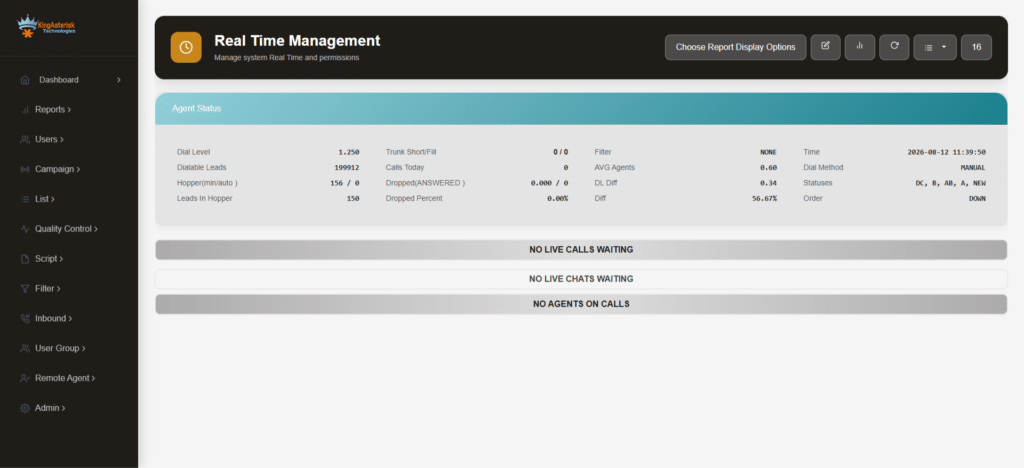
This is the core. What makes it powerful is that everything updates continuously – no page refresh, no delay. Supervisors see the contact center floor the way a pilot sees an instrument panel.
The Three Layers of Real-Time Visibility
Call-Level Monitoring
At the call level, VICIdial live call monitoring shows the caller ID, the campaign the call belongs to, how long the call has been active, the agent handling it, and the current call status. Supervisors can click directly into any active call to listen without alerting the agent or the customer.
This listen-only mode is the most used function in day-to-day supervision. It lets a team lead verify that agents are following scripts, handling objections correctly, and staying compliant with any applicable calling regulations – all without disrupting the conversation.
Agent-Level Monitoring
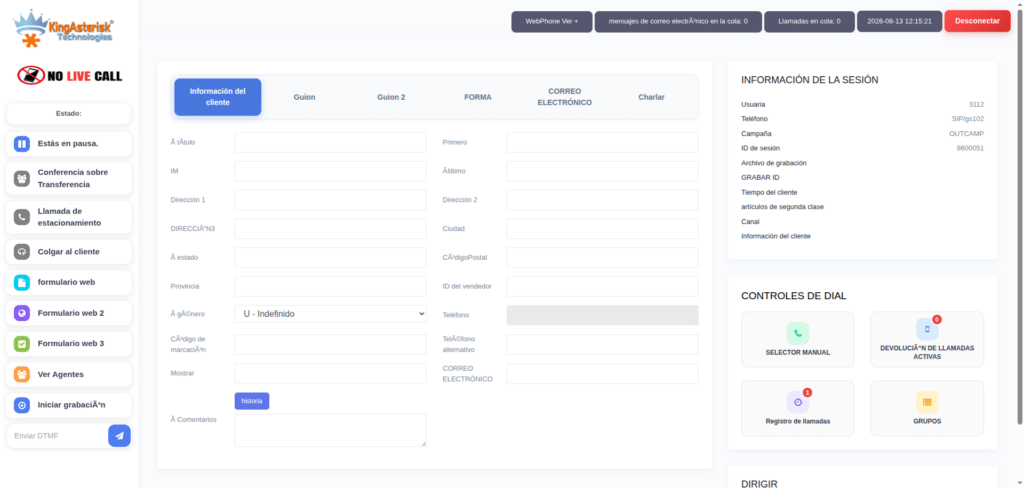
Beyond individual calls, supervisors get a full agent status board. This shows every logged-in agent, their current state (on call, paused, waiting for a call, in wrap-up), which pause code they selected if paused, and how long they have been in that state.
This is where many supervisors catch issues before they become problems. An agent on a pause code for twelve minutes when the queue is backing up is a signal worth acting on. Without live monitoring, that gets caught in an end-of-day report – far too late.
Campaign and Queue-Level Monitoring
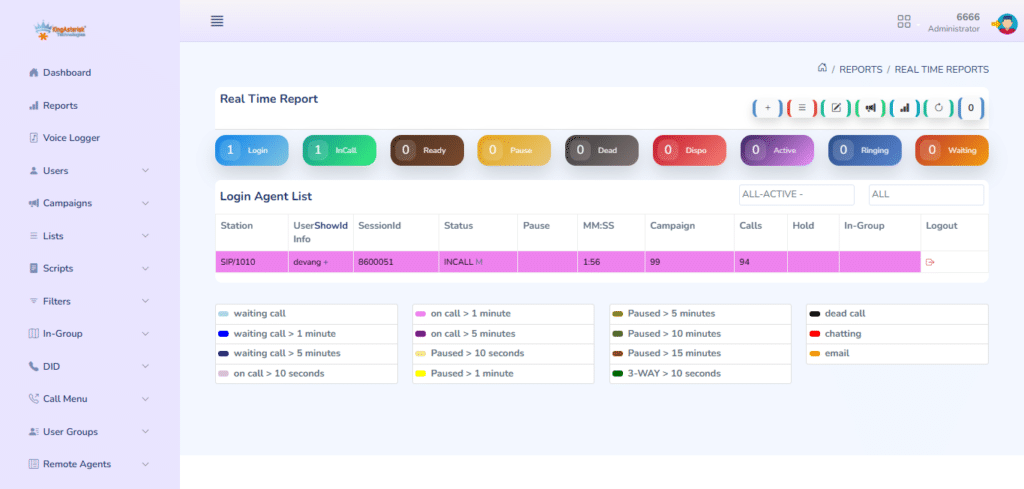
The third layer is campaign and queue health. VICIdial live call monitoring surfaces how many calls are waiting, what the current answer rate looks like, how the predictive dialer is behaving, and whether the campaign pacing needs adjustment. For inbound operations, it shows service level in real time – are calls being answered within your target threshold right now?
Common Monitoring Scenarios and How VICIdial Handles Them
| Scenario | VICIdial Feature Used | What the Supervisor Can Do |
|---|---|---|
| New agent struggling on a call | Whisper (coach) | Speak to the agent without the customer hearing |
| Angry customer escalation | Barge-in | Join the call and take over if needed |
| Agent on pause too long | Agent status board | Intervene directly or flag for follow-up |
| Campaign underperforming | Real-time campaign stats | Adjust dialing ratio or reassign agents |
| Compliance concern | Listen-only monitoring | Silently verify agent behavior |
| Queue backing up | Inbound queue dashboard | Move agents between queues or add capacity |
VICIdial Monitoring in Practice: What Supervisors Actually Need
The default VICIdial live call monitoring interface is functional, but it was designed to be a foundation – not a finished product. Most organizations running VICIdial at any meaningful scale run into the same friction points:
The interface can feel dated. Supervisors managing fifty agents across four campaigns are scrolling through dense tables rather than reading a clean dashboard built around their actual workflow. Response time suffers. Decisions take longer.
There is also the question of customization. Standard VICIdial gives you the monitoring tools; it does not give you a monitoring environment configured around your specific campaigns, agent groups, compliance requirements, or escalation workflows.
This is where development work matters.
How KingAsterisk Builds Custom Monitoring Environments
KingAsterisk specializes in taking VICIdial’s core monitoring capabilities and extending them into purpose-built supervisor interfaces. The service list in the attachment from our team covers this in detail – the work ranges from custom GUI development using PHP, through to live AMI-based dashboards and custom reporting layers that sit on top of real-time data.
Custom Supervisor Dashboards
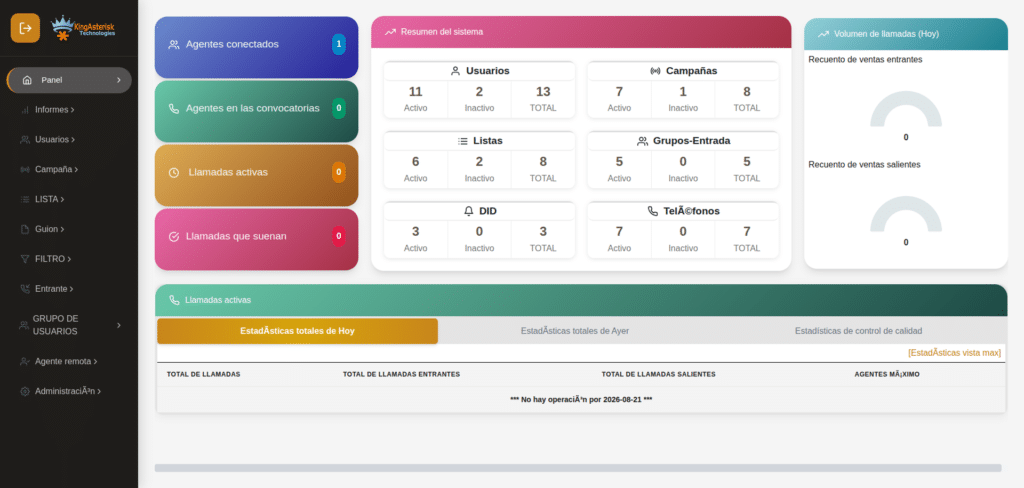
Rather than the default VICIdial monitoring panel, KingAsterisk builds supervisor dashboards designed around how a specific operation actually runs. This means putting the right metrics in front of the right people – campaign managers see campaign health, team leads see agent status, operations directors see KPI summaries – all in one place, all live.
These dashboards pull from VICIdial’s Asterisk Manager Interface (AMI), which emits real-time events for every call state change, agent action, and queue update. A well-built AMI integration allows the dashboard to display call events and agent status changes with minimal delay.
Real-Time Monitoring Panels
For operations centers with large screens on the floor, KingAsterisk builds real-time monitoring panels that display live call counts, agent statuses, queue depths, and performance metrics in a format designed to be read across a room. These are not static reports – they are live feeds built on event-driven data from VICIdial.
Agent Performance Reporting Integration
VICIdial live call monitoring generates a significant amount of data in real time – but that data becomes most useful when it connects to historical performance records. KingAsterisk builds reporting layers that capture live monitoring data alongside talk time, disposition codes, login and logout events, and pause code usage, turning it into agent scorecards, attendance reports, and productivity rankings.
Addressing Common Questions About VICIdial
One of the most common questions from organizations evaluating this platform is how much does VICIdial cost per month. The honest answer is that VICIdial itself is open-source and free to download. There are no licensing fees for the core software. The costs come from infrastructure (servers, SIP trunks, telephony hardware), implementation, customization, and ongoing support.
For organizations working with KingAsterisk, the engagement model is based on the scope of development and support work – custom GUI builds, integration projects, reporting modules, and so on. There is no monthly seat license for VICIdial the way there is for proprietary contact center platforms.
Closely related: is VICIdial free for calling? The software is free, but calls are not – you still need SIP trunks or VoIP termination services, which are priced per minute or per channel by carriers. VICIdial handles the dialing logic and call management; the actual call connectivity comes from your telephony provider. This distinction matters when budgeting, because the platform cost and the calling cost are separate line items.
Troubleshooting: When VICIdial Live Call Monitoring Is Not Working
A common search query that lands on this topic is VICIdial live call monitoring not working – and it covers a wide range of issues. The most frequent causes:
AMI connection failures.
The monitoring panel connects to VICIdial via the Asterisk Manager Interface. If the AMI credentials are wrong, the port is blocked, or the Asterisk service has restarted without the monitoring application reconnecting, the live feed goes dark.
Browser compatibility issues.
The default VICIdial interface has specific browser requirements. Organizations using unsupported browsers or outdated versions will often see the VICIdial live call monitoring panel fail to load or update correctly.
Permission configuration.
VICIdial has granular user permission settings. If a supervisor account does not have the correct permission flags set, the monitoring functions – listen, whisper, barge – will appear but not work, or will not appear at all.
Server resource constraints.
On under-provisioned servers, the real-time components of VICIdial live call monitoring can lag or freeze. This is especially common in multi-server deployments where the web server and the Asterisk server are not properly configured to communicate.
Network latency between servers.
In distributed deployments, latency between the web layer and the Asterisk layer introduces delays in the live monitoring feed. This is not always obvious at low call volumes but becomes apparent under load.
KingAsterisk’s development and support work covers all of these – from initial server configuration and performance optimization to multi-server architecture design and ongoing maintenance.
What a VICIdial Live Monitoring Review Actually Looks Like
Organizations evaluating VICIdial often look for VICIdial live call monitoring review content before committing to the platform. What they typically find is that the core capability is solid – the listen, whisper, and barge functions work reliably when the system is properly configured. The gaps are usually in the user experience: the interface is functional but not intuitive for supervisors who have come from more modern platforms.
The gap is not in VICIdial. It is in the implementation.
A properly deployed VICIdial environment, with a custom supervisor dashboard and well-configured monitoring panels, competes with significantly more expensive proprietary platforms on the monitoring and visibility side. The organizations that report frustration with VICIdial live call monitoring are almost always running the system in a default configuration that was not designed for their specific operational needs.
Mobile and Remote Supervisor Access
For teams with supervisors working remotely or in the field, the question often becomes whether VICIdial live call monitoring is accessible outside the office network. This is where a VICIdial live call monitoring app or mobile-compatible monitoring interface becomes relevant.
Standard VICIdial does not ship with a dedicated mobile supervisor application, but KingAsterisk builds mobile-compatible monitoring interfaces using WebRTC and responsive web design. Supervisors can access live dashboards, agent status boards, and campaign monitoring panels from a browser on any device – tablet, phone, or desktop – with appropriate security controls in place.
WebRTC also enables browser-based softphones, meaning remote supervisors can listen to, whisper on, or barge into calls directly from their browser without installing any additional software.
The Broader Case for Real-Time Operational Visibility
VICIdial live call monitoring is not just a supervision tool. It is an operational feedback loop. When supervisors can see what is happening on every call, in every queue, across every campaign – right now – they can make decisions that improve outcomes in real time, not in retrospect.
The organizations that get the most from VICIdial are the ones that treat the monitoring layer as seriously as they treat the dialing configuration. That means custom dashboards built for the actual users, real-time data pipelines that do not lag under load, permission structures that give each role the right level of visibility, and monitoring environments that work reliably on every shift.
That is the work KingAsterisk does. If your organization is running VICIdial and the monitoring layer is not giving you the visibility you need – or you are building a new VICIdial environment and want to get the monitoring right from the start – the development and customization services described here are the place to begin.
KingAsterisk provides advanced VICIdial, Asterisk, and contact center development services to organizations globally. From custom supervisor dashboards to full multi-server architecture builds, the team works across the full stack of open-source telephony technology.