


Asterisk issues are one of the most common, and most operationally damaging, sources of downtime in modern contact center environments. When your open-source Asterisk telephony backbone starts misbehaving, the ripple effects are immediate: agents can’t connect calls, IVR flows break mid-customer-journey, and your SLA metrics collapse in real time.
At KingAsterisk, we’ve been deploying and maintaining Asterisk-based contact center platforms for over 15 years, and we’ve seen these problems firsthand across operations of every size, from 10-seat inbound support desks to 500-agent outbound sales floors.
The difference between a 15-minute fix and a 4-hour outage almost always comes down to knowing exactly where to look. This guide doesn’t deal in generalities. Each section below names a specific failure mode, explains precisely why it happens, and gives you actionable steps to resolve it, whether you’re troubleshooting a live outage right now or hardening your system against the next one.
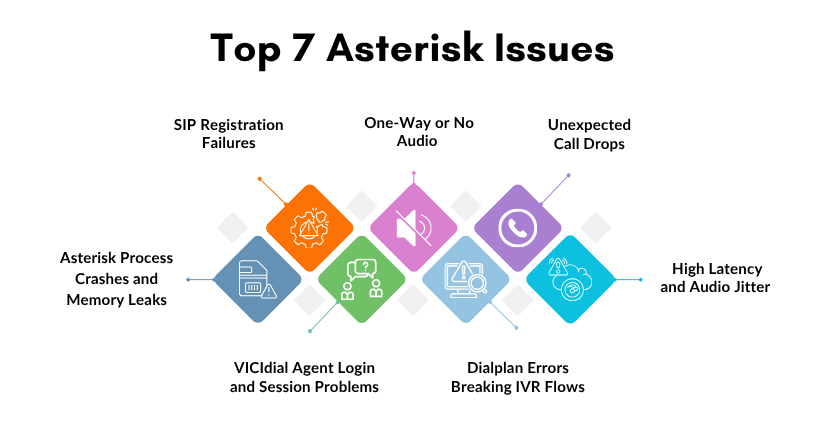
Issue #1 — SIP Registration Failures
What It Looks Like
Agents report that their softphones show “Registration Failed” or “401 Unauthorized.” Inbound routes stop receiving calls entirely. Your trunk provider’s portal shows the line as offline or unregistered. Sometimes this affects only certain extensions; other times the entire SIP trunk goes dark.
Why It Happens
SIP registration failures are among the most frequent Asterisk issues and typically stem from one of three root causes:
- Incorrect credentials in sip.conf or pjsip.conf — passwords changed at the provider end but not updated locally, or a copy-paste error introduced a hidden character
- Firewall blocking UDP port 5060 — especially common after a server migration, OS-level security update, or cloud security group change
- NAT traversal misconfiguration — the externip and localnet parameters are missing or incorrect, causing Asterisk to send a private IP address in its SIP Contact header, which the provider cannot reach
How to Fix It
Check peer registration status from the CLI: asterisk -rx “sip show peers” — look for peers showing UNREACHABLE or UNKNOWN status. For chan_pjsip: asterisk -rx “pjsip show endpoints”.
Enable SIP debug logging in real time: asterisk -rx “sip set debug on” — watch for 403 Forbidden, 401 Unauthorized, or 404 Not Found responses from your provider.
Verify firewall rules are not blocking port 5060: iptables -L -n | grep 5060 and ufw status verbose on Ubuntu systems.
In sip.conf, confirm that externip=
and localnet=192.168.x.x/255.255.255.0 are correctly set under [general]. Reload the SIP channel driver without a full Asterisk restart: asterisk -rx “module reload chan_sip.so”, this applies credential and NAT changes immediately.