


Calls create stories. Numbers tell the truth. Your reports show where money grows and where it leaks. Simple. Many contact centers check call counts but ignore deeper call data. That mistake hides real performance. The VICIdial CDR Report changes that game. It gives clear call records, clean metrics, and strong insights. KingAsterisk Technologies builds VICIdial Based contact center solutions, and this feature stands out as a rare capability.
Very few providers offer deep-level call data reporting with this level of control and clarity. Want to know which agent wastes time? Curious why some campaigns fail? Need proof for client billing? This guide answers all that. You will learn setup steps, analysis methods, report exports, and performance tricks.
What Is a VICIdial CDR Report and Why It Matters
A Call Detail Record stores full information about each call. Every dial, every second, every result. The VICIdial CDR Report collects that data and shows it in an organized format.
Think of it like a fitness tracker for your call center.
Each record shows:
- Caller number
- Agent name
- Call start time
- Call end time
- Ring time
- Talk time
- Hold time
- Disposition result
- Campaign name
These details help managers track performance in real time. A 10-second reduction in average handling time can increase daily capacity by 8–12%. That means more calls without hiring more agents.
Many businesses rely only on summary reports. That view hides real problems. Detailed call logs reveal the truth. For example:
Campaign A shows 1,000 calls.
Looks good, right?
But CDR analysis shows:
- 300 calls dropped
- 250 calls lasted under 5 seconds
- Only 200 real conversations
Now you see reality.
The VICIdial CDR Report helps with:
- Agent performance tracking
- Client billing validation
- Compliance proof
- Quality checks
- Campaign comparison
- Productivity improvement
Google research often shows that data-driven teams outperform others. Numbers guide decisions better than guesses. Call data does the same for contact centers.
Ask yourself:
- Which hour gives the best connection rates?
- Which agent converts most calls?
- Which campaign wastes dial attempts?
CDR data answers all.
KingAsterisk Technologies designed this feature for businesses that want deeper control, not surface-level charts. That makes it a powerful and uncommon capability in the industry.
VICIdial CDR Report Setup Guide (Step-by-Step)
Good data starts with proper setup. If you skip configuration, reports break. You must prepare logging, filters, and exports carefully.

Step 1: Enable Detailed Call Logging
You start by activating full call record logging in the system settings. Choose complete data capture. Include timestamps, caller IDs, agent IDs, and call status.
Many admins only log basic fields. That choice limits later analysis. Always log more than you think you need.
Step 2: Configure Time Zone and Date Format
Wrong time settings create confusion. Reports show mismatched hours. Agents blame reports. Managers lose trust.
Set the correct local time zone. Keep date format consistent. Use the same VICIdial call detail record analysis format across CRM and dashboards.
Step 3: Define Campaign Tracking Rules
Each campaign should have its own tracking tags. Use clear naming like:
- Sales_Jan_2026
- Renewal_Q1
- Support_Priority
This structure helps the VICIdial CDR Report group calls correctly. Poor naming creates reporting chaos.
Step 4: Agent ID Mapping
Each agent must use a unique ID. Avoid shared logins. Shared access destroys accountability. Clear agent mapping allows per-agent performance reports.
Step 5: Set Call Status Codes
Statuses tell the story. Examples:
- SALE
- CALLBACK
- NO ANSWER
- WRONG NUMBER
- BUSY
Managers should define codes clearly. Agents must use correct dispositions. Wrong status codes ruin analytics.
Step 6: Enable Export Options
You should activate export formats like CSV, XML, and JSON. These formats support integration with dashboards and reporting tools.
Exports help when teams build:
- KPI dashboards
- Client billing sheets
- Performance charts
Step 7: Schedule Report Generation
Manual reports waste time. Set automatic schedules. Choose daily, weekly, or monthly reports. Send them to managers and team leads.
A daily report highlights issues early. A weekly report shows trends.
Common Setup Mistakes
- Missing timestamps
- Shared agent logins
- Wrong time zone
- Limited export fields
Avoid these errors. They break trust in reporting.
KingAsterisk Technologies helps configure the VICIdial CDR Report properly so businesses avoid these gaps. That support saves hours of troubleshooting later.
How to Read and Analyze VICIdial CDR Reports
Raw data means nothing without analysis. Numbers become powerful only when you read them right.
Let’s decode key metrics.
1. Talk Time
Talk time shows real conversations. Higher talk time usually means better engagement.
But too long talk time can signal poor scripts or untrained agents. Compare agents to find balance.
Example:
- Agent A talk time = 6 minutes
- Agent B talk time = 3 minutes
- Sales closed mostly by Agent B
Conclusion: Agent A talks more but sells less.
2. Ring Time
Ring time shows how long the system waits before connection. High ring time reduces answer rates. If average ring time crosses 25 seconds, contacts drop sharply.
3. Wrap-Up Time
Wrap-up time tracks post-call activity. Long wrap-up times slow productivity. Short wrap-up means efficient workflow. But extremely short wrap-ups can signal rushed notes.
4. Disposition Trends
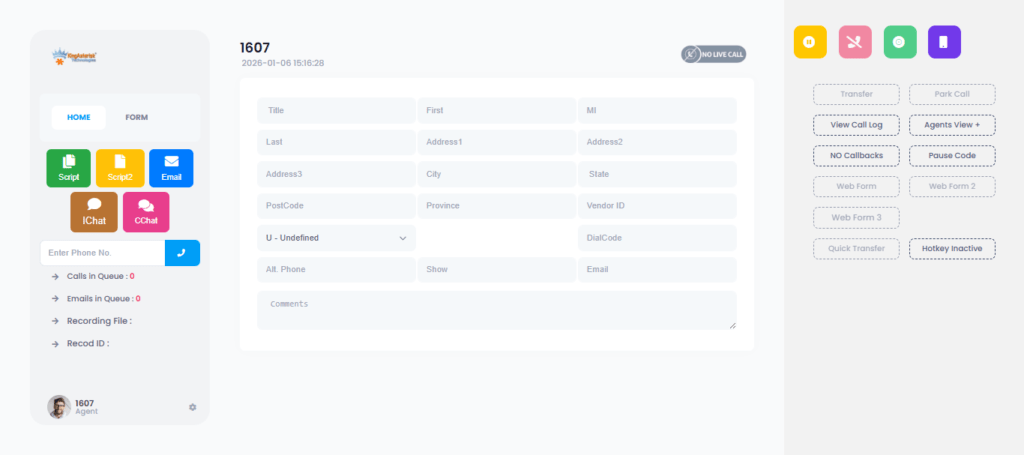
Status codes reveal campaign health. If 60% calls show “NO ANSWER,” you may dial wrong time slots. If many calls show “CALLBACK,” your script may lack urgency.
5. Hourly Analysis
Split data by hour. Many teams find peak success windows. Shift more dialing to 2 PM. That simple change boosts results.
6. Agent Productivity
Measure:
- Calls per hour
- Talk time ratio
- Conversion ratio
Top agents often follow similar VICIdial CDR report export options patterns. Train others using those patterns.
7. Campaign Comparison
Compare two campaigns side by side.
- Campaign A: 10% conversion
- Campaign B: 4% conversion
Investigate:
- Script
- Lead source
- Time slot
- Data Visualization
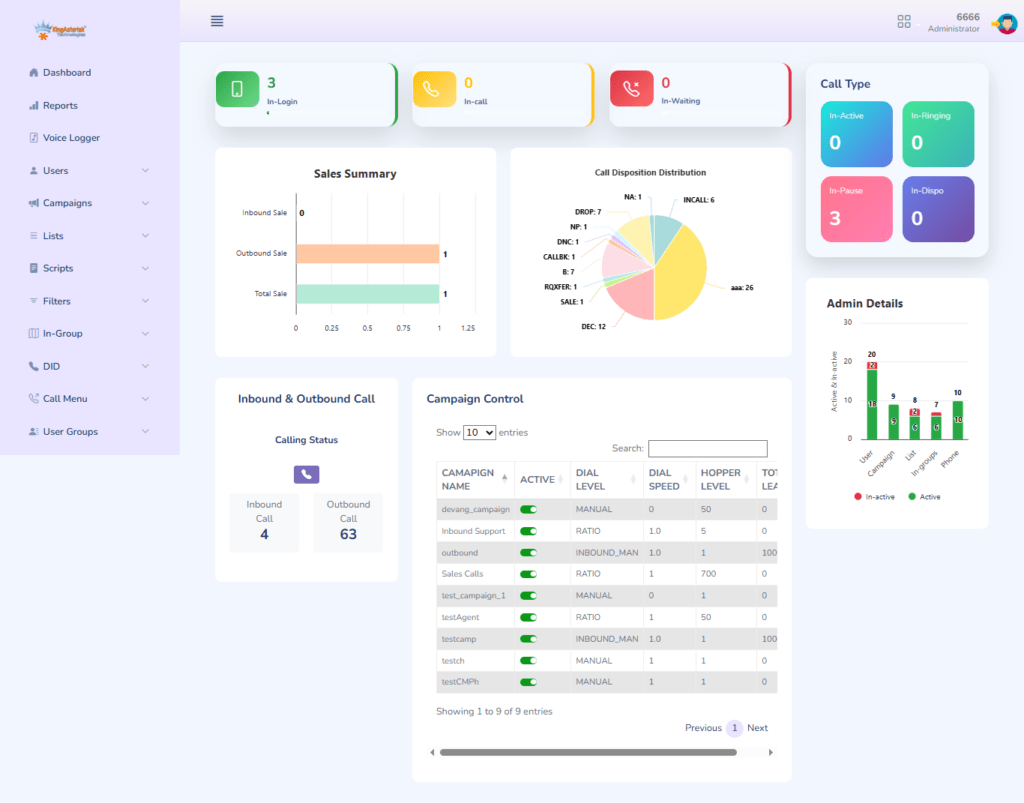
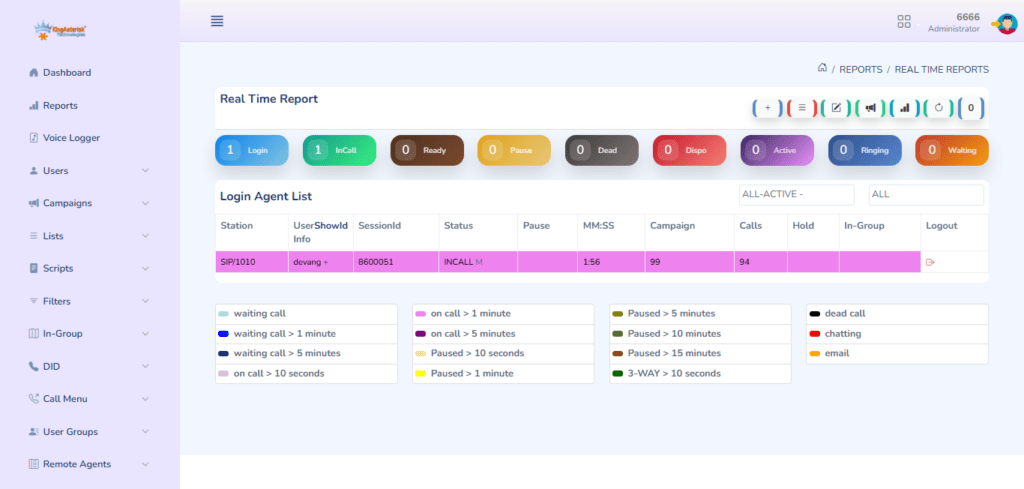
Charts help teams understand trends faster. Line graphs show daily growth. Pie charts show status distribution. Bar charts compare agents. Managers who use visuals solve problems quicker. The VICIdial CDR Report becomes powerful when teams analyze patterns, not just totals.
Advanced Insights, Use Cases, and Optimization
Now we move beyond basic reporting. Let’s talk about strategy.
Case Study: Sales Campaign Boost
A sales team handled 5,000 calls daily. Managers saw low sales but blamed agents.
CDR analysis showed:
- High ring time
- Many short calls
- Peak success between 1 PM–3 PM
They changed dialing hours and reduced ring time. Sales increased 22% in 30 days.
Case Study: Agent Performance Gap
One agent showed low performance. Manager planned Troubleshooting VICIdial CDR data issues and replacement. CDR data showed the agent handled most difficult leads. After adjusting lead distribution, the agent’s results improved 35%. Data prevented a wrong decision.
Billing Validation
Clients often ask, “Did you really make these calls?” The VICIdial CDR Report provides proof with timestamps and call duration. That transparency builds trust.
Quality Assurance
Supervisors use call records to select calls for review. They track:
- Talk duration
- Call outcome
- Agent behavior
Better tracking improves training quality.
Troubleshooting Missing Data
Sometimes records go missing. Check:
- Logging settings
- Status code errors
- Export filters
Fix issues early to avoid gaps.
KPI Tracking
Important KPIs include:
- Average handle time
- First call resolution
- Call abandonment rate
- Agent utilization
These KPIs drive growth decisions.
Future Trends in Call Reporting
Modern reporting focuses on:
- Real-time dashboards
- Predictive metrics
- Data visualization
- Performance forecasting
Companies that use deep reporting outperform competitors.
Why This Feature Stands Out
Most systems show only summary reports. KingAsterisk Technologies delivers advanced CDR-level reporting as a specialized capability. That level of detail helps businesses operate with precision. You can’t improve what you don’t measure.
Quick Questions People Ask
How often should I check reports❓
Daily for operations, weekly for trends.
Do reports help increase sales❓
Yes. Better timing and agent tracking improve conversions.
Can I compare agents❓
Yes. You can filter data per agent.
Final Thoughts
Data shows reality. Assumptions hide problems. The VICIdial CDR Report gives full visibility into calls, agents, and campaigns. Businesses that use detailed reporting gain stronger control, higher productivity, and better decisions.
KingAsterisk Technologies brings this rare capability to contact centers that want more than surface numbers. Deep reporting drives growth. Simple.
Want smarter calling campaigns? Start with your call data.


