



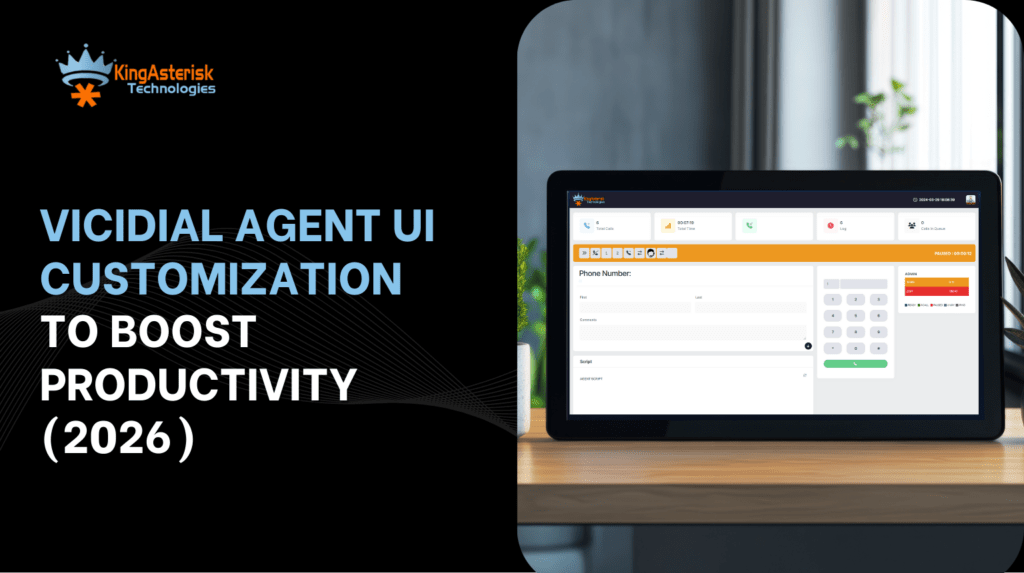
Let me tell you something straight. Vicidial Agent Screen Customization decides whether your agents feel calm or stressed on every single call. Yes, I mean it. In 2026, agents don’t fail because they lack skills. They struggle because screens confuse them. Too many tabs, Too much scrolling, Too many clicks.
I see this problem every week. At KingAsterisk, a Contact Center Solution services provider company, we talk daily with teams across industries and regions. Everyone asks the same thing in different words: “How do we make agents faster without pushing them harder?”
The answer stays simple. Fix the screen. And that’s exactly what Vicidial Customization does when done the right way. This guide walks you through real layouts, real ideas, real workflows, and real outcomes. No fluff. No buzzwords. Just practical clarity.
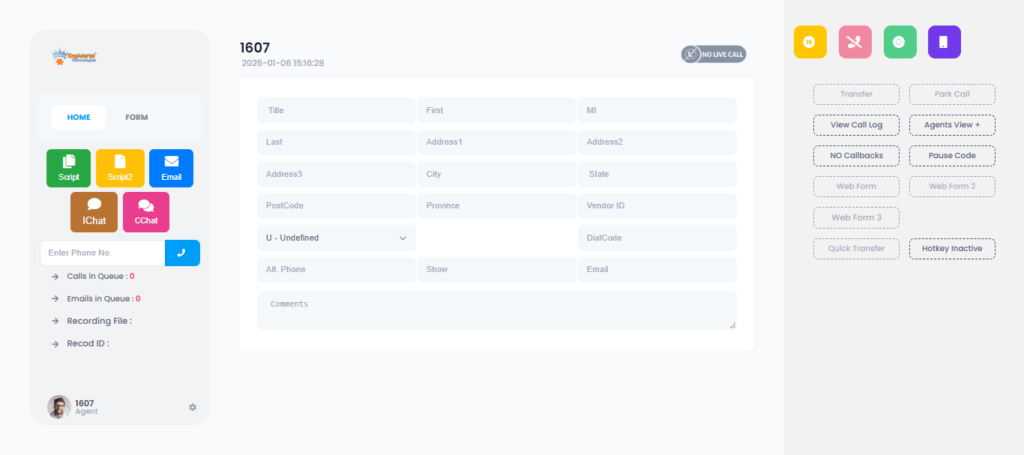
What is Vicidial Agent Screen Customization?
Vicidial Agent Screen Customization means adjusting the agent interface layout, panels, data flow, and on-screen actions so agents see only what they need, when they need it.
Customized Screen Layout for Agents
Vicidial Agent Screen Customization allows you to arrange panels, fields, and buttons based on agent workflow. Agents see only the most useful information first.
Faster Actions With Fewer Clicks
Customization places common actions like call outcomes and notes within easy reach. Agents complete tasks quickly without scrolling or switching views.
Workflow-Based Agent Experience
Vicidial Agent Screen Customization follows the natural call flow from start to finish. The screen supports how agents talk, listen, and close calls. This design keeps agents focused and reduces mental pressure.
Better Agent Comfort and Daily Performance
Clean and simple screens reduce eye strain and frustration. Agents feel more in control during long shifts. Comfortable agents deliver better results consistently.
Why Agent Screens Decide Productivity More Than Training (Hard Truth)
Let me ask you something simple. Have you ever watched a skilled agent pause… not because they felt confused, but because they searched for the right button? That pause costs seconds. Seconds become minutes. Minutes become lost leads.
Most contact centers try to solve productivity with scripts and pressure. That approach fails in 2026. Vicidial Agent Screen Customization works because it respects how humans think. Humans scan before they act, hate clutter or love patterns.
A clean agent screen does three things instantly:
- Guides the eyes
- Reduces mental load
- Speeds decision making
At KingAsterisk, we design screens that feel natural. Agents stop fighting the interface. They start focusing on conversations. Research published in Search Engine Journal confirms that simplified dashboards improve task completion speed by over 30% in operational roles. That number shows up clearly in contact center work too.
💡Ready to Upgrade Agent Productivity?
Clean screens change how agents work every day. Smart layouts reduce clicks, remove confusion, and help agents stay focused on real conversations. Vicidial Agent Screen Customization gives your team the clarity they need.
Explore Now!How Vicidial Agent Screen Customization Works in Real Life
Let me paint a picture. An agent logs in.
They see exactly five elements:
- Lead details
- Call controls
- Script area
- Notes panel
- Outcome buttons
Nothing else screams for attention. This setup doesn’t happen by accident.
Vicidial Agent Screen Customization allows structured control over:
- Screen layout order
- Panel sizes
- Field visibility
- Action placement
Instead of forcing agents to adapt, the interface adapts to agents. Small change. Big impact. One client reduced average call handling time by 18% in 30 days after reorganizing just one screen section. No new hires or longer shifts. Just smarter screens.
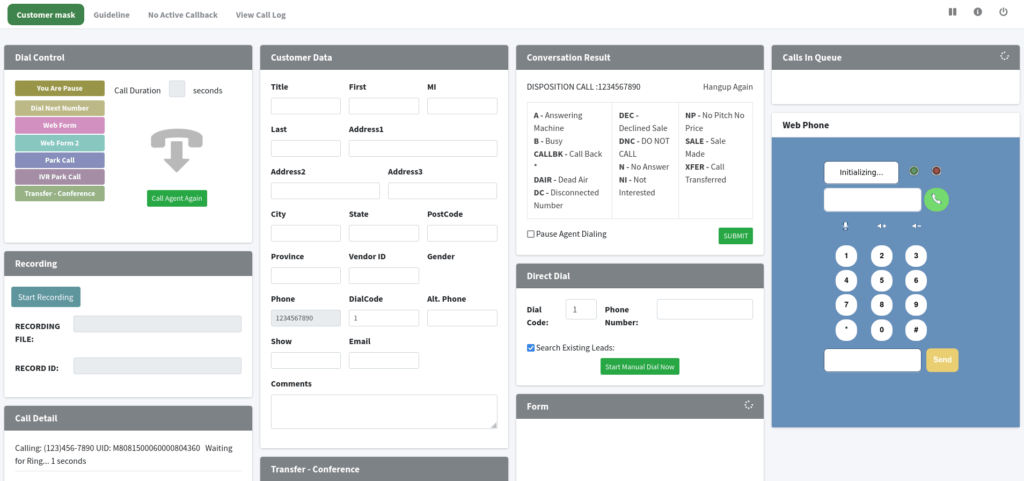
Vicidial Agent Screen Customization Best Practices That Actually Work
Let’s talk about real strategy, not theory.
1. Place decision buttons near eye level
Agents act faster when they don’t scroll. Keep disposition buttons close to lead details.
2. Remove unused fields
If agents never touch a field, remove it. Every extra field steals attention.
3. Match layout to call flow
Opening, discussion, closing. Screens must follow this natural order.
4. Keep text readable
Small fonts hurt speed. Simple spacing helps scanning.
5. Group related data
Cluster phone, name, and location together. The brain loves grouping.
These Vicidial agent dashboard personalization tips sound basic, but they create massive results when combined.
Vicidial Agent Screen Customization for Different Industries and Regions
Here’s where things get interesting. The same screen never works for every industry.
Sales Teams
Sales agents need:
- Lead history upfront
- Objection notes visible
- Quick follow-up triggers
Support Teams
Support agents need:
- Issue categories front and center
- Past interaction logs
- Resolution shortcuts
Global Operations
Teams across the USA, UK, India, Philippines, Australia, and Europe need:
- Local time visibility
- Language-friendly layouts
- Region-specific data blocks
Vicidial Agent Screen Customization supports industry-based layouts without forcing agents into one rigid design. Wikipedia explains human-computer interaction principles clearly, and those principles apply directly to contact center screens.
Vicidial Agent UI Improvements for Productivity in 2026
Let me be honest. 2026 agents expect more than basic layouts.
They want:
- Faster feedback
- Clear performance cues
- Smart visual signals
Modern Vicidial agent UI improvements for productivity focus on clarity, not complexity.
What works now:
- Color cues for call status
- Real-time counters for activity
- Simple progress indicators
Agents don’t need motivation posters. They need screens that speak clearly. A good agent screen talks quietly and guides loudly.
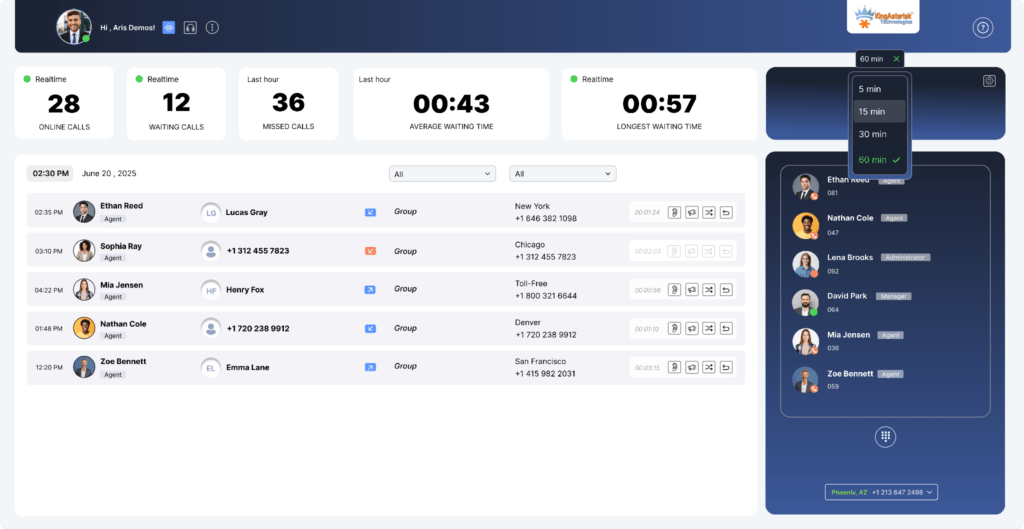
Real Example: Before vs After Screen Customization
Before customization:
- Agent switched tabs 12 times per call
- Notes appeared at the bottom
- Disposition buttons hid behind scrolling
After Vicidial Agent Screen Customization:
- Agent used 4 clicks total
- Notes stayed visible
- Call outcomes appeared instantly
Result:
- Higher confidence
- Lower fatigue
- Better customer conversations
This change came from layout logic, not technology hype.
Common Objections (And Why They Don’t Hold Up)
“Agents will take time to adjust.” They adjust faster to clean screens than cluttered ones.
“Customization sounds complex.”
It feels complex only without planning. “One layout should fit all.”
That idea died years ago. HubSpot usability studies show that personalized dashboards improve task efficiency across roles.
How KingAsterisk Approaches Vicidial Agent Screen Customization

We don’t start with code but start with questions.
- What slows agents down?
- What do they click first?
- What do they ignore?
Then we design layouts that answer those questions visually.
KingAsterisk focuses on:
- Workflow-first layouts
- Clean data grouping
- Long-term usability
Let me keep this honest. Agents today multitask more. Screens must reduce mental switching.
What metrics should appear on an agent screen❓
Show call status, lead info, and outcome options. Hide the rest.
Does customization help new agents❓
Yes. New agents learn faster when screens guide them visually.
Final Thoughts: Screens Shape Behavior
Let me leave you with this. Agents don’t fail systems. Systems fail agents. Vicidial Agent Screen Customization fixes that gap. It aligns human behavior with interface design, improves productivity without pressure. It keeps teams confident and focused.
At KingAsterisk, we believe great screens create great conversations. If you want your agents to work smarter in 2026, don’t train harder. Customize better.
Explore Vicidial customization options. Improve agent focus. Build screens that work like teammates.
Ready to redesign how your agents work?
Start with the screen.


