


Every contact center wants better performance, Every manager wants faster agents, Every business wants stronger trust. But here’s a simple question: What do your agents see for 8–10 hours every day? Most teams ignore this. They focus on scripts, They focus on leads, They focus on reports. But they forget one core thing, the VICIdial interface itself shapes behavior.
A generic webphone screen creates confusion. A branded and structured interface creates confidence. This is where VICIdial Webphone Customization becomes a real productivity solution, not just a design upgrade. It is not about colors. It is about control, speed, clarity, and decision-making.
What is VICIdial Webphone Customization (And Why It Is Not Just Design)
Let’s clear one misconception. Many people think customization means changing colors, adding logos, or adjusting layout. That is not true.
VICIdial Webphone Customization is about making the system work exactly the way your agents think and act.
It connects:
- Agent workflow
- Brand identity
- Call handling speed
- Data visibility
- Error reduction
When done correctly, it reduces hesitation, reduces clicks. It reduces mistakes. And most importantly, it improves agent confidence from day one.
The Real Problem: Why Default Interfaces Kill Productivity
Let’s talk about reality. Most contact centers face these issues:
- Agents take extra time to find buttons
- New hires struggle to understand the layout
- Important actions stay hidden inside menus
- Branding feels disconnected from operations
- Supervisors waste time explaining basics again and again
Sounds familiar? Here’s the truth: The system does not slow your team. The structure does. A default interface forces every business to adjust. A customized interface adjusts to your business. That is the difference.
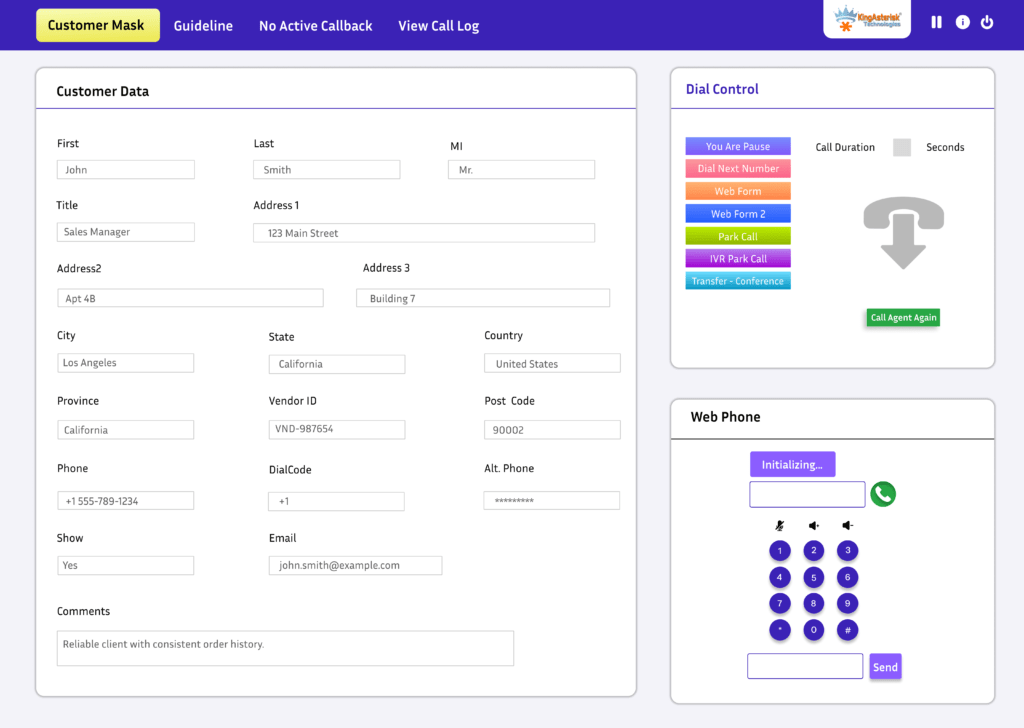
How VICIdial Webphone Customization Improves Daily Operations
Now let’s answer the most important question: How does customization actually improve productivity? It works at three levels.
1. Faster Agent Actions
Agents stop thinking. They start acting.
- Clear button placement
- Highlighted call controls
- Reduced navigation steps
Result? Faster call handling. More calls per hour. Less training time
2. Better Focus During Calls
A clean and branded interface removes distractions. Agents see:
- Only relevant fields
- Structured customer data
- Easy call notes section
This improves: Conversation quality. Accuracy in data entry. Customer trust
3. Strong Brand Presence
Your agents represent your business. When they see your logo, colors, and structured Vicidial design: They feel connected, and act more professionally. They stay aligned with brand identity. This is not visual. This is psychological.
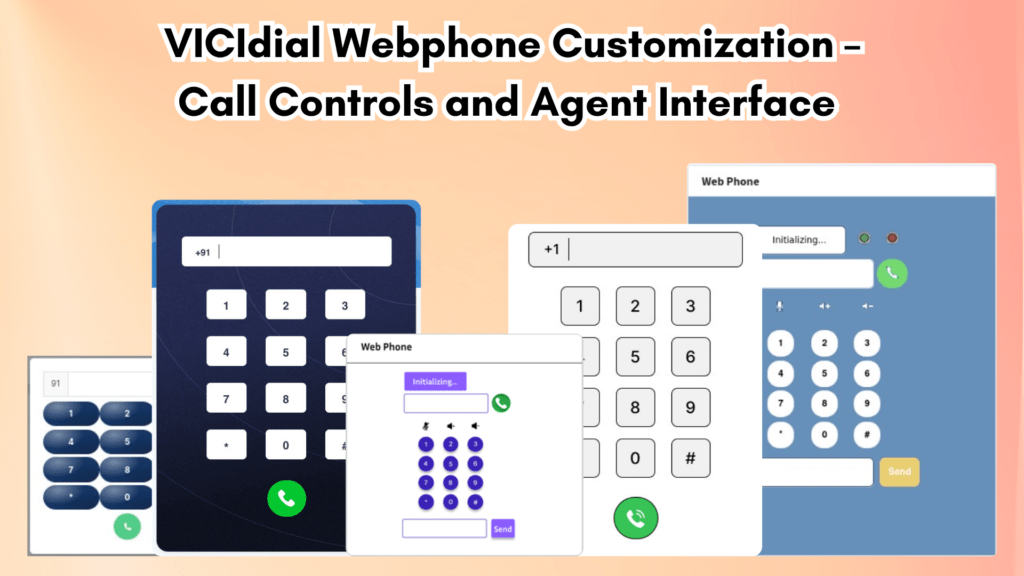
Step-by-Step Process of VICIdial Webphone Customization
This section plays a big role in search visibility. It shows real implementation. Let’s keep it simple and practical.
Step 1: Identify Agent Workflow
Start with questions:
- What actions do agents perform most?
- Where do they waste time?
- What confuses new agents?
Do not guess. Check real usage.
Step 2: Redesign the Interface Layout
Now restructure the webphone:
- Place call buttons where eyes naturally go
- Keep customer details above fold
- Remove unused sections
This reduces friction instantly.
Step 3: Add Branding Elements
Now integrate identity:
- Logo placement
- Brand colors
- Header customization
This creates consistency across the system.
Step 4: Optimize Field Visibility
Do not show everything. Show only:
- Required customer details
- Essential call notes
- Key action buttons
Less clutter = more speed.
Step 5: Test with Real Agents
Never launch directly.
Test with:
- New agents
- Experienced agents
Observe:
- Time taken per call
- Errors
- Feedback
Fix before full rollout.
Real Issue + Fix (Step-by-Step Solution)
Now let’s target a real search intent.
Problem: Agents Cannot Find the Transfer Option Quickly
Many teams report this issue. Agents waste 5–10 seconds searching for transfer options. This delays calls. It frustrates customers.
Fix: Optimize Transfer Button Visibility
Follow these steps:
- Move transfer button near the main call control area
- Use clear labeling (not hidden icons)
- Highlight it using contrast color
- Remove extra steps before transfer action
- Test with 2–3 agents and measure time reduction
Result? Transfer time reduces instantly. Call flow becomes smoother. Agents feel more confident. This type of fix helps pages rank for real issue-based searches.
When Should You Customize Your Webphone?
Timing matters more than most teams realize. You should think about VICIdial customization when agent performance drops without any clear reason, when training starts taking longer than expected, or when new agents struggle to adapt to the system. These signs do not appear suddenly. They build up slowly and affect daily output. You may also notice the need when you expand your contact center team and want every agent to follow the same workflow without confusion.
You should also consider customization when you want consistent branding across your operations, so every interaction feels aligned and professional. Many teams ignore these early signals and delay action. That decision often leads to bigger challenges later. Do not wait for major breakdowns. Small friction always turns into big losses if you ignore it for too long.
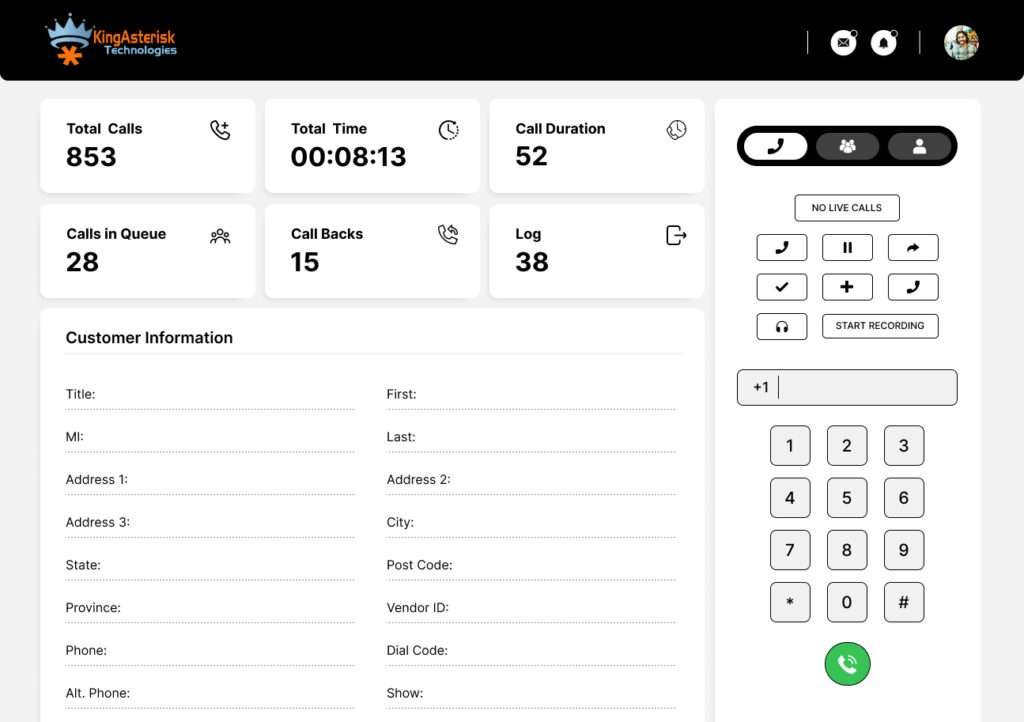
Why Branding Inside the Webphone Impacts Performance
Let’s break this clearly. Branding does not only affect customers. It affects agents more.
When agents work inside a system that reflects your business:
- They feel ownership
- They trust the system
- They follow structured workflows
Without branding, the system feels temporary. With branding, the system feels permanent. And people behave differently in permanent environments. This is not a short-term improvement. It builds long-term efficiency. Over time, you will notice:
- Reduced training cost
- Lower agent errors
- Better call handling speed
- Improved reporting accuracy
- Strong internal system discipline
One change. Multiple impacts.
Case Insight: Small Change, Big Result
One contact center team faced a simple issue. Agents missed call notes during busy hours. Why? The notes section stayed at the bottom. Fix? Moved notes section next to call controls.
Result in 7 days:
- 32% improvement in note completion
- Better reporting accuracy
- Fewer follow-up mistakes
This shows how small structural changes drive real outcomes.
Buyer Questions You Should Ask Before Customization
Before you proceed, ask this:
- Will this change confuse my agents?
- Will it break existing workflows?
- Can my team adapt quickly?
- Will this improve real performance or just look better?
Good customization answers all these questions clearly. A fast system is not enough. A clear system wins. Speed without clarity creates errors. Clarity with structure creates results.
Final Thoughts: Turn Your Interface Into a Productivity Engine
You do not need more tools but need better structure. You do not need more training but need a better working environment. VICIdial Webphone Customization transforms your daily operations into a smooth, predictable system. And when your system becomes predictable, performance becomes measurable.
These insights come from actual contact center workflow improvements and performance tracking.


